By Pradeep Pandey · Co-Founder · 31 min read · Updated
8 Best Nurse Scheduling Software in 2026 (Honest Comparison)
The best nurse scheduling software in 2026 depends entirely on hospital size, IT capacity, and whether you want to manage scheduling yourself or hand it off. This guide compares eight platforms across cost, fit by hospital size, compliance tools, and real implementation burden - with honest limitations included for each.

The best nurse scheduling software for a 25-bed Critical Access Hospital is not the same as the best platform for a 200-bed system. ShiftWizard, QGenda, and UKG are built for the larger facility. SimpleScheduleAI is built for the CAH where the nurse manager also covers 2-3 clinical shifts a week. Your CFO wants the longest feature list; your nurse manager wants something she can actually run after week 6. Those are different platforms entirely.
This guide compares 8 platforms across the operational variables that actually decide adoption: hospital size, IT capacity, and what your nurse manager can sustain.
Key Takeaways
- Enterprise platforms (UKG, API Healthcare) are built for 200+ bed systems with dedicated HR and IT teams. Small hospitals that buy them pay for features they cannot use.
- For hospitals under 50 beds, the right question is not “which software has the most features” but “which option your team will actually use without a full-time administrator.”
- The average nurse manager at a small or community hospital spends 8 to 12 hours per week on scheduling. That is our own estimate from more than 30 nurse manager interviews, broken down by activity in our guide to where nurse manager scheduling time actually goes. Software that meaningfully reduces it pays for itself quickly.
- Managed scheduling services now compete directly with self-serve software. Where scheduling is the manager’s biggest time drain, managed service often wins on ROI.
- Implementation burden is the most underrated evaluation criterion. A platform that takes 6 months to configure is a worse choice under 75 beds than a simpler tool that works in week one.
Table of Contents
- Quick Comparison: All 8 Platforms
- Which Nurse Scheduling Software Has the Highest Rating on Capterra?
- How to Evaluate Nurse Scheduling Software in 2026?
- What Is Your Bed Count and Staff Size?
- Do You Want to Manage Scheduling Yourself or Hand It Off?
- What Compliance Requirements Do You Actually Have?
- What Are the 8 Best Nurse Scheduling Software Options in 2026?
- 1. SimpleScheduleAI
- 2. Aladtec
- 3. SmartLinx
- 4. QGenda
- 5. NurseGrid Manager
- 6. OnShift (a ShiftKey brand)
- 7. Deputy
- 8. UKG (formerly Kronos)
- Which Software Is Right for Your Hospital Size?
- What Changed in Nurse Scheduling Software in 2026?
- How Does SimpleScheduleAI Fit in This Landscape?
- What to Do This Week
- Frequently Asked Questions
For a critical access hospital, the best nurse scheduling software is the option a one-person scheduling team can actually run: no IT project, 40-hour weekly FLSA overtime tracking built in, and fast callout coverage. Enterprise suites like UKG fit 200-plus-bed systems, not a 25-bed CAH. Of the eight platforms below, SimpleScheduleAI is the only one purpose-built for that context and delivered as AI nurse scheduling as a service; the others are rated honestly for where they genuinely fit.
The market in 2026 splits cleanly into three tiers: enterprise platforms for large health systems (UKG, Infor, API Healthcare), mid-market and specialist tools built for other settings or staff types (SmartLinx for long-term care, QGenda for physician scheduling in larger health systems, OnShift for post-acute care), and lighter options that small and critical access hospitals consider (SimpleScheduleAI, Aladtec, NurseGrid, Deputy). Two of those lighter options come from outside hospital nursing. Aladtec, now sold by TCP Software, is marketed to fire, EMS, law enforcement and corrections agencies, and TCP markets a different product, Humanity Schedule, to healthcare. Deputy serves general hourly workforces. This guide evaluates full scheduling systems; if your question is really about the mobile app your nurses and manager will touch daily, the best nurse scheduling app guide applies that lens to the same market.
Quick Comparison: All 8 Platforms
| Platform | Customer Focus | Public Ratings | Setup Time | Pricing |
|---|---|---|---|---|
| SimpleScheduleAI | Critical Access Hospitals, Texas | New service; no public reviews yet | 3 to 5 business days | $1,000/mo up to 20 nurses; $1,500/mo for 21 to 40 |
| Aladtec by [TCP](/blog/best-tcp-alternative-for-cah) | Public safety agencies (fire, EMS, law enforcement) | Capterra: 4.6/5 (17 reviews; small sample) | 2-4 weeks | Pricing page blocked our check; ask for a quote |
| SmartLinx | LTC, post-acute, senior care, behavioral health | Capterra: 4.5/5 (6 reviews; small sample) | 3-4 months | Not listed |
| QGenda | Physician scheduling, larger health systems | Capterra: 4.2/5 (68 reviews) | 6-12 weeks | Not listed |
| NurseGrid Manager | Nurse-facing app; staff coordination | Capterra: 4.2/5 (13 reviews; small sample) | Days | $5 per staff member per month |
| OnShift | Post-acute care, SNF, LTC, senior living | Capterra: 3.9/5 (14 reviews; small sample) | 4-8 weeks | Not listed |
| Deputy | Retail, hospitality, food service, healthcare | Capterra: 4.6/5 (773 reviews) | Hours to days | $5, $6.50 or $9 per user per month by tier |
| UKG Pro | Large enterprises and large health systems | Capterra: 4.3/5 (731 reviews) | 6-18 months at hospital scale | Pricing page blocked our check; ask for a quote |
Public Ratings show Capterra scores with review counts in parentheses, re-checked on the live pages September 25, 2026. G2 figures are not shown because G2 blocks automated checks and we could not re-verify them. Customer Focus reflects each vendor's own positioning on its product page. Setup Time reflects vendor-stated or industry-typical ranges. Pricing reflects publicly available figures only. Data gathered on 2026-04-30 and may have changed since.
Which Nurse Scheduling Software Has the Highest Rating on Capterra?
On Capterra, checked September 25, 2026, the tools in this guide rate between 3.9 and 4.6 out of 5. Deputy and Aladtec are highest at 4.6, and OnShift is lowest at 3.9. A star rating blends every industry that uses a tool, so it tells a small hospital less than it seems to. What hospital scheduling reviewers wrote is more useful.
Two things change how to read the stars. Review counts run from 6 for SmartLinx to 773 for Deputy, and a 4.5 from six reviews is a much weaker signal than a 4.6 from several hundred. The reviewers may also not be hospitals: Aladtec’s reviewer base leans toward public safety agencies, and Deputy’s rating covers retail, hospitality and food service as well as healthcare.
| Tool | Capterra rating (reviews) | One hospital scheduling reviewer, in their words |
|---|---|---|
| Deputy | 4.6 (773) | “The customer support is atrocious.” Julie B., CEO/DON, Hospital and Health Care, January 2022 (facility location not stated) |
| Aladtec | 4.6 (17) | No hospital nursing review on Capterra newer than 2020 |
| SmartLinx | 4.5 (6) | “Implementation was a breeze with resources helping and project management and user training are all included.” Carol G., Director of IT Services, Hospital and Health Care, March 2021 |
| UKG Pro | 4.3 (731) | No nurse leader or scheduler among reviewers on the first three review pages |
| QGenda | 4.2 (68) | “Too complex to manage without Customer support” Bryan S., Scheduler, Hospital and Health Care, May 2024 |
| NurseGrid Manager | 4.2 (13) | “I really like it. It is easy to use. Please Bring back the mobile app” Nika S., Inpatient Director, Hospital and Health Care, June 2024 |
| OnShift | 3.9 (14) | “I used to just print out the schedule and leave it out side my office.” David S., Staff Coordinator, Hospital and Health Care, March 2019 |
| SimpleScheduleAI | No reviews yet | New service, with no public reviews and no reference customers yet |
Quotes are copied exactly as posted, including the original spelling. We show Capterra only because it is the review site we could re-check on the day; G2 blocks automated checks.
If trust is the deciding question, ask each vendor for a reference at a hospital your size, and call that person. SimpleScheduleAI cannot offer one yet, so the fair test for it is to watch it build a schedule in the interactive simulator.
How to Evaluate Nurse Scheduling Software in 2026?
Evaluating nurse scheduling software in 2026 means starting with three questions before looking at feature lists: What is your bed count, because each tier requires a different tool? Do you want to manage scheduling yourself or hand it off? And what compliance requirements does your facility actually carry under FLSA, CMS, and any state-specific rules? The answers eliminate most platforms before you reach a demo. Vendor demos emphasize features; the real evaluation is fit. For the category-level version of that exercise, including the red flags that rule tools out before a shortlist, see our medical scheduling software buyer guide.
What Is Your Bed Count and Staff Size?
The nurse scheduling software market is not one market. It is three, using similar terminology:
- Under 50 beds (Small, Rural, including 25-bed Critical Access Hospitals): Score on three things only: implementation burden (live in week one, no IT project), FLSA overtime plus CMS §485.635 compliance built in by default, and callout coverage speed. Weight any enterprise feature outside those three at zero; it is friction, not value.
- 50-200 beds (Community Hospital): You need solid rule-based scheduling, credential tracking, and overtime controls. Mid-market platforms are the right tier.
- 200+ beds (Regional System): You need integration with your HRIS, payroll, and EHR. Enterprise platforms with full API connectivity are worth the investment.
Most small and rural hospitals end up over-buying: they purchase a platform sized for a 300-bed system, then spend six months trying to configure it down to their reality.
Do You Want to Manage Scheduling Yourself or Hand It Off?
Self-serve software assumes your nurse manager will log in, configure rules, build schedules, and maintain the system. For a manager who is also clinically active, that is often unrealistic.
Managed scheduling services take a different approach: a scheduling team handles the weekly build and the manager approves. Barely available at scale five years ago, in 2026 it is a legitimate alternative to self-serve software for hospitals under 50 beds.
What Compliance Requirements Do You Actually Have?
FLSA overtime rules apply to every hospital. Critical Access Hospitals also operate under CMS Conditions of Participation §485.635. Larger hospitals face JCAHO accreditation requirements and state-specific staffing ratios on top of that.
Minimum requirements for any hospital:
- Auditable record of who was scheduled and who actually worked each shift
- Documentation of credential status at time of scheduling
- Overtime tracking against rolling 7-day windows, not just weekly pay periods
- Record of schedule changes with timestamps
Any software that does not provide all four of these is a compliance liability for any hospital, regardless of size.
Small / Rural
Under 50 beds
- SimpleScheduleAI
- Aladtec (if TCP supports hospitals)
- NurseGrid Manager
- Deputy (basic)
Priority: low burden, compliance, fast setup
Community Hospital
50-200 beds
- QGenda
- SmartLinx
- OnShift
Priority: rule-based logic, credential tracking, reports
Enterprise / Health System
200+ beds
- UKG (Kronos)
- API Healthcare
- Infor WFM
- Workday (via HCM)
Priority: EHR/HRIS integration, enterprise analytics, multi-site
What Are the 8 Best Nurse Scheduling Software Options in 2026?
The eight platforms worth evaluating for nurse scheduling in 2026 are SimpleScheduleAI, Aladtec, SmartLinx, QGenda, NurseGrid Manager, OnShift, Deputy, and UKG. Matching the platform to hospital size and administrative capacity matters more than comparing individual features across tiers.
1. SimpleScheduleAI
SimpleScheduleAI is a new service, without public G2 or Capterra reviews yet. It is an AI-native nurse scheduling service rather than self-serve software: the AI builds the weekly schedule from your roster, a scheduling specialist checks it, and the nurse manager approves. FLSA overtime threshold tracking, CMS §485.635 audit trail requirements, and charge nurse coverage rules are built into the scheduling logic, and when a nurse calls out the team surfaces a ranked shortlist of qualified, available, non-overtime staff within minutes.
Best for: Critical Access Hospitals where the nurse manager is also clinically active and scheduling is a weekly time drain.
Key advantages:
- Eliminates 8-12 hours per week of scheduling work from the nurse manager
- No IT setup or configuration required - first schedule inside two weeks
- Full audit trail for every schedule change, formatted for CMS survey readiness
Key limitations:
- Not a self-serve tool. If your hospital wants to own and manage scheduling internally, this is not the right fit.
- Designed for small facilities under 50 beds. Not built for larger hospitals or multi-site systems.
Verdict: The right choice for a small hospital where the nurse manager cannot realistically own a scheduling system on top of clinical duties. If you want to manage scheduling yourself or have more than 50 beds, look at SmartLinx, or at Aladtec if TCP confirms it will support hospital nursing. See how SimpleScheduleAI works.
Cost: Flat monthly price by roster size: $1,000/month for up to 20 nurses, $1,500/month for 21 to 40 nurses. No per-nurse or setup fees.
2. Aladtec
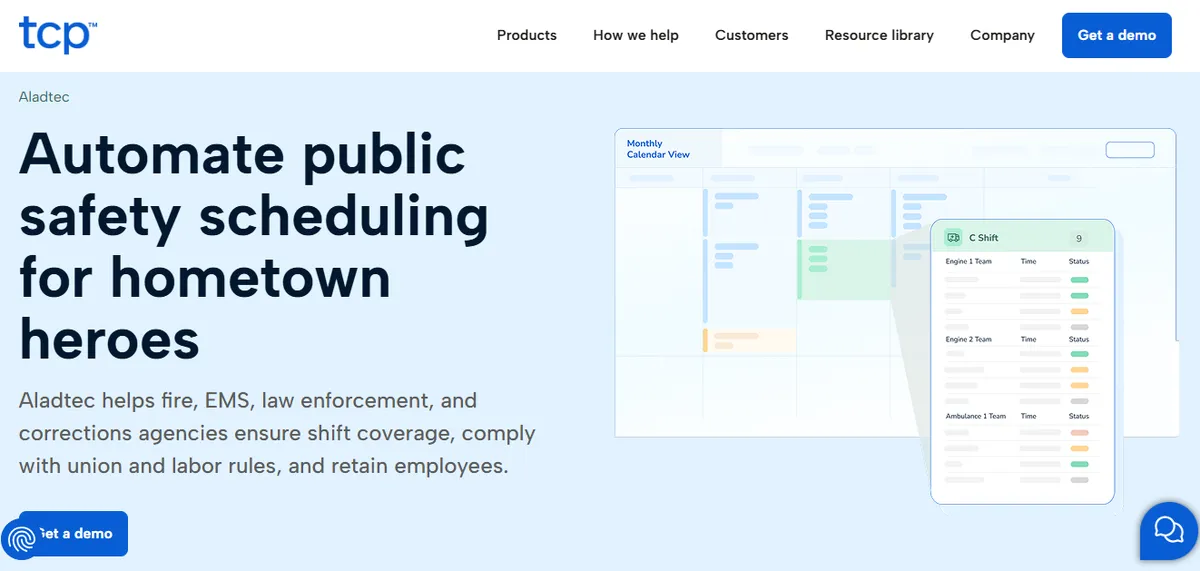
Aladtec by TCP holds 4.6/5 on Capterra (17 reviews; small sample); the most recent hospital-context reviews on Capterra are several years old. It offers credential tracking, shift coverage requests, availability management, and basic overtime monitoring, with an interface that sets up without significant IT involvement. For the operating-model comparison between a self-serve platform like Aladtec and a managed service, see our Aladtec vs. managed scheduling service comparison.
Best for: Hospital-run EMS services, or hospitals TCP confirms it will support.
Key advantages:
- Built for 24/7 shift-work environments, and flags minimum-staffing violations on a shift, per its product pages
- Credential expiration tracking included out of the box
- Lower implementation burden than most mid-market alternatives
Key limitations:
- Not built for hospital nursing. As of October 2026, Aladtec’s product pages make no hospital or nursing claim, and its Capterra reviewers skew toward public safety; complex nurse-specific rules such as charge nurse requirements and skill mix management may require manual workarounds.
- Some reviewers report click-heavy workflows for routine schedule edits.
“When editing the schedule there are a lot of clicks involved.”
Amanda F., Nurse Manager, Hospital & Health Care, October 13, 2020, Capterra
- A separate reviewer flagged setup as harder than expected.
“It was a bit complicated to figure out from the administrator side.”
Jeanne C., Administrative Coordinator, May 7, 2019, Capterra
- Hospital-nursing reference customers at CAH scale should be requested directly from the vendor, given the small Capterra hospital sample.
Verdict: Worth evaluating only if TCP confirms it would sell and support Aladtec for hospital nursing. If it would, and you have a tech-comfortable administrator who wants to keep scheduling in-house, its low setup burden is the draw. See our Aladtec alternatives for critical access hospitals.
Cost: Aladtec’s pricing page refused our automated check on September 22, 2026, so we could not confirm a price. Ask TCP for a quote.
3. SmartLinx
SmartLinx holds 4.5/5 on Capterra (6 reviews; small sample). The vendor describes the platform as “purpose-built for the long-term care, post-acute care, senior care, and behavioral health industries” (smartlinx.com), combining scheduling, time and attendance, and staffing analytics on one platform.
Best for: Community hospitals (50-200 beds) and post-acute or LTC facilities that need scheduling and time-and-attendance on one platform.
Key advantages:
- Healthcare-specific platform built for post-acute, LTC, and senior care environments
- Integrates scheduling with time-and-attendance tracking on a single system
- Implementation includes project management and user training.
“Implementation was a breeze with resources helping and project management and user training are all included.”
Carol G., Director of IT Services, Hospital & Health Care, March 22, 2021, Capterra
Key limitations:
- Implementation experience varies.
“Implementation was much more complex that expected and end result still was full of errors on first payroll.”
Daniel C., CFO, Hospital & Health Care, March 16, 2021, Capterra
- PBJ-for-CMS reporting has been an issue for some users.
“Not the best at calculating PBJ for CMS - had some issues that cost money and star ratings.”
Rebecca K., HR, Hospital & Health Care, September 27, 2019, Capterra
- Vendor’s own positioning skews toward post-acute care rather than acute small hospitals. CAHs should request hospital-context reference customers before deciding.
Verdict: A solid choice for community hospitals and LTC or SNF environments that need scheduling and time-and-attendance unified. Too much implementation overhead for a small hospital without dedicated scheduling staff. See our SmartLinx alternatives for small hospitals.
Cost: Pricing not listed on website. Contact for a quote.
4. QGenda
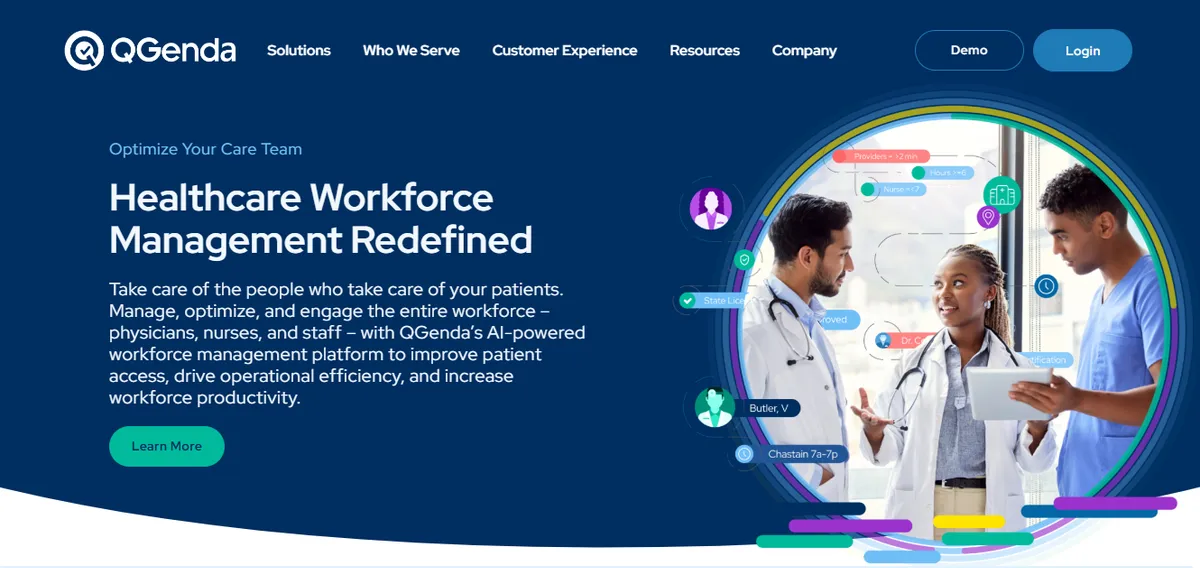
QGenda holds 4.2/5 on Capterra (68 reviews). It started as physician scheduling software and has expanded into nursing. Ari W., Administrator (Hospital & Health Care), wrote on Capterra (May 7, 2024): “Qgenda is easy to use and does a great job at automating.” For a deeper look at QGenda specifically, see our QGenda alternatives breakdown.
Best for: Multi-specialty physician scheduling and hospitals that need physician and nursing scheduling on one platform.
Key advantages:
- Strong physician scheduling capability in the mid-market
- Reporting and analytics across both physician and nursing staff
- Mobile experience available for staff
Key limitations:
- Initial setup is described by some users as time-consuming.
“Doing the initial set up of new providers is a little complicated.”
Brandi D., Scheduling Coordinator, Hospital & Health Care, December 13, 2023, Capterra
“The initial setup was time-consuming…collating…digitize documents.”
Roger S., Practice Administrator, May 3, 2024, Capterra
- Some users report friction with the automated scheduling rules.
“automated scheduling and rules set up seem to have hiccups…I just stopped using the automation.”
Courtney D., Manager of Employee and Physician Relations, May 10, 2024, Capterra
- Customer support is described as outsourced by some reviewers.
“They outsourced customer service…you have generic people who respond.”
David S., President, Hospital & Health Care, May 7, 2024, Capterra
Verdict: Best suited to hospitals that need physician and nursing scheduling on one platform. For facilities that only need nursing scheduling, the physician-scheduling overhead adds cost without proportional value.
Cost: No pricing page as of September 22, 2026 (qgenda.com/pricing returned a missing page). Contact QGenda for a quote.
5. NurseGrid Manager
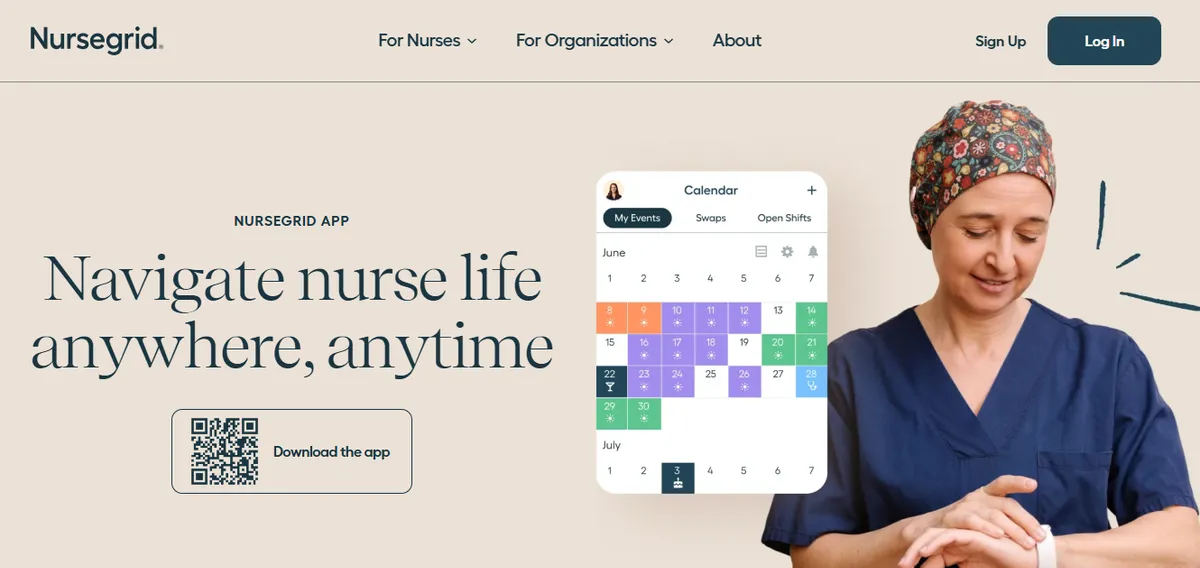
NurseGrid Manager holds 4.2/5 on Capterra (13 reviews; small sample).[3] NurseGrid is built primarily as a nurse-facing app for individual nurses to view schedules, pick up open shifts, and communicate availability. The Manager tier adds unit-level oversight.
Best for: Hospitals that want a staff-facing shift communication layer alongside a primary scheduling system.
Key advantages:
- High staff adoption because nurses use the app voluntarily
- Good for posting open shifts and getting coverage quickly
- Free tier available for individual nurses
Key limitations:
- Multiple Capterra reviewers describe loss of manager-side mobile functionality. Verify current manager-app capability directly with the vendor before deciding.
“It no longer has the manager app so I have to login to desktop.”
Chief Nursing Officer, Hospital & Health Care, June 13, 2024, Capterra
“they took away the Manager App for your phone.”
Staffing Coordinator, Medical Practice, June 11, 2024, Capterra
- Capability coverage for CMS §485.635 audit trail, FLSA overtime tracking, and credential-based callout filtering may differ across NurseGrid tiers. Confirm directly with NurseGrid sales which tier covers the capabilities your CAH needs as a primary scheduling system.
- Reviewers from smaller facilities have cited organizational pricing as a barrier.
“cost is too expensive for small centers.”
Administrator, Hospital & Health Care, June 17, 2024, Capterra
Verdict: A useful add-on for shift communication and open-shift posting. Not a replacement for a scheduling platform and should not be the only scheduling tool in use. For a CAH-specific deeper comparison, see our guide on the best NurseGrid alternatives for Critical Access Hospitals.
Cost: The nurse app is free. NurseGrid Manager is published at “$5 per month, per staff member”, for teams of 2 to 250.
6. OnShift (a ShiftKey brand)
For a CAH-specific deeper comparison, see our guide on the best OnShift alternatives for Critical Access Hospitals.
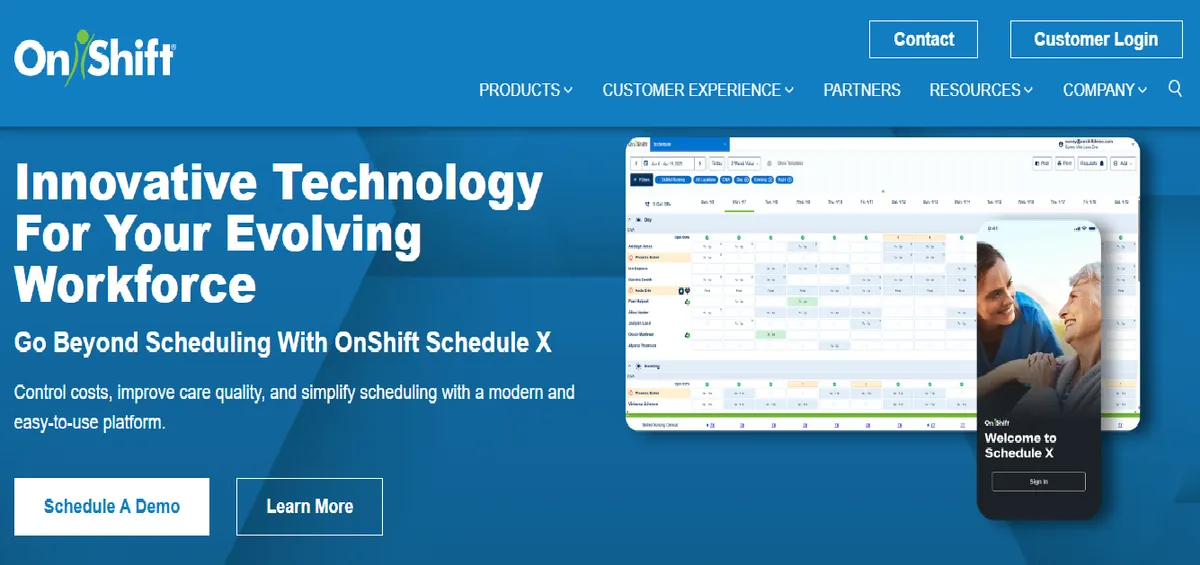
OnShift holds 3.9/5 on Capterra (14 reviews). It is a ShiftKey brand, following ShiftKey’s integration of OnShift announced in July 2023, and is positioned as a workforce management platform for post-acute care, with a documented feature set built for SNF and LTC contexts rather than acute inpatient nursing at a standalone small hospital.
Best for: Post-acute and long-term care facilities, senior living organizations, and skilled nursing facilities.
Key advantages:
- Documented feature set built for post-acute care, SNF, and LTC environments
- Implementation team described positively by some reviewers.
“The implementation team was outstanding…knowledgeable, available, take on extra work.”
Deanna E., VP HR, May 16, 2017, Capterra
“Onshift is a plus in all categories from storage to scheduling messaging and managing employees attendance.”
Mark G., RNAC, Hospital & Health Care, November 23, 2023, Capterra
Key limitations:
- Some users find the interface non-intuitive.
“Clunky, not intuitive, easy to make a mistake that is difficult to fix.”
Dylan M., Owner, Health, Wellness and Fitness, January 30, 2026, Capterra
- Remote-access reliability is mentioned by some hospital users.
“at time it can be hard to connect when attempting to use remotely.”
Mark G., RNAC, Hospital & Health Care, November 23, 2023, Capterra
- Built and sold for post-acute and long-term care, so a standalone acute small hospital is outside the documented use case rather than an edge case within it.
Verdict: The right choice for facilities with significant post-acute or LTC volume. For a standalone acute small hospital, the post-acute orientation is the mismatch, and it is a positioning mismatch rather than a quality one.
Cost: No pricing page as of September 22, 2026 (onshift.com/pricing returned a missing page). Contact OnShift for a quote.
7. Deputy
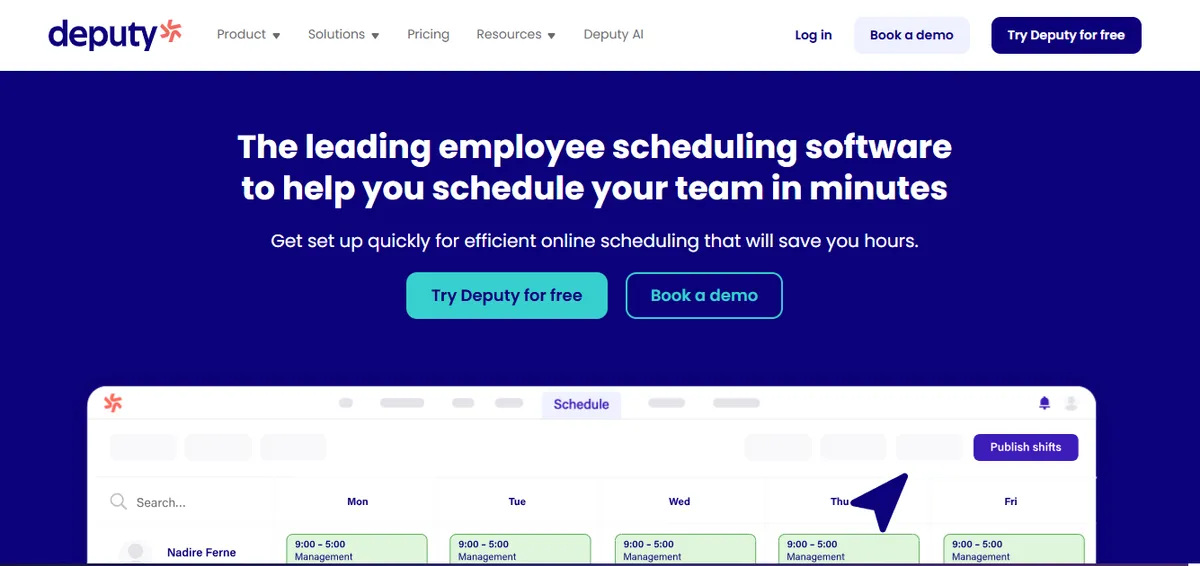
Deputy is a general workforce scheduling platform used across retail, hospitality, food service, and healthcare. It holds 4.6/5 on Capterra (773 reviews) across a large general workforce sample,[4] and markets a healthcare segment page covering hospitals, clinics, private practice, and nursing facilities.
Best for: Small to mid-sized healthcare practices and clinics with relatively simple shift scheduling needs and the tightest possible budgets.
Key advantages:
- Very fast to set up: hours, not weeks
- Lowest cost option in this comparison
- Good mobile app with a clean staff-facing interface
- Strong overall rating (4.6/5 on Capterra, 773 reviews)
Key limitations:
- Deputy’s healthcare page (deputy.com/industry/healthcare) describes shift scheduling, time tracking, and labor law compliance, but does not specifically mention HIPAA compliance, BAA terms, or CMS audit-trail features. Buyers who require HIPAA, BAA, or CMS §485.635 audit-trail support should confirm tier and contract coverage directly with Deputy sales.
- Credential tracking and clinical compliance documentation are not described as core features on the healthcare page. CAHs evaluating Deputy for a licensed clinical environment should ask the vendor about these capabilities and request reference customers at similar scale.
Verdict: Strongly rated as a general workforce scheduling tool. CAHs evaluating Deputy as a primary scheduling system in a licensed clinical environment should specifically verify HIPAA, BAA, credential-tracking, and CMS audit-trail capabilities directly with the vendor before deciding. See our Deputy alternatives for healthcare.
Cost: $5, $6.50 or $9 per user per month by tier, with add-ons priced separately (deputy.com/pricing).
8. UKG (formerly Kronos)
UKG Pro holds 4.3/5 on Capterra (731 reviews). UKG is the dominant workforce management platform in large hospital systems and handles scheduling, time and attendance, payroll integration, and workforce analytics across many industries.
Best for: Large health systems with 200+ beds, dedicated HRIS and payroll teams, and existing UKG infrastructure.
Key advantages:
- EHR and HRIS integration depth at the enterprise tier
- Analytics and multi-facility management at scale
- Established platform for organizations already in the UKG ecosystem
Key limitations:
- Some users describe the interface as non-intuitive.
“Not intuitive at all for both administrators and users.”
Kevin F., CHRO, Consumer Goods, November 29, 2024, Capterra
- Implementation timelines at hospital scale typically run 6-18 months from contract to first operational schedule, with significant IT and HRIS staffing requirements that small hospitals rarely have. See our UKG-too-complex-for-small-hospitals analysis for the full breakdown.
- The Capterra customer base spans many industries (retail, hospitality, airlines, consumer goods); for a CAH-specific evaluation, ask the vendor for hospital reference customers under 50 beds who completed deployment in the past 18 months.
Verdict: The right platform for a 300-bed regional system with dedicated HR, IT, and project management capacity. A documented failure mode for small and rural hospitals that buy it expecting a simpler experience. See our UKG alternatives for critical access hospitals.
Cost: UKG’s pricing page refused our automated check on September 22, 2026, so we could not confirm a price. Enterprise sales process. Not appropriate for under 50-bed facilities.
Which Software Is Right for Your Hospital Size?
Hospital size determines the right scheduling platform more than any other variable. Enterprise platforms designed for 200+ beds are the wrong fit for small and critical access hospitals regardless of feature count. The tool-by-tier picks are summarized in the decision cards further down; the operative logic at each tier is below.
Under 25 beds: First decide whether you want to manage scheduling yourself or eliminate it as a management task; if your nurse manager is clinically active, self-serve software may not solve the right problem.
25-75 beds (Small Community Hospital): Enough complexity to justify a real platform, but not enough scale to absorb enterprise implementation costs. Before you shortlist, our nurse scheduling software pricing guide shows how per-seat, flat-fee, and enterprise contracts compare at this size.
75-200 beds (Community Hospital): A full platform with credential management, EHR read access, and reporting makes sense at this scale.
What Changed in Nurse Scheduling Software in 2026?
AI-assisted scheduling is now table stakes, not a differentiator. Every major platform has added AI-assisted scheduling in the last 18 months. The quality varies significantly. Ask specifically what the AI optimizes for (cost, fairness, compliance), whether it can explain its decisions, and what happens when the AI suggestion violates a rule.
Managed scheduling services emerged as a real category. Five years ago, the only options were self-serve software or hiring a full-time scheduler. In 2026, managed scheduling services handle the weekly build for a flat fee. For small hospitals without a dedicated scheduling administrator, this is worth evaluating seriously.
Integration requirements are rising. Hospital EHR vendors are publishing more workforce data APIs. Expect scheduling platforms to offer EHR read access for credential and licensure data within the next 18 months; ask about each vendor’s integration roadmap.
Compliance documentation is getting audited more. CMS Survey and Certification activity has increased at small hospital facilities, and facilities without auditable staffing documentation are getting findings. That makes compliance-ready documentation a real differentiator, not a feature-sheet checkbox.
How Does SimpleScheduleAI Fit in This Landscape?
SimpleScheduleAI is an AI-native nurse scheduling service for Critical Access Hospitals in Texas under 50 beds. It does not compete with UKG, QGenda, or the other enterprise platforms; it serves the specific segment where the nurse manager is also clinically active, scheduling consumes more weekly time than she can afford, and self-serve software has not solved the problem. You send us your roster via Excel. Our AI builds the weekly schedule using fairness, overtime, and compliance rules, our scheduling team checks it, and you approve. When a nurse calls out, you get a ranked shortlist of qualified, available, non-overtime staff within minutes instead of two hours of phone calls. If you’re currently building schedules in a spreadsheet, our nurse scheduling software vs. Excel breakdown walks through where Excel stops working at the CAH scale.
It is not the right fit for every hospital. If your facility has 75+ beds, a dedicated scheduling administrator, or needs deep EHR integration, one of the mid-market platforms will serve you better; if you are a small CAH in Texas where the nurse manager is also on the floor half the week, it is worth a conversation. To see that build-and-rank flow in action, watch the AI assemble a compliant schedule and rank a callout shortlist live in the interactive simulator. For more on CAH compliance, Texas staffing rules, and callout coverage, see our Critical Access Hospital Scheduling Guide, and for a feature-by-feature evaluation framework across all platforms, our nurse scheduling software hub.
Under 25 beds
Want self-serve: Aladtec, if TCP supports hospitals
Want managed: SimpleScheduleAI
Less likely to fit: UKG, QGenda, Deputy
25-75 beds
SmartLinx, or Aladtec if TCP supports hospitals
+ QGenda if physician scheduling needed
Less likely to fit: UKG, NurseGrid
75-200+ beds
QGenda or SmartLinx
+ OnShift if post-acute volume
200+ only: UKG / API Healthcare
Enterprise WFM platforms (UKG, API Healthcare) are typically a poor scale fit under 75 beds.
Implementation takes 6 to 18 months at hospital scale, more than most small hospitals can manage internally.
Our Take
Most CAH buying processes start with a feature list and end with the platform that has the most checkboxes. The harder question is operational fit: does the platform's lowest-bandwidth daily use case match what your nurse manager can actually sustain after week 6 - especially if the manager also covers clinical shifts? SimpleScheduleAI and SmartLinx pass that test for different bed-size ranges, and Aladtec could too if TCP will support it for hospital nursing. Several highly-rated tools on this list are built for organizations with administrative bandwidth most Critical Access Hospitals do not have. Choose for the operational reality you live in on a normal Tuesday, not the demo on a perfect day.
What to Do This Week
- Count your beds and identify your tier: under 25, 25-75, or 75+. This single number rules out more than half the platforms in this guide.
- If you are under 50 beds and want self-serve software, first ask TCP whether it would sell and support Aladtec for hospital nursing. If it would, put Aladtec and SimpleScheduleAI side by side: one is self-serve software, the other builds the schedule for you.
- Request demos from your two or three shortlisted tools. Ask each vendor: how long does implementation take, who owns the configuration, and what does the audit trail look like during a CMS survey?
- Ask any vendor for a compliance documentation sample - specifically a staffing report formatted for a CMS §485.635 review.
- Calculate how many hours per week your nurse manager currently spends on scheduling. Multiply by their hourly rate. That is the baseline ROI any tool needs to beat. Run the SimpleScheduleAI ROI calculator to model what reducing weekly scheduling time returns in dollars and clinical hours.
Running a Critical Access Hospital in Texas?
Flat monthly pricing. No IT setup. Our AI builds the schedule, our scheduling team checks it, you approve it.
See how it works →Sources
[1] Aladtec by TCP rating: 4.6/5 on Capterra (17 reviews; small sample). Vendor page: tcpsoftware.com. Verified 2026-09-25.
[2] QGenda rating: 4.2/5 on Capterra (68 reviews). Vendor page: qgenda.com. Verified 2026-09-25.
[3] NurseGrid Manager: 4.2/5 on Capterra (13 reviews; small sample). Vendor page: nursegrid.com. Verified 2026-09-25.
[4] Deputy rating: 4.6/5 on Capterra (773 reviews). Vendor page: deputy.com. Verified 2026-09-25.
[5] CMS Conditions of Participation §485.635 for Critical Access Hospitals. eCFR.
[6] FLSA healthcare overtime guidance. U.S. Department of Labor, Fact Sheet #54.
Methodology note: Reviewer quotes were cross-checked against AllNurses.com, Reddit (r/nursing), the iOS App Store, Google Play, GetApp, and SoftwareAdvice on the verification date. Documented product capabilities reference each vendor’s own product page on that date. Vendor offerings, ratings, and product capabilities change over time; CAHs evaluating any specific platform should verify current capabilities directly with the vendor before deciding.
Frequently Asked Questions
Q: Is Aladtec or SmartLinx better for a small hospital?
For hospitals under 50 beds, Aladtec has the lower implementation burden and stores certifications with expiration dates. It is worth evaluating only if TCP confirms it would sell and support Aladtec for hospital nursing. SmartLinx has a more integrated scheduling-and-time-attendance platform but requires more admin capacity during setup, which pays off at 50-200 beds where someone is dedicated to owning the configuration.
Q: Does Deputy work for hospital nurse scheduling?
Not for a licensed acute care facility. Deputy handles basic shift scheduling and overtime tracking but has no credential verification, no clinical compliance logic, and does not produce the staffing documentation CMS surveyors require. Hospitals that use it typically run into compliance gaps within the first year.
Q: How long does UKG take to implement for a small hospital?
Typically 6-18 months for a full deployment, including configuration, training, and system integration. For a hospital under 50 beds without a dedicated IT or HR team, that timeline is operationally impossible. The platform is excellent for large health systems but is not sized for small hospitals.
Q: What is the cheapest nurse scheduling software for a 25-bed hospital?
Deputy lists $5, $6.50 or $9 per user per month by tier, but it lacks the compliance features hospitals need. NurseGrid Manager is published at “$5 per month, per staff member”, but it is a shift coordination layer rather than a full scheduling engine. Aladtec’s pricing page refused our check, so ask TCP for a quote. Our nurse scheduling software pricing guide lists which vendors publish a price at all. If you are weighing the no-cost route first, our guide to free nurse scheduling software covers where the truly free tools stop. SimpleScheduleAI uses flat monthly pricing by roster size: $1,000/month for up to 20 nurses, $1,500/month for 21 to 40 nurses, with no per-nurse fees and no setup fees.
Q: What is the difference between scheduling software and a managed scheduling service?
Scheduling software is a tool your nurse manager logs into, configures, and uses to build schedules each week. A managed scheduling service provides a scheduling team that builds the schedule for you, using your rules and roster, and your manager reviews and approves. Where the nurse manager is also clinically active, managed service often solves the real problem (the weekly time cost of scheduling) where software only shifts the work to a different tool.
Related: our 7-point checklist for how to choose nurse scheduling software works the decision before you compare products.
Pradeep Pandey is the co-founder of SimpleScheduleAI. He serves as Deputy General Manager of Operations at Apollo Hospitals and holds an MBA from IIM Trichy (Operations and Marketing). His work focuses on workforce optimization and scheduling operations for small and rural hospitals. LinkedIn →