By Pradeep Pandey · Co-Founder · 31 min read · Updated
Smart Square Alternatives for Small Rural Hospitals (2026)
symplr Smart Square is enterprise and health-system positioned with no documented Critical Access Hospital reference customers. This guide compares the strongest alternatives for a 25-bed rural hospital across fit, setup, and CAH compliance, with honest limitations for each.

Smart Square won Best in KLAS for Scheduling: Nurse and Staff in both 2025 and 2026. It is also the platform with no documented Critical Access Hospital reference customers. Both facts are true. For a hospital-system buyer, the awards matter. For a 25-bed standalone CAH, the missing reference is the more important signal.
This guide compares 6 Smart Square alternatives for a Critical Access Hospital, with the structural reasons enterprise health-system platforms do not size down cleanly to 25 beds.
Key Takeaways
- symplr Smart Square, formerly Avantas Smart Square, is positioned for health systems and the enterprise, with no documented Critical Access Hospital, rural, or 25-bed-or-fewer reference customers. For a Critical Access Hospital, the right alternative is a tool sized to a single 25-bed facility rather than a multi-facility system, runnable without a labor-management analyst.
- Smart Square holds 4.6/5 on Capterra (19 reviews; small sample).[1] The companion symplr Workforce time-and-attendance product holds 4.1/5 on Capterra (13 reviews; small sample).[2]
- Smart Square has real strengths: it won Best in KLAS for Scheduling: Nurse and Staff in both 2025 and 2026, and its predictive-analytics depth is built for large multi-facility systems. Those strengths are aimed at health-system scale, not a single Critical Access Hospital.
- For a Critical Access Hospital that needs the scheduling handled rather than a more powerful tool to do it itself, SimpleScheduleAI, AI-native nurse scheduling software delivered as a service, is the alternative that builds the schedule for you. For facilities that want self-serve software at a smaller scale, several options below fit a 25-bed roster better than an enterprise platform.
- Whichever direction you go, ask any vendor for a current reference customer at Critical Access Hospital scale and confirm CMS §485.635 documentation handling directly, because product pages rarely document single-CAH deployment fit.
Table of Contents
- Why Small Hospitals Look for Smart Square Alternatives?
- Quick Comparison: Smart Square vs. The Alternatives
- What Are the 6 Best Smart Square Alternatives for Small Rural Hospitals?
- 1. SimpleScheduleAI
- 2. ShiftWizard
- 3. NurseGrid Manager
- 4. Deputy
- 5. When I Work
- 6. Smartlinx
- When to Stay with Smart Square?
- How SimpleScheduleAI Compares to Smart Square?
- What to Do This Week
- Frequently Asked Questions About Smart Square Alternatives
For a Critical Access Hospital, the best Smart Square alternatives are scheduling tools sized to a single 25-bed facility rather than a multi-hospital system, and runnable without a labor-management analyst on staff. SimpleScheduleAI is the managed-service option when the goal is removing the scheduling work entirely. ShiftWizard and NurseGrid Manager are the self-serve hospital-nursing options at a scale a CAH can actually staff.
A note on scope: this guide uses “small rural hospital” as the broad SEO category, but the primary fit case is the Critical Access Hospital, the federally designated facility class with 25 inpatient beds or fewer, a rural location, and CMS §485.635 staffing documentation obligations. Where a section applies more broadly (Smartlinx targets 50-100 beds, for example), the bed-size range is named directly.
symplr Smart Square is an AI-driven nurse and staff scheduling platform with predictive analytics, real-time staffing adjustments, and patented open-shift management (symplr.com). It was formerly Avantas Smart Square and was acquired by symplr from AMN Healthcare in July 2025. symplr describes the product as workforce optimization for health systems and states it is trusted in 9 of 10 U.S. hospitals (symplr.com). That positioning is the heart of the question for a Critical Access Hospital.
The questions that matter when a Critical Access Hospital evaluates a switch are operational fit, not feature count: does the platform fit a single 25-bed roster rather than a multi-facility system; how much weekly capacity does your nurse manager have for ongoing configuration; and whether the vendor can show a reference customer at your specific scale.
If your priority is critical access hospital scheduling compliance, CMS §485.635 documentation, FLSA overtime, and credential-filtered callouts, review what those requirements actually demand before choosing a platform. Our nurse scheduling software for critical access hospitals guide covers the specific features a 25-bed hospital needs that enterprise health-system platforms do not size down to.
Here is how the alternatives compare before we go deeper.
Why Small Hospitals Look for Smart Square Alternatives?
Smart Square is built for large multi-facility health systems, and the documented customer base reflects that. symplr describes Smart Square as AI-driven workforce optimization for health systems, and Capterra reviewers hold large-system roles such as System Administrator, Labor Management Analyst, and Director of Labor Management. A 25-bed Critical Access Hospital rarely has those roles on staff, and symplr does not publicly document a CAH reference customer. The gap between what Smart Square is built for and what a single CAH operates at is structural, not a matter of feature differences.
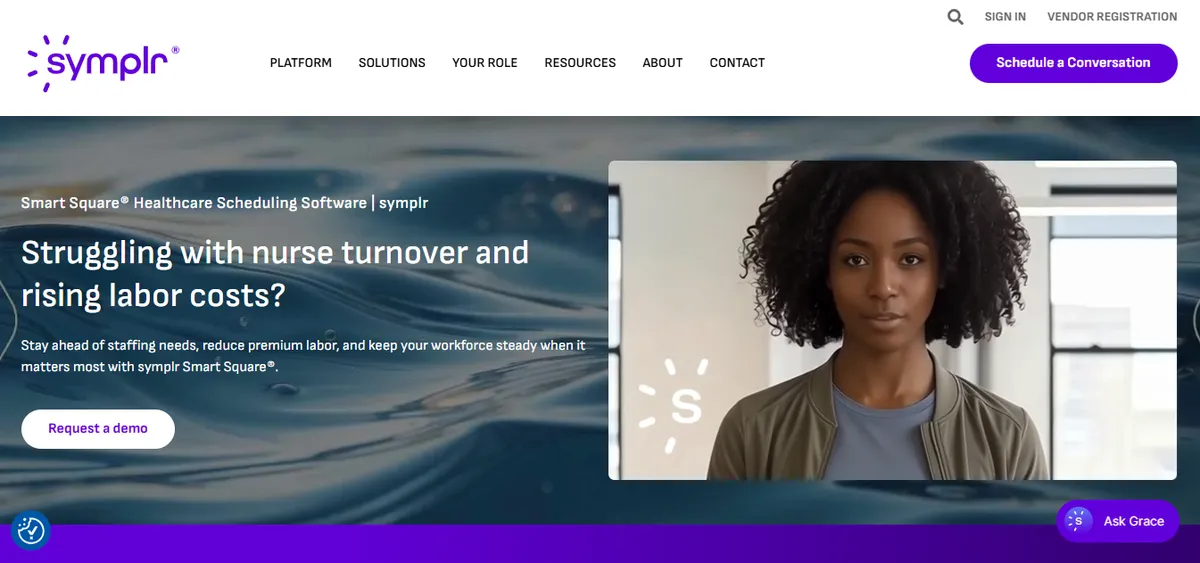
Smart Square holds 4.6/5 on Capterra (19 reviews; small sample).[1] The overall rating is strong, and the product won Best in KLAS for Scheduling: Nurse and Staff in both 2025 and 2026.[4] The fit question for a Critical Access Hospital is not whether the product is good. It is whether an enterprise platform sizes down to a single 25-bed facility without enterprise overhead, and the public reviewer base does not answer that.
What Reviewers Report
Staff-facing experience. A hospital RN described it positively.
“SmartSquare stands out as an exceptional tool that empowers employees.”
Hanna N., RN, Hospital & Health Care, July 15, 2024, Capterra
Cross-Unit Visibility at System Scale. A hospital director described the multi-unit visibility that drives the enterprise value of the platform.
“You can see staff on all units in real time so you are able to balance resources.”
Wanda C., Director, Hospital & Health Care, November 10, 2022, Capterra
Learning Curve. A hospital system administrator described the onboarding effort.
“Learning SS was a challenge being as though it is a robust software.”
Stephanie T., System Administrator, Hospital & Health Care, November 23, 2022, Capterra
The cross-unit visibility that Wanda C. describes is exactly what makes Smart Square valuable to a multi-hospital system: balancing resources across many units. A standalone Critical Access Hospital with one nursing department does not have units to balance across. The capability is real and the platform is well rated; the question is whether the value it delivers maps to a single 25-bed facility. For a hospital nurse manager evaluating Smart Square, the operational questions worth probing in the demo include whether the vendor can name a Critical Access Hospital reference customer, how CMS §485.635 documentation is assembled for a single-CAH survey, and what the onboarding timeline looks like at 25-bed scale rather than health-system scale.
Quick Comparison: Smart Square vs. The Alternatives
The table below covers customer focus, public ratings, and setup time across the six alternatives. Ratings are from Capterra at the time of writing (May 2026). For platforms without dedicated public listings, verify current ratings directly with the vendor. Methodology and verification dates are in the A Note on Sources section.
| Platform | Best For | Public Ratings | Setup Time |
|---|---|---|---|
| symplr Smart Square | Health systems, enterprise multi-facility scheduling | Capterra: 4.6/5 (19 reviews; small sample) | Confirm with vendor |
| SimpleScheduleAI | Critical Access Hospitals, Texas | New service; no public reviews yet | 3 to 5 business days |
| ShiftWizard | Hospital nursing, self-serve scheduling | Capterra: 4.4/5 (723 reviews); G2: 4.3/5 | Confirm with vendor |
| NurseGrid Manager | Single nursing units, small hospital teams | Capterra: 4.2/5 (13 reviews; small sample) | Days to weeks |
| Deputy | Retail, hospitality, food service, healthcare | Capterra: 4.6/5 (765 reviews) | Hours to days |
| When I Work | Retail, hospitality, small business | Capterra: 4.5/5 (1,289 reviews) | Hours to days |
| Smartlinx | LTC, post-acute, senior care, behavioral health | Capterra: 4.5/5 (6 reviews; small sample) | 3-4 months |
What Are the 6 Best Smart Square Alternatives for Small Rural Hospitals?
The six strongest Smart Square alternatives for a Critical Access Hospital are SimpleScheduleAI, ShiftWizard, NurseGrid Manager, Deputy, When I Work, and Smartlinx. The right choice depends on whether your primary need is removing the scheduling work entirely, running self-serve hospital-nursing software at a smaller scale, or reducing cost. Each option fits a different hospital size and administrative capacity. The comparison table above covers ratings and setup; the profiles below cover fit by scenario.
1. SimpleScheduleAI
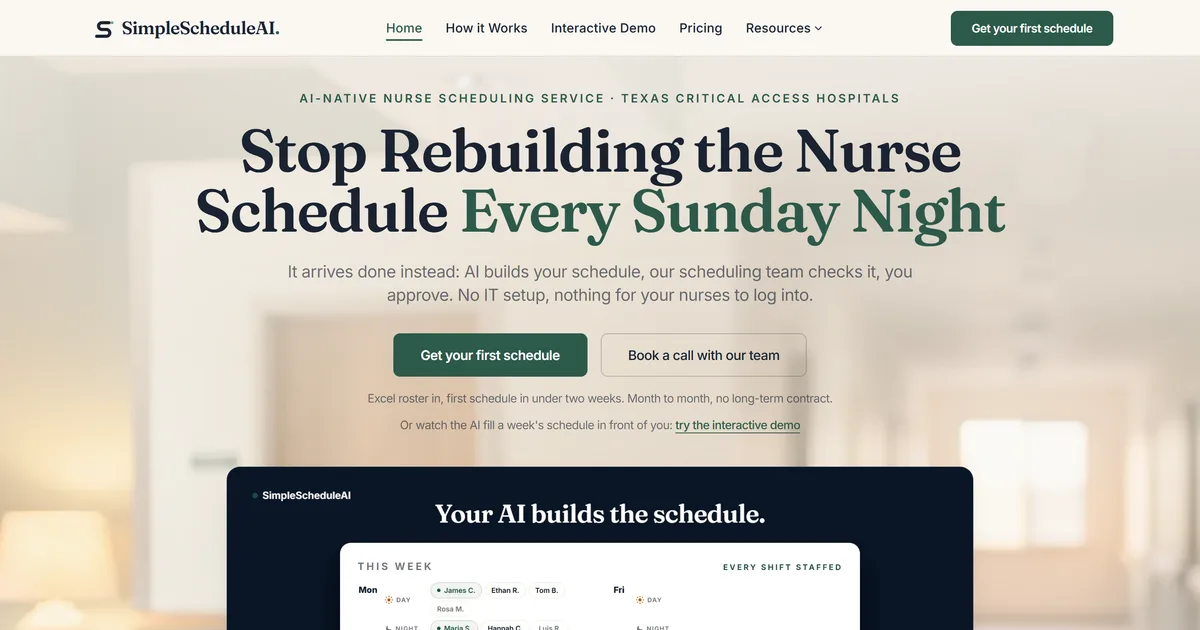
SimpleScheduleAI is a new service, without public Capterra or G2 reviews yet. It is a managed nurse scheduling service built specifically for Critical Access Hospitals in Texas. Where Smart Square is a self-serve enterprise platform configured and maintained by labor-management staff, SimpleScheduleAI requires no configuration work from the nurse manager: the AI builds draft schedules each cycle, while a scheduling specialist handles setup from an Excel roster upload, checks each draft, and maintains the system as the roster changes.
The service implements the hospital’s rules, maintains them as staff changes occur, and updates them when policies change. CMS §485.635 staffing documentation is logged automatically throughout each scheduling cycle. Callout replacement generates a ranked shortlist cross-referenced against current-week hours and FLSA overtime thresholds. The AI nurse scheduling engine produces three draft options each cycle: balanced, fairness-optimized, and cost-optimized. Watch the AI fill a weekly grid and rank callout replacements in the live simulator.
Best for: Critical Access Hospitals that hit Smart Square, found it sized for health systems rather than a single 25-bed facility, and want the scheduling handled rather than a more powerful tool to run themselves.
Key advantages:
- Sized to a single Critical Access Hospital roster rather than a multi-facility health system, with no labor-management analyst required
- CMS §485.635 documentation is automatic, not a manual export process before each survey
- Callout shortlist is ranked by overtime risk without any manual calculation from the manager
- Excel-based roster upload means the transition does not require an IT department or HRIS team
- FLSA overtime threshold tracking and CMS Critical Access Hospital requirements are built in as defaults
Key limitations:
- Managed service model means less direct manager control than a self-serve platform; schedule changes go through the service rather than being adjustable in real time by the manager
- No staff-facing mobile app; nurses do not view schedules or submit shift trades directly through SimpleScheduleAI. If nurse-facing mobile self-scheduling is a priority, evaluate a self-serve platform or pair SimpleScheduleAI with a separate staff communication tool
- Not designed for multi-facility health systems or complex physician scheduling beyond nursing; this is the opposite end of the scale from Smart Square by design
Verdict: The strongest alternative for a Critical Access Hospital that evaluated Smart Square and concluded it was built for health-system scale rather than a single 25-bed facility. SimpleScheduleAI removes the scheduling work entirely instead of providing a more configurable tool. See how it works for CAHs that want to test before committing.
Ratings: New service; no public Capterra or G2 reviews yet.
Cost: Flat monthly price by roster size: $1,000/month for up to 20 nurses, $1,500/month for 21 to 40 nurses. No per-nurse or setup fees.
2. ShiftWizard
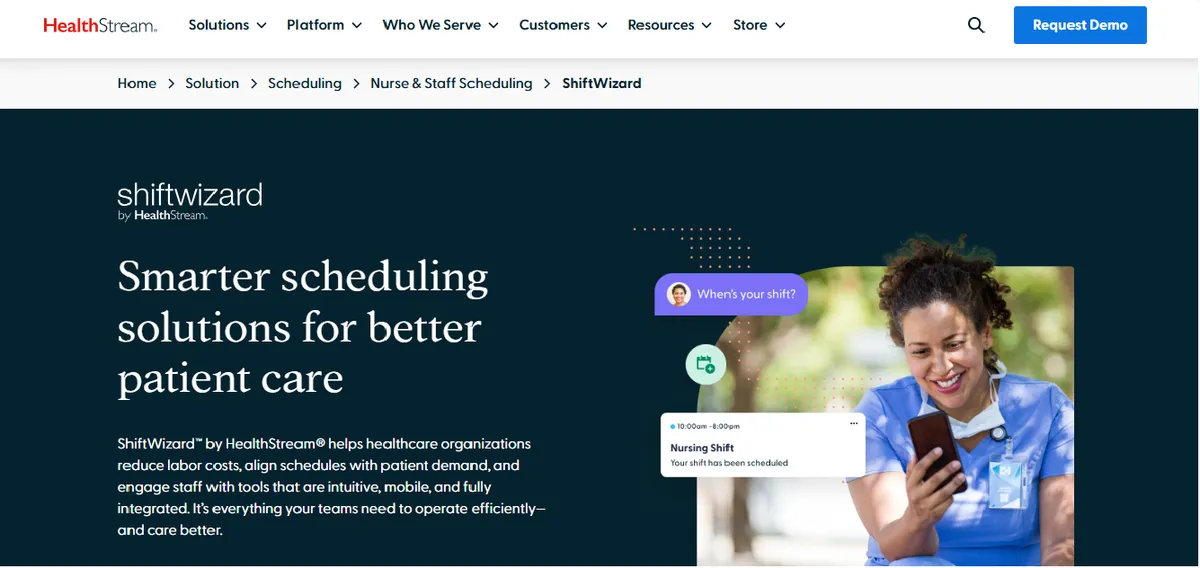
ShiftWizard is a nurse scheduling platform built specifically for hospital nursing rather than general workforce scheduling (shiftwizard.com). For a Critical Access Hospital that wants self-serve software and a hospital-nursing workflow without enterprise system overhead, ShiftWizard is closer to the right scale than an enterprise platform built for health systems. It is designed around unit-based nurse scheduling, charge nurse designation, and staffing-ratio logic.
The tradeoff relative to a managed service is ownership. ShiftWizard is still a tool the nurse manager configures and runs. If the reason for leaving Smart Square is that no one at the hospital has time to own a scheduling system, moving to a different self-serve platform does not solve that. If the reason is that Smart Square is over-scaled for one 25-bed facility, ShiftWizard’s hospital-nursing focus at a smaller scale is a reasonable fit.
Best for: Critical Access Hospitals that want self-serve hospital-nursing software, have a nurse manager with dedicated scheduling time, and find an enterprise health-system platform over-scaled for a single facility.
Key advantages:
- Built specifically for hospital nursing rather than general or multi-industry workforce scheduling
- Unit-based scheduling, charge nurse designation, and staffing-ratio logic are core to the product
- Self-serve at a scale a single hospital can run without a labor-management analyst
Key limitations:
Still a self-serve platform; the configuration and ongoing maintenance burden stays with the nurse manager
CMS §485.635 audit-trail handling and FLSA 8-and-80 tracking for Critical Access Hospitals are not documented on the product page; confirm directly with the vendor which compliance capabilities are covered in your tier
App Performance. A hospital nurse flagged speed issues that affect daily use.
“Can be slow and glitchy, making inputting schedule difficult and stressful.”
Erika A., Registered Nurse, July 9, 2024, Capterra
What reviewers say:
“ShiftWizard was designed by nurses which is why it is fantastic to use.”
Jennifer C., Director of Emergency Services, July 15, 2024, Capterra
Verdict: A reasonable self-serve alternative for a Critical Access Hospital that wants a hospital-nursing tool at a scale below a health-system platform. CAHs with active CMS survey obligations should verify compliance handling directly with the vendor before deciding. Hospitals weighing ShiftWizard against its closest competitors at this tier can compare options in our ShiftWizard alternatives guide.
Ratings: Capterra: 4.4/5 (723 reviews); G2: 4.3/5 (Spring 2026 Leader).
Cost: Pricing not listed on website. Contact for a quote.
3. NurseGrid Manager
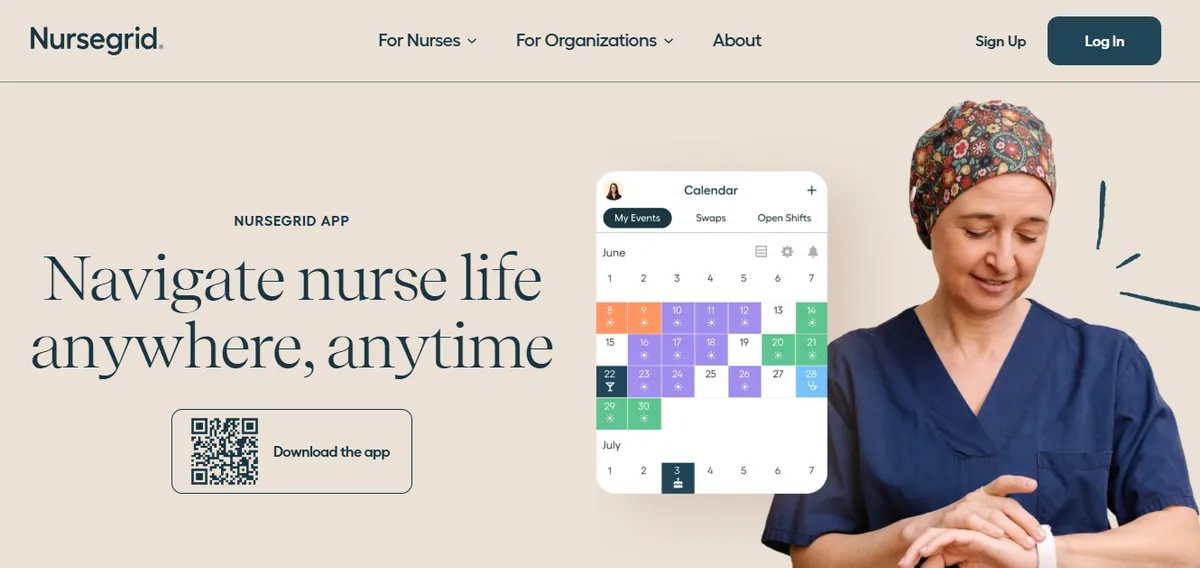
NurseGrid Manager is a scheduling product built around single nursing units and the nurse-facing mobile app that nurses already use to track their own shifts (nursegrid.com). For a Critical Access Hospital with one or two nursing units and a manager who wants staff to see and swap shifts on a phone, NurseGrid operates at a much smaller scale than an enterprise health-system platform.
The tradeoff is depth. NurseGrid is focused on unit-level scheduling and staff communication rather than enterprise predictive analytics and cross-facility resource balancing. For a 25-bed hospital that does not need cross-facility analytics, that narrower focus is a fit rather than a gap. For a hospital that needs automated CMS compliance documentation, NurseGrid’s documentation handling should be confirmed with the vendor.
Best for: Critical Access Hospitals with one or two nursing units where the priority is unit-level scheduling and a nurse-facing mobile app, not enterprise analytics.
Key advantages:
- Built around single nursing units rather than multi-facility systems, which matches Critical Access Hospital scale
- Nurse-facing mobile app for shift visibility and swaps is core to the product
- Lighter footprint than an enterprise platform; less to configure and maintain
Key limitations:
Unit-level focus means it does not provide the cross-facility predictive analytics that make an enterprise platform valuable to a health system
CMS §485.635 documentation and FLSA 8-and-80 overtime tracking for Critical Access Hospitals are not documented on the product page; confirm directly with the vendor
Manager App Removed. A Chief Nursing Officer flagged a workflow regression after the manager-facing mobile app was retired.
“It no longer has the manager app so I have to login to desktop.”
Chief Nursing Officer, Hospital & Health Care, June 13, 2024, Capterra
Cost for Small Facilities. An administrator at a small facility flagged pricing fit.
“cost is too expensive for small centers.”
Administrator, Hospital & Health Care, June 17, 2024, Capterra
What reviewers say:
“Ease of loading schedules and posting open shifts.”
Inpatient Director, Hospital & Health Care, June 17, 2024, Capterra
Verdict: A practical fit for a Critical Access Hospital that wants unit-level scheduling and a nurse-facing app rather than enterprise depth. CAHs that need automated compliance documentation should confirm what NurseGrid covers before relying on it. For a direct head-to-head of NurseGrid and its closest peers at the unit-scheduling tier, see our NurseGrid alternatives roundup.
Ratings: Capterra: 4.2/5 (13 reviews; small sample).
Cost: Pricing not listed on website. Contact for a quote.
4. Deputy
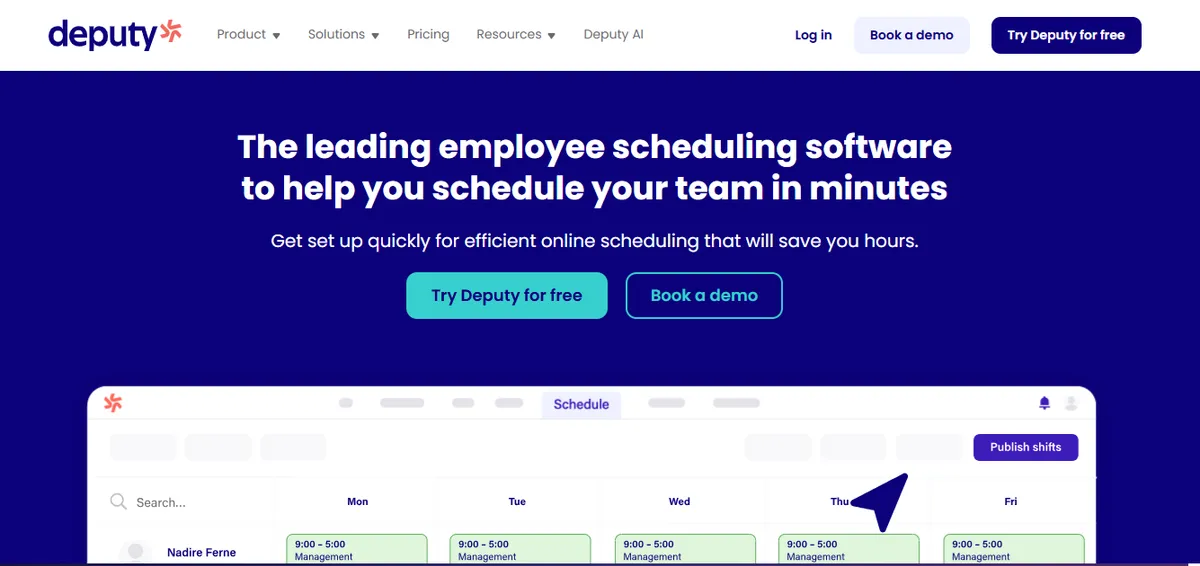
Deputy holds 4.6/5 on Capterra (765 reviews), a strong rating across a large general workforce sample. Deputy markets a healthcare segment page covering hospitals, clinics, and nursing facilities. Compared to an enterprise health-system platform, Deputy is far simpler to configure and lower in cost, which is its main appeal to a Critical Access Hospital with no scheduling staff.
The tradeoff is that Deputy is a general workforce scheduling tool rather than a hospital-nursing-specific or enterprise clinical platform. The documented healthcare feature set is narrower than a purpose-built nurse scheduling product. For a small hospital where scheduling complexity is low and ease of use matters more than clinical depth, that tradeoff can be acceptable.
Best for: Small rural hospitals or outpatient settings where scheduling complexity is low, cost matters, and a general workforce tool with a healthcare segment is enough.
Key advantages:
- Strong overall rating (4.6/5 on Capterra, 765 reviews; larger sample than enterprise clinical platforms)
- Much simpler to configure and maintain than an enterprise health-system platform; a manager without IT support can run it
- Transparent per-user pricing that is predictable at small roster sizes
- Strong mobile app with shift acknowledgment, availability marking, and swap requests
Key limitations:
Deputy’s healthcare page does not specifically describe HIPAA, BAA, or CMS §485.635 audit-trail support in the documented page content; hospitals with active CMS or HIPAA obligations should confirm directly with Deputy sales which capabilities are covered in their tier and contract
Credential tracking and clinical compliance documentation are not described as core features on Deputy’s healthcare page; verify current capabilities directly with the vendor
Documented industry focus skews toward retail, hospitality, and food service rather than acute hospital nursing
App Performance and Onboarding. A hospital nurse flagged speed issues and unclear features.
“Sometimes the app can be a bit slow or glitchy, especially when trying to load shifts. Also, some features are not very clear at first.”
Portia A., Nurse, Hospital & Health Care, April 8, 2026, Capterra
What reviewers say:
“Deputy makes scheduling very easy and organised. It’s simple to use, and I like how I can see my shifts clearly and get updates quickly.”
Portia A., Nurse, Hospital & Health Care, April 8, 2026, Capterra
Verdict: A strong general workforce scheduling tool and a simple, low-cost option for small hospitals with low scheduling complexity. Hospitals that need clinical compliance automation should verify Deputy’s current healthcare-tier capabilities directly with the vendor. For a deeper look at Deputy specifically in healthcare contexts, see our Deputy alternatives for healthcare guide.
Ratings: Capterra: 4.6/5 (765 reviews).
Cost: $4.50 per user per month.
5. When I Work
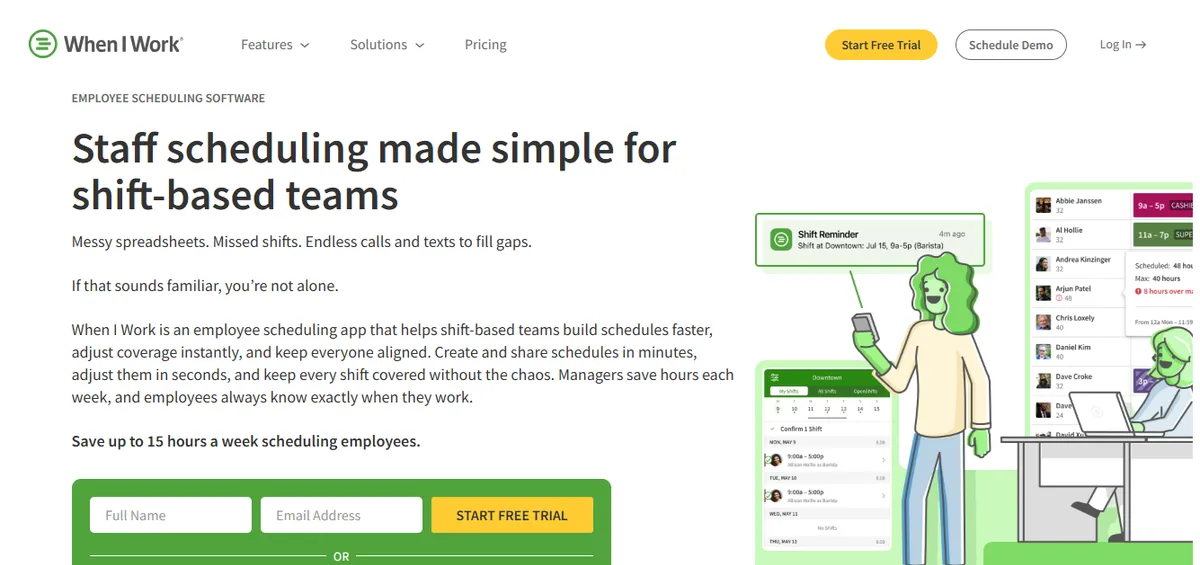
When I Work is a scheduling app positioned across retail, hospitality, and small-business workforce scheduling (wheniwork.com). It holds 4.5/5 on Capterra (1,289 reviews). The mobile app is well designed, shift pickup and communication are documented as core, and setup is described as fast. For a very small rural facility where the scheduling problem is simple, that simplicity is the appeal relative to an enterprise platform.
The tradeoff is the same as Deputy’s, with a stronger lean away from healthcare. When I Work is a general scheduling app, not a hospital-nursing or enterprise clinical product. Critical Access Hospitals with active CMS obligations should treat compliance capability as a vendor question, not an assumption.
Best for: Very small rural clinics or non-acute facilities leaving an enterprise platform because scheduling complexity is low and ease of use is the primary need.
Key advantages:
- Documented as fast to set up without IT support
- Mobile app with shift pickup, swap requests, and availability features
- Transparent per-user pricing with a free tier for small teams
Key limitations:
- When I Work’s product page does not specifically describe HIPAA, BAA, CMS §485.635 audit-trail support, FLSA 8-and-80 tracking, or credential-based constraint enforcement in the documented page content; confirm directly with the vendor which compliance capabilities are covered in your tier and contract
Audit trail. A hospital IT reviewer flagged the absence of audit logging.
“No Auditing capability to see if unauthorized changes were made, and does not work for complex workflows.”
Jonathan R., IT Admin, Hospital & Health Care, February 25, 2026, Capterra
- Documented industry focus skews toward retail, hospitality, and small business rather than acute hospital nursing; request a current hospital-context reference customer before relying on it as a primary scheduling system
Verdict: A genuine simplification over an enterprise platform for facilities where scheduling complexity is low. CAHs with active CMS obligations should specifically verify with the vendor which compliance capabilities are supported before deciding.
Ratings: Capterra: 4.5/5 (1,289 reviews).
Cost: $2.50 per user per month (Essentials) to $4.00 per user per month (Pro).
6. Smartlinx
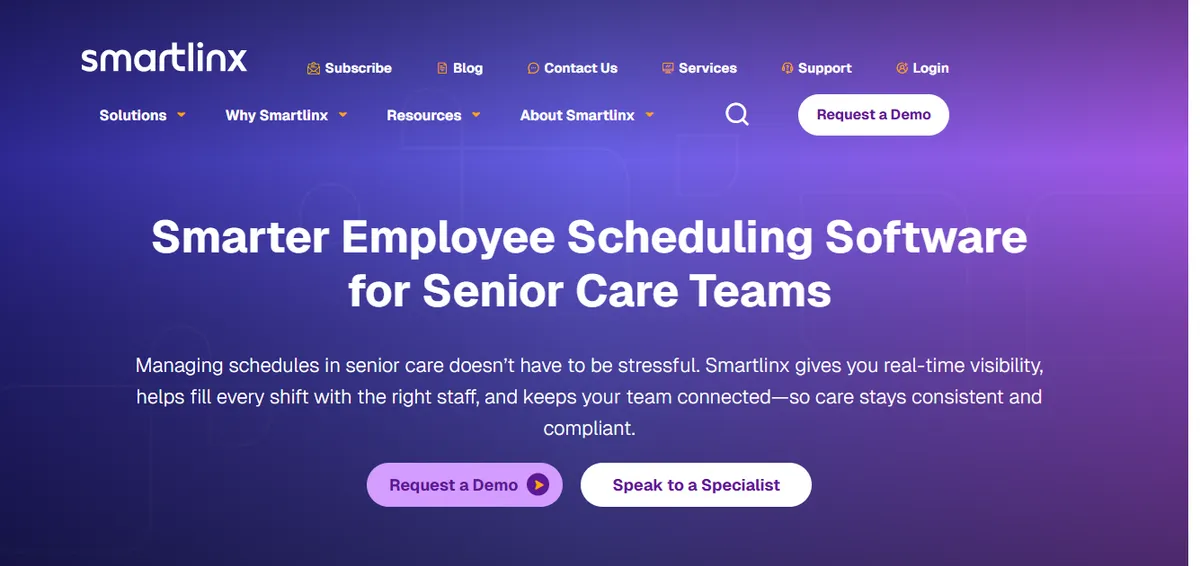
Smartlinx holds 4.5/5 on Capterra (6 reviews; small sample).[9] The vendor describes the platform as purpose-built for the long-term care, post-acute care, senior care, and behavioral health industries (smartlinx.com). It carries stronger healthcare compliance logic and credential tracking than a general workforce tool, with integrated time and attendance. The tradeoff is a significantly longer and more complex implementation than a lightweight tool.
For a small rural hospital this is a middle option: more healthcare compliance depth than a general scheduling app, but a heavier implementation than a unit-level product. It still requires an internal owner to run a multi-month implementation, which is a constraint at Critical Access Hospital scale.
Best for: Small hospitals in the 50-100 bed range with an internal resource who can manage a 3-4 month implementation and need stronger compliance automation than a general tool.
Key advantages:
Vendor-documented industry focus on long-term care, post-acute, senior care, and behavioral health
Integrated time and attendance reduces double-entry and simplifies payroll reconciliation
Implementation includes dedicated project management and user training.
“Implementation was a breeze with resources helping and project management and user training are all included. Customer Support is very responsive and always delivers resolution quickly.”
Carol G., Director of IT Services, Hospital & Health Care, March 22, 2021, Capterra
Key limitations:
Implementation Complexity. Experience varies; some customers describe initial setup as more involved than expected.
“Implementation was much more complex that expected and end result still was full of errors on first payroll. Some changes can only be made on the back end.”
Daniel C., CFO, Hospital & Health Care, March 16, 2021, Capterra
CMS Reporting. A reviewer reports issues with PBJ reporting for CMS compliance.
“Not the best at calculating PBJ for CMS - had some issues that cost money and star ratings.”
Rebecca K., HR, Hospital & Health Care, September 27, 2019, Capterra
Vendor positioning skews toward post-acute care; hospital-acute reference customers should be requested directly. The Capterra sample is small (6 reviews); ratings on a single source with few reviews are less reliable than larger samples
Verdict: A middle option for small hospitals growing toward 75-100 beds with capacity for a 3-4 month implementation. CAHs at 25-bed scale should weigh whether the implementation effort fits their administrative bandwidth. For peer platforms in the same post-acute and LTC-leaning category, see our Smartlinx alternatives guide.
Ratings: Capterra: 4.5/5 (6 reviews; small sample).
Cost: Pricing not listed on website. Contact for a quote.
When to Stay with Smart Square?
Switching platforms has a real cost in time, training, and configuration rebuild. Smart Square is the right choice to keep when the hospital operates as part of a multi-facility health system, has labor-management staff to run it, and gets value from cross-facility predictive analytics. Its two consecutive Best in KLAS awards reflect genuine strength at that scale.
| Stay with Smart Square if | Consider an alternative if |
|---|---|
| Part of a multi-facility health system with units to balance across | A single standalone 25-bed Critical Access Hospital with one nursing department |
| Labor-management or HRIS staff available to own the platform | No dedicated scheduling staff; the nurse manager also takes clinical shifts |
| Cross-facility predictive analytics deliver measurable value | No cross-facility scheduling to optimize at a single CAH |
| Vendor can show a reference customer at your scale and CMS workflow | No documented Critical Access Hospital or rural reference at your scale |
Smart Square is worth keeping if:
- The hospital is part of a multi-facility health system where cross-unit and cross-facility resource balancing delivers real value.
- The organization has labor-management, HRIS, or analyst staff who can own configuration and maintenance.
- The predictive-analytics capability is actively used to forecast demand across facilities, not left unused at a single site.
- The vendor can name a current reference customer at your scale and walk through CMS §485.635 documentation for a facility like yours.
If all four conditions apply, the switch cost and learning curve of an alternative are unlikely to deliver a positive return. If your facility is a single 25-bed Critical Access Hospital, most of these conditions do not apply, which is the core of the fit question.
How SimpleScheduleAI Compares to Smart Square?
The core difference is scale and operating model. Smart Square is a self-serve enterprise platform built for health systems and run by labor-management staff. SimpleScheduleAI is an AI-native nurse scheduling service sized to a single Critical Access Hospital, where a scheduling specialist handles setup, rule maintenance, and draft generation. The table below maps that difference across what a 25-bed CAH actually cares about. For a deeper treatment of the model difference, see managed scheduling service vs. scheduling software.
| Feature | symplr Smart Square | SimpleScheduleAI |
|---|---|---|
| Target scale | Health systems, multi-facility | Single 25-bed Critical Access Hospital |
| Operating model | Self-serve platform, customer-run | Managed service, specialist-run |
| Staff needed to run it | Labor-management or HRIS staff | None; service handles it |
| CMS §485.635 documentation | Confirm CAH workflow with vendor | Automatic, always current |
| Callout overtime ranking | Confirm with vendor | Automated, built into shortlist |
| Configuration maintenance | Customer responsibility | Service responsibility |
| FLSA overtime thresholds (Texas) | Confirm configuration with vendor | Built in as default |
| Predictive analytics across facilities | Core strength at system scale | Not applicable at single-CAH scale |
| Implementation time | Confirm with vendor | Excel upload, days to first draft |
| Pricing model | Enterprise quote-based, not public | Not listed, contact for quote |
The core tradeoff between Smart Square and SimpleScheduleAI is scale fit, not feature count. Smart Square is a strong platform for what it is built for: multi-facility health systems with staff to run it and cross-facility demand to optimize. SimpleScheduleAI is built for the opposite end of the scale, a single Critical Access Hospital with no scheduling staff.
For a nurse manager at a 25-bed CAH who also takes clinical shifts, an enterprise platform’s value largely depends on capabilities a single facility does not use, while the operating overhead still applies. For a hospital inside a large health system, Smart Square’s analytics depth is the point and a single-facility managed service would not fit.
Our Take
Smart Square is well-rated and won Best in KLAS for two consecutive years. None of that addresses the specific question a Critical Access Hospital is asking: does the platform fit a single 25-bed facility without enterprise overhead? The answer for a multi-hospital system is yes. The answer for a single CAH is generally no - not because Smart Square is bad software, but because the value it delivers is cross-unit visibility a standalone hospital does not have.
What to Do This Week
Confirm whether your hospital is a single facility or part of a system. If you are one standalone Critical Access Hospital with one nursing department, an enterprise health-system platform is solving a problem you may not have. This single fact drives most of the decision.
Ask Smart Square for a Critical Access Hospital reference customer. Request a current reference at 25 beds or fewer, ideally rural, and ask how that customer assembles CMS §485.635 documentation for a survey. The answer tells you whether the product fits your scale or a much larger one.
Calculate your current scheduling and CMS survey prep time. Track how many hours per cycle the nurse manager spends building the schedule, chasing callout coverage, and assembling staffing documentation. If no one has spare capacity for that work, a self-serve platform of any size will not fix it.
Request a demo of SimpleScheduleAI and describe your facility honestly. Explain your bed count, your nursing units, your callout volume, and your CMS survey cycle. Ask how a managed service would handle the same scenarios without adding work to the nurse manager. See how it works or contact us directly.
If you want self-serve software at the right scale, evaluate ShiftWizard or NurseGrid Manager. Both operate at a smaller scale than an enterprise platform and focus on hospital nursing. Confirm CMS §485.635 and FLSA 8-and-80 handling directly with each vendor before deciding.
Smart Square sized for a health system? Built for a single Critical Access Hospital.
SimpleScheduleAI is an AI-native nurse scheduling service for one 25-bed Critical Access Hospital. No labor-management analyst, no configuration burden, automatic CMS §485.635 documentation, and callout shortlists ranked by overtime risk. Built for CAH nurse managers who also take clinical shifts.
Related comparison posts: QGenda alternatives for Critical Access Hospitals, Schedule360 alternatives for Critical Access Hospitals, ShiftWizard alternatives for Critical Access Hospitals, and best nurse scheduling software for 2026.
Sources
[1] symplr Smart Square Capterra listing: 4.6/5 (19 reviews; small sample). capterra.com/p/275941. Verified 2026-05-17.
[2] symplr Workforce Capterra listing: 4.1/5 (13 reviews; small sample). capterra.com/p/241148. Verified 2026-05-17.
[3] symplr Smart Square vendor product page. symplr.com. Verified 2026-05-17. No documented Critical Access Hospital, rural, or 25-bed-or-fewer reference customers on the product page.
[4] KLAS Best in KLAS recognition for Scheduling: Nurse and Staff (2025 and 2026). KLAS Research.
[5] ShiftWizard ratings: 4.3/5 on G2, 4.4/5 on Capterra (723 reviews). Vendor: HealthStream. Verified 2026-05-17.
[6] NurseGrid Manager: 4.2/5 on Capterra (13 reviews; small sample). Vendor page: nursegrid.com. Verified 2026-05-17.
[7] Deputy ratings: 4.6/5 on G2, 4.6/5 on Capterra. Vendor page: deputy.com. Verified 2026-05-17.
[8] When I Work ratings: 4.5/5 on Capterra (1,289 reviews). Vendor page: wheniwork.com. Verified 2026-05-17.
[9] Smartlinx product page. smartlinxsolutions.com. Verified 2026-05-17.
[10] CMS Conditions of Participation §485.635 for Critical Access Hospitals. eCFR.
[11] FLSA healthcare overtime guidance, including 8-and-80 rule. U.S. Department of Labor, Fact Sheet #54.
Methodology note: Reviewer quotes are used verbatim with the original date, even when older than 30 days, because hospital-context Smart Square quotes within the last month were not available at verification. Vendor offerings, ratings, and product capabilities change over time. Before deciding on any platform, request a current reference customer at your scale directly from the vendor.
Frequently Asked Questions About Smart Square Alternatives
Is Avantas the same as Smart Square?
Yes. Smart Square was sold as Avantas Smart Square. symplr acquired it from AMN Healthcare in July 2025, and it is now sold as symplr Smart Square. If you are looking for an alternative to Avantas, the alternatives in this guide apply.
Is Smart Square or SimpleScheduleAI better for a small or rural hospital?
It depends on whether the hospital is a single facility or part of a system. Smart Square is positioned for health systems and the enterprise, with no documented Critical Access Hospital or rural reference customers, and it won Best in KLAS for Scheduling: Nurse and Staff in 2025 and 2026 at that scale. SimpleScheduleAI is an AI-native nurse scheduling service sized to a single 25-bed Critical Access Hospital and run by a scheduling specialist rather than the hospital. For one standalone rural CAH with no scheduling staff, SimpleScheduleAI fits the scale more directly. For a hospital inside a multi-facility system, Smart Square’s analytics depth is the point. Confirm Smart Square’s CAH fit directly with the vendor.
Does Smart Square work for a 25-bed Critical Access Hospital?
symplr positions Smart Square as AI-driven workforce optimization for health systems and states it is trusted in 9 of 10 U.S. hospitals. The documented Capterra reviewer base holds large-system roles such as System Administrator and Director of Labor Management, and no Critical Access Hospital, rural, or 25-bed-or-fewer reference review is documented. That does not mean it cannot run at a single CAH; it means single-CAH fit is not documented publicly and should be confirmed directly with the vendor, including a reference customer at your scale.
What is the cheapest Smart Square alternative for a small hospital?
Among the options reviewed, the general workforce tools have the most transparent low pricing. When I Work runs $2.50 to $4.00 per user per month with a free tier for small teams, and Deputy is $4.50 per user per month. Those tools are simpler and cheaper but are general workforce products, not hospital-nursing or enterprise clinical platforms, so confirm compliance capabilities with the vendor before relying on them at a hospital. Our guide to free nurse scheduling software covers where those free and low-cost tiers stop.
How long does an enterprise scheduling platform take to implement at a small hospital?
Implementation time for an enterprise platform at a small hospital is not published by the vendor and should be confirmed directly, because enterprise rollouts are typically scoped for health systems rather than a single 25-bed facility. By contrast, a managed service like SimpleScheduleAI starts from an Excel roster upload and produces a first draft in days, because the service handles setup rather than the hospital configuring the platform itself.
Is Smart Square HIPAA compliant?
Smart Square is a healthcare workforce platform used across U.S. hospitals, and HIPAA-aligned handling of scheduling data is a standard expectation for any scheduling system used in a healthcare environment. Confirm the specifics, including the business associate agreement and CMS §485.635 documentation handling for a Critical Access Hospital, directly with symplr, because product-page content does not document single-CAH deployment fit.
Pradeep Pandey is the co-founder of SimpleScheduleAI. He serves as Deputy General Manager of Operations at Apollo Hospitals and holds an MBA from IIM Trichy (Operations and Marketing). His work focuses on workforce optimization and scheduling operations for small and rural hospitals. LinkedIn →