By Pradeep Pandey · Co-Founder · 25 min read · Updated
Schedule360 Alternatives for Critical Access Hospitals (2026)
The best Schedule360 alternatives for a 25-bed Critical Access Hospital fit nurse scheduling without the broad enterprise focus or the configuration footprint of a multi-industry platform. Schedule360 is positioned as healthcare scheduling for specialty clinics and large health systems. This guide compares four options across cost, setup, and small-hospital fit, with honest limitations for each.

Your specialty-clinic scheduling vendor says it scales down to a 25-bed hospital. Your nurse manager says she still spends Friday afternoon rebuilding next week by hand because the credential checks, the FLSA overtime guard, and the CMS audit trail were never the parts that came pre-configured.
This guide compares four Schedule360 alternatives for a Critical Access Hospital, with a decision tree for when the broader healthcare-scheduling platform is the right fit and when a nursing-specific tool, or a managed service, removes more of the actual work.
Key Takeaways
- Schedule360 is marketed as a healthcare scheduling platform with a broad customer base across hospitals, urgent care, specialty clinics, pharmacies, and government agencies. Its homepage tagline reads “Healthcare Scheduling Software Configured For Specialty Clinics,” with marquee customer logos including University of Michigan, Cleveland Clinic, and Kaiser.[1]
- Public independent review density on G2 and Capterra is thin. KLAS named Schedule360 a Best In KLAS category winner in 2022 in the nurse and staff scheduling category, the strongest independent signal available for a CAH evaluator.[2]
- The trade-offs CAH demos should probe most carefully on Schedule360: CAH-specific compliance documentation, configuration burden for a single nurse manager, and the absence of public product-page coverage of CMS §485.635 or FLSA overtime tracking specific to small hospitals.
- The main CAH-appropriate alternatives include ShiftWizard (self-serve, hospital nursing focus), TCP/Aladtec (self-serve, healthcare and EMS focus), and NurseGrid Manager (nurse-facing communication layer). A managed service is a fourth option for facilities where the nurse manager cannot sustain platform administration alongside clinical duties.
- For a CAH that needs the scheduling work done, not better tools to do it themselves, SimpleScheduleAI handles the schedule build, the callout coverage, and the CMS audit trail as part of a managed service for Texas Critical Access Hospitals.
Table of Contents
- What Schedule360 Is Built For?
- Why Hospitals Switch Away from Schedule360?
- What Does a Critical Access Hospital Actually Need in a Schedule360 Alternative?
- Quick Comparison: Schedule360 vs. The Alternatives
- What Are the 4 Best Schedule360 Alternatives for Hospital Scheduling?
- 1. SimpleScheduleAI
- 2. ShiftWizard
- 3. TCP Scheduling (Aladtec)
- 4. NurseGrid Manager
- When to Stay with Schedule360?
- How SimpleScheduleAI Compares to Schedule360?
- What to Do This Week
- Frequently Asked Questions
For a 25-bed Critical Access Hospital, the best Schedule360 alternatives drop the broad multi-industry positioning and fit nurse scheduling that a single nurse manager can run. ShiftWizard is the strongest self-serve hospital-nursing fit. TCP/Aladtec is the lower-cost faster-setup starting point. SimpleScheduleAI handles the scheduling work as a managed service when platform administration is the real constraint.
Schedule360’s documented customer base includes large health systems, specialty clinics, urgent care, pharmacies, and call centers. For a 25-bed CAH evaluating it, often because a vendor demo positioned the rules engine as flexible enough to fit any environment, the question is whether the broader healthcare-scheduling platform is configured for a facility with one nurse manager, limited IT, and an active CMS §485.635 audit obligation.
What Schedule360 Is Built For?
Schedule360 is built as a broad healthcare scheduling platform. Its documented target market spans hospitals, physician groups, pharmacies, urgent care centers, specialty clinics, call centers, and government agencies. The platform’s strongest documented use cases are large health systems and specialty-clinic chains, with named customers including University of Michigan, Cleveland Clinic, Kaiser, and Target (schedule360.us).

Schedule360’s product page covers rules-based self-scheduling, broadcast notifications via SMS, email, and pager, web and mobile access, and reporting. The vendor describes setup, 24/7 support, and online training as included at no additional cost. KLAS named Schedule360 a Best In KLAS winner in 2022 in the nurse and staff scheduling category, citing cost-effective labor cost reduction (schedule360.us/solutions/nurse-scheduling).
What the product page does not cover, and what a CAH administrator should confirm during a demo: CMS §485.635 audit trail documentation as a default rather than a configuration option, FLSA overtime threshold tracking against the 40-hour workweek (or the 80-hour, 14-day method under the 8-and-80 rule for hospitals that have adopted it). None of these appear in the public product copy.
Schedule360 Product Page Documents
- Rules-based self-scheduling engine
- Broadcast notifications: SMS, email, pager
- Mobile and web access for staff
- Reporting and analytics
- Free setup, free 24/7 support, free training (vendor claim)
- KLAS Best In KLAS 2022 recognition
Why Hospitals Switch Away from Schedule360?
Hospitals switch away from Schedule360 when the broad multi-industry positioning does not translate into CAH-specific defaults, when the configuration burden falls back on a single nurse manager, or when the public documentation does not match the compliance evidence a small hospital needs at survey time. The platform’s strengths are real at enterprise scale. The fit weakens as facility size and administrative bandwidth shrink.
Schedule360’s public review evidence on independent platforms is thin compared with peers. Capterra lists one review at 5.0/5 from a non-healthcare reviewer,[3] and SelectHub aggregates two reviews at 100% user satisfaction.[4] The KLAS 2022 recognition is the strongest independent signal available. For a CAH buyer trying to estimate hospital-nursing user experience from public sources, the public sample size is too small to draw confident conclusions, and a small-hospital reference call is the more reliable evaluation step.
The recurring user-concern themes flagged in SelectHub’s editorial review of Schedule360 (by Riddhiman Roy) are quoted verbatim below, with attribution. These are analyst-summarized concern themes, not individual reviewer quotes. Treat them as a starting list of questions to bring to the vendor demo.
Documented Trade-off Themes
Customization Trade-off.
“Limited customization flexibility for unique business needs.”
SelectHub editorial review by Riddhiman Roy, verified 2026-06-03
For a CAH with hybrid staff who cover ER, med-surg, and acute care interchangeably, ask the vendor to walk through how the rules engine handles a single nurse credentialed across multiple unit types and how the system flags a credential mismatch before publish.
Learning Curve.
“Steep learning curve for new users.”
SelectHub editorial review by Riddhiman Roy, verified 2026-06-03
For a nurse manager picking up the system on top of clinical duties, ask the vendor for the typical hours of administrator training before the first independent schedule build, and the typical time to first operational schedule from go-live.
Mobile and Integration.
“Mobile app performance issues (slow loading, crashes) and lack of seamless integration with payroll/time tracking systems.”
SelectHub editorial review by Riddhiman Roy, verified 2026-06-03
For a CAH whose nurses rely on a phone for shift visibility, ask the vendor for the current mobile app store ratings and which payroll systems are supported via direct integration versus manual export.
For a CAH evaluating Schedule360, ask the vendor for the smallest hospital they implemented in the past 12 months, a reference contact at that facility, and a written confirmation of how CMS §485.635 audit trail evidence is produced from within the platform.
What Does a Critical Access Hospital Actually Need in a Schedule360 Alternative?
A CAH needs five things from a Schedule360 alternative: nurse-specific credential enforcement that blocks unqualified assignments before publish, proactive FLSA overtime threshold tracking before the schedule goes out, CMS §485.635 compliant audit trail maintained automatically, callout coverage logic that ranks replacements by credential and overtime status, and an implementation timeline measured in days rather than weeks. Most alternatives serve some of these needs. The right choice depends on which gaps are the priority.
For a critical access hospital, scheduling requirements differ from what a broad multi-industry platform is optimized for:
Nurse-specific certification matching. CAH nurses often cover multiple unit types with different credential requirements. The system must enforce ACLS, PALS, and unit-specific competencies without the manager checking each assignment manually.
Proactive FLSA overtime tracking. The 40-hour threshold per workweek (or the 80-hour threshold per 14-day period under the 8-and-80 method for hospitals that have adopted it) needs to be flagged before the schedule publishes, not after payroll runs.
CMS §485.635 compliant audit trail. Every schedule change, logged with timestamps and reason codes automatically. Not a module to configure correctly during onboarding, but a default the nurse manager does not maintain.
Callout coverage logic. When a nurse calls out at 2:40 AM for a 6:45 AM shift, a ranked replacement list that applies certification, overtime threshold, fatigue, and fair-distribution rules. Not a broadcast text that pings everyone and lets the first responder claim the shift.
Fast implementation. A CAH nurse manager cannot absorb a 6 to 8 week implementation project. Time to first operational schedule matters more than the depth of the configuration interface.
Quick Comparison: Schedule360 vs. The Alternatives
| Platform | Best For | Public Ratings | Setup Time |
|---|---|---|---|
| Schedule360 | Specialty clinics, large health systems, broad healthcare | Capterra: 5.0/5 (1 review; small sample) SelectHub: 100% user satisfaction (2 reviews; small sample) KLAS Best In KLAS 2022 | Confirm with vendor |
| ShiftWizard | Hospital nursing | G2: 4.3/5 Capterra: 4.4/5 (723 reviews) | 2-4 weeks |
| TCP (Aladtec) | Public safety, EMS, fire, small healthcare | G2: 4.5/5 (94 reviews) Capterra: 4.6/5 (17 reviews; small sample) | 2-4 weeks |
| NurseGrid Manager | Nurse-facing app; staff coordination | Capterra: 4.2/5 (13 reviews; small sample) | Days |
| SimpleScheduleAI | Texas Critical Access Hospitals | New service; no public reviews yet | 3 to 5 business days |
What Are the 4 Best Schedule360 Alternatives for Hospital Scheduling?
The four strongest Schedule360 alternatives for a Critical Access Hospital are SimpleScheduleAI, ShiftWizard, TCP Scheduling (Aladtec), and NurseGrid Manager. SimpleScheduleAI and ShiftWizard address hospital-nursing scheduling specifically. Aladtec covers healthcare and public safety at a lower cost with faster setup. NurseGrid serves nurse-facing communication but is not a full scheduling-platform replacement. The right fit depends on whether you need better nurse scheduling software or need the scheduling work done for you.
1. SimpleScheduleAI
SimpleScheduleAI is a new service, without public G2 or Capterra reviews yet. It is a managed nurse scheduling software service built specifically for Texas Critical Access Hospitals. Unlike a self-serve platform, SimpleScheduleAI requires no configuration work from the nurse manager: the AI builds draft schedules each cycle, while a specialist handles setup from an Excel roster upload (3 to 5 business days), checks each draft, and maintains the system as the roster and policies change. For the broader category framing, see our comparison of managed service vs. scheduling software.
FLSA overtime threshold tracking and CMS CoP §485.635 documentation are built into the default service rather than configuration the nurse manager has to maintain. See how it works for the weekly cadence. See the AI build a schedule and the compliance checks run live in the interactive simulator.
Best for: Texas CAHs where the nurse manager is already stretched and cannot absorb another implementation project, or where the core issue is scheduling labor rather than just platform cost or platform design.
Key advantages:
- Setup in 3 to 5 business days from an Excel roster upload; no IT involvement or implementation project
- CMS §485.635 documentation is automatic, not a configured module the nurse manager maintains
- Callout replacement list is ranked by overtime risk and filtered by unit competency before it reaches the manager’s phone
- FLSA overtime threshold tracking and CAH-specific CMS requirements are defaults, not configuration options
- Service maintains scheduling rules as staff and policies change; no manager-side configuration burden between releases
Key limitations:
- Managed service model means the nurse manager receives draft schedules rather than building them directly; less real-time control than a self-serve platform like Schedule360
- No staff-facing mobile app; if nurse self-service features are a priority, a hybrid approach with a separate communication tool is worth evaluating
- Texas focus only; facilities outside Texas should expect a different timeline for state-specific labor rule coverage
- Not designed for the multi-industry use cases (urgent care chains, specialty-clinic groups, pharmacy networks) that Schedule360 supports
Verdict: The strongest alternative for a Texas Critical Access Hospital where the nurse manager is the only person managing scheduling and cannot sustain a platform configuration burden alongside clinical duties. SimpleScheduleAI eliminates both the implementation project and the ongoing configuration overhead that a broad healthcare-scheduling platform creates at small-hospital scale. See how it works.
Cost: Flat monthly price by roster size: $1,000/month for up to 20 nurses, $1,500/month for 21 to 40 nurses. No per-nurse or setup fees.
2. ShiftWizard
ShiftWizard holds 4.3/5 on G2 and 4.4/5 on Capterra (723 reviews) and was named a G2 Spring 2026 Leader.[5] It is a hospital scheduling platform owned by HealthStream, Inc., designed specifically for hospital nursing scheduling and used by more than 500 hospital facilities (healthstream.com).
A representative positive review:
“ShiftWizard was designed by nurses which is why it is fantastic to use.”
Jennifer C., Director of Emergency Services, posted July 15, 2024 on Capterra
For a CAH coming off Schedule360 specifically because the broad healthcare positioning did not translate into nursing-specific defaults, ShiftWizard’s hospital-nursing focus may be a closer fit on workflow. A concern to probe in the demo:
“Can be slow and glitchy, making inputting schedule difficult and stressful.”
Erika A., Registered Nurse, posted July 9, 2024 on Capterra
Ask the demo to walk through mobile workflows from both manager and staff perspectives, and request a CAH-scale reference customer who completed onboarding in the past 12 months.
Best for: CAHs where the primary issue with Schedule360 is multi-industry-platform breadth that does not surface CAH-specific compliance defaults, and where a hospital-nursing self-serve platform is still the preferred model.
Key advantages:
- Designed specifically for hospital nursing; more relevant out-of-the-box configuration than a broad multi-industry platform for nursing-only CAHs
- Strong reviewer ratings and named G2 Leader; faster implementation than enterprise-scale healthcare platforms at 2 to 4 weeks
- Used by 500+ hospital facilities, providing a deeper hospital reference base than smaller-sample alternatives
Key limitations:
Self-serve model; ongoing configuration maintenance remains the nurse manager’s responsibility
Performance. Some reviewers note lag during active schedule periods.
“Can be slow and glitchy, making inputting schedule difficult and stressful.”
Erika A., Registered Nurse, July 9, 2024, Capterra
Verify with ShiftWizard whether the manager-facing mobile app covers your required department-level visibility; request a CAH-scale reference who uses the shift swap workflow before deciding
Verdict: The best self-serve alternative to Schedule360 for CAHs that specifically need a nursing-focused platform and prefer direct control. ShiftWizard’s hospital-nursing design is a closer operational fit than a broad multi-industry platform for a 25-bed CAH. See our deeper ShiftWizard alternatives guide for Critical Access Hospitals.
Cost: Pricing not publicly listed. Contact HealthStream for a quote.
3. TCP Scheduling (Aladtec)
Aladtec by TCP holds 4.5/5 on G2 (94 reviews) and 4.6/5 on Capterra (17 reviews; small sample).[6] The platform’s documented customer base skews toward fire, EMS, law enforcement, and security users; its hospital-nursing deployment is a more recent expansion of the original use case (tcpsoftware.com).
For a CAH coming off Schedule360, TCP/Aladtec’s lower price point and faster setup may be a fit. Trade-offs CAH demos should probe:
“When editing the schedule there are a lot of clicks involved.”
Amanda F., Nurse Manager (Hospital & Health Care), posted October 13, 2020 on Capterra
“It was a bit complicated to figure out from the administrator side.”
Jeanne C., Administrative Coordinator, posted May 7, 2019 on Capterra
Ask the vendor for current named support contacts, a response-time SLA, and a recent hospital-nursing reference customer at CAH scale.
Best for: CAHs with a scheduling coordinator or administrator who has the bandwidth to configure and maintain a self-serve system and can absorb 4 to 6 hours of weekly scheduling administration.
Key advantages:
- Used in CAH and EMS settings; lower cost than enterprise healthcare platforms with faster implementation at 2 to 4 weeks
- Minimal IT involvement for setup and ongoing operation
- Pre-built templates for common small-hospital shift patterns
Key limitations:
Configuration and ongoing maintenance fall to the nurse manager; credentials, overtime thresholds, and shift rules all require manual setup and upkeep
No automatic CMS §485.635 documentation; survey prep remains a manual process
Click-Heavy Workflow. Routine schedule edits require multiple steps.
“When editing the schedule there are a lot of clicks involved.”
Amanda F., Nurse Manager, Hospital & Health Care, October 13, 2020, Capterra
Setup Complexity. Initial configuration takes longer than expected for some administrators.
“It was a bit complicated to figure out from the administrator side.”
Jeanne C., Administrative Coordinator, May 7, 2019, Capterra
Since TCP acquired Aladtec in 2021, request current named support contacts and response-time SLA before committing
Documented customer base skews toward public safety; request a CAH-scale hospital reference before deciding
Verdict: A meaningful cost and setup-time reduction from a broad healthcare platform for CAHs that still want a self-serve tool and have bandwidth for ongoing configuration. Not a reduction in scheduling labor, only in platform cost and time to first schedule. See our deeper Aladtec alternatives guide for Critical Access Hospitals.
Cost: Approximately $200 to $450 per month. Pricing requires a quote.
4. NurseGrid Manager
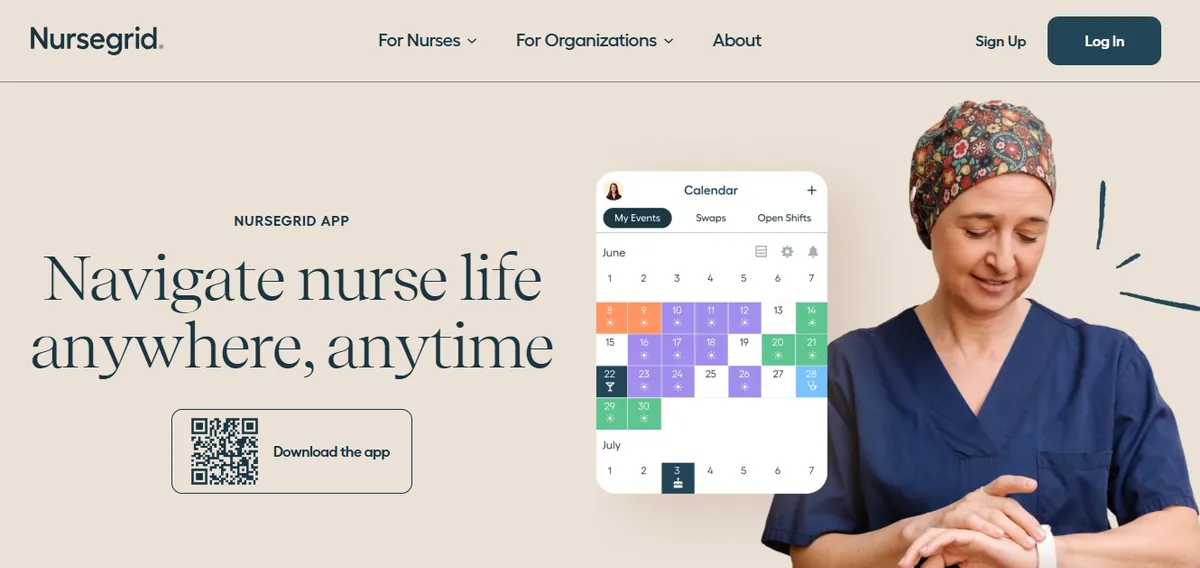
NurseGrid Manager holds 4.2/5 on Capterra (13 reviews; small sample).[7] NurseGrid is built primarily as a nurse-facing app for individual nurses to view schedules, pick up open shifts, and communicate availability (nursegrid.com). The Manager tier extends this with unit-level oversight.
Best for: CAHs discovering they primarily need nurse-facing schedule communication rather than a full scheduling platform, and evaluating Schedule360 because of broader feature breadth they do not actually use.
Key advantages:
- Strong nurse-facing mobile experience; nurses view schedules, mark availability, and request shift trades
- Fast to deploy; most teams are operational within days
- Lower cost than full-scale healthcare scheduling platforms
Key limitations:
Not a primary scheduling system: NurseGrid does not build schedules, enforce credentials, track overtime thresholds, or generate CMS documentation
Manager App Removed. The manager-facing mobile app is no longer available, requiring desktop login for schedule edits (Capterra, June 2024).
“It no longer has the manager app so I have to login to desktop.”
Chief Nursing Officer, Hospital & Health Care, June 13, 2024, Capterra
“they took away the Manager App for your phone.”
Staffing Coordinator, Medical Practice, June 11, 2024, Capterra
For CAHs with active CMS obligations, NurseGrid cannot be the sole scheduling system of record
Verdict: Appropriate as a staff communication layer, not as a Schedule360 replacement for hospitals with active compliance requirements. If the primary unmet need is nurse-facing schedule visibility, NurseGrid is worth evaluating alongside a separate scheduling system for the compliance layer. See our deeper NurseGrid alternatives guide for Critical Access Hospitals.
Cost: Approximately $150 to $300 per month. Pricing requires a quote.
When to Stay with Schedule360?
Stay with Schedule360 when your facility operates in one of the broader healthcare settings the platform was built around, when an enterprise health-system contract already covers your CAH at the system level, or when the implementation is fully configured and functioning for your specific workflows. The switching cost is real: new configuration, retraining, and a parallel-run period. If Schedule360 is working, that cost rarely pays off unless the nurse manager’s scheduling burden is unsustainable.
Schedule360 is worth keeping if:
- Your organization operates multiple facility types (hospital plus urgent care plus specialty clinics), and a single scheduling platform across them is operationally valuable. Schedule360’s multi-industry positioning fits this case better than a hospital-nursing-only tool.
- Your facility is part of a health system that negotiated an enterprise Schedule360 contract covering your CAH; the transition cost may not be justified when the contract is already paid for at the system level.
- The implementation is fully configured and functioning at your scale, with CMS §485.635 audit evidence produced reliably from within the platform. If Schedule360 is actually working for your facility, the switching cost and retraining burden of a new platform may exceed the operational improvement.
- Your facility has a dedicated scheduling coordinator who operates the rules engine without burdening the nurse manager. At that staffing model, a broader healthcare-scheduling platform’s features may be appropriate.
How SimpleScheduleAI Compares to Schedule360?
| Feature | Schedule360 | SimpleScheduleAI |
|---|---|---|
| Target customer | Specialty clinics, hospitals, urgent care, pharmacies, govt agencies | Texas Critical Access Hospitals (up to 25 beds) |
| Delivery model | Self-serve software platform | Managed service (AI builds, scheduler checks) |
| Implementation timeline | Confirm with vendor | 3 to 5 business days from Excel roster upload |
| CMS §485.635 documentation | Not documented on product page; confirm with vendor | Automatic default; included in weekly service |
| FLSA overtime threshold tracking | Confirm with vendor | Built in as default before publish |
| Callout coverage logic | Broadcast SMS, email, pager (first-come-first-serve) | Ranked replacement list filtered by competency and OT risk |
| Ongoing configuration burden | Nurse manager maintains rules engine | None; service maintains rules between releases |
| Best fit facility size | Large health systems, specialty-clinic chains | Up to 25 beds (CAHs) |
Our Take
Schedule360 is a credible healthcare scheduling platform with a real KLAS 2022 recognition and marquee enterprise customers. The mismatch for a 25-bed Critical Access Hospital is positioning, not quality. A platform configured for specialty clinics, urgent care chains, and Cleveland Clinic does not surface CMS §485.635 audit defaults or FLSA overtime guardrails on its product page. A CAH evaluating Schedule360 should ask the vendor for a CAH-scale reference and written confirmation of how each compliance requirement is produced from within the platform before signing a multi-year contract.
What to Do This Week
Know your contract terms. Healthcare-scheduling contracts are typically multi-year agreements. Understand your renewal date and required notice period before starting any evaluation; the contract clock matters more than the technology evaluation clock.
Export your roster. Get your current staff list, certifications, FTE status, and scheduling rules in Excel format. This is the starting point for any alternative evaluation and a useful audit exercise regardless of whether you switch.
Define the problem you are solving. Is the issue Schedule360’s pricing, the multi-industry-platform breadth, the configuration burden, or the lack of CAH-specific compliance defaults? A platform swap solves design-fit issues. A managed service solves scheduling labor.
Request a CAH reference from your Schedule360 account team. Ask for a hospital under 50 beds that completed onboarding in the past 12 months, and a written walkthrough of how CMS §485.635 audit trail evidence is produced from within the platform. If the vendor cannot provide both, that gap is the answer.
Request a SimpleScheduleAI assessment with your specific Schedule360 setup as context. Describe what you are using Schedule360 for at your CAH, what you are not using, and what the nurse manager’s weekly scheduling time looks like. Ask how SimpleScheduleAI would handle the same requirements without the configuration overhead.
Need a Scheduling System Built for a 25-Bed Hospital, Not a Specialty Clinic Chain?
SimpleScheduleAI is built specifically for Texas Critical Access Hospitals. It onboards in 3 to 5 business days and delivers your first schedule inside two weeks with zero IT involvement. FLSA overtime threshold tracking and CMS §485.635 documentation are included by default. See how it works to understand how the transition works for your facility.
See pricing →For a full breakdown of nurse scheduling software options at the 25-bed CAH scale, the specific compliance requirements that define critical access hospital scheduling, and the broader treatment of how AI nurse scheduling works in practice, see our dedicated pillar guides before finalizing your evaluation. Related comparison posts: best nurse scheduling software for 2026, Smart Square alternatives for small rural hospitals, ShiftWizard alternatives for Critical Access Hospitals, and the $26,000 scheduling burden at Critical Access Hospitals.
Sources
[1] Schedule360 vendor homepage, including positioning tagline and named customer logos (University of Michigan, Cleveland Clinic, Kaiser, Target). schedule360.us. Verified 2026-06-03.
[2] Schedule360 nurse scheduling solutions page, citing KLAS Best In KLAS 2022 recognition in the nurse and staff scheduling category. schedule360.us/solutions/nurse-scheduling. Verified 2026-06-03.
[3] Capterra Schedule360 product listing, one review at 5.0/5 from a non-healthcare reviewer (Kamilla S., Restaurants, May 22, 2023). capterra.com. Verified 2026-06-03.
[4] SelectHub Schedule360 editorial review by Riddhiman Roy. Aggregates 2 user reviews at 100% satisfaction. Analyst-summarized concern themes (customization flexibility, learning curve, mobile and integration). selecthub.com. Verified 2026-06-03.
[5] ShiftWizard ratings: 4.3/5 on G2, 4.4/5 on Capterra (723 reviews), G2 Spring 2026 Leader. Vendor page: healthstream.com. Reviewer quotes (Jennifer C., Director of Emergency Services, July 15, 2024; Erika A., Registered Nurse, July 9, 2024) verified on Capterra 2026-04-30.
[6] Aladtec by TCP ratings: 4.5/5 on G2 (94 reviews), 4.6/5 on Capterra (17 reviews; small sample), verified 2026-07-15. Vendor page: tcpsoftware.com. Reviewer quotes (Amanda F., Nurse Manager, October 13, 2020; Jeanne C., Administrative Coordinator, May 7, 2019) verified on Capterra 2026-04-30.
[7] NurseGrid Manager: 4.2/5 on Capterra (13 reviews; small sample). Vendor page: nursegrid.com. Reviewer quotes (Chief Nursing Officer, June 13, 2024; Staffing Coordinator, June 11, 2024) verified on Capterra 2026-04-30.
Methodology note: Schedule360 has limited independent review density on G2 and Capterra. The recurring user-concern themes in source [4] are sourced from SelectHub’s editorial review by Riddhiman Roy, attributed as an analyst summary, not as individual user reviews. CAHs evaluating Schedule360 should request a CAH-scale reference customer directly from the vendor before deciding. Vendor offerings, ratings, and product capabilities change over time; verify current capabilities directly with each vendor before deciding.
Frequently Asked Questions
Is Schedule360 appropriate for a Critical Access Hospital?
Schedule360 is positioned as a broad healthcare scheduling platform across hospitals, specialty clinics, urgent care, pharmacies, and government agencies, with named enterprise customers like University of Michigan and Cleveland Clinic. Its product page does not surface CAH-specific compliance defaults (CMS §485.635 audit trail, FLSA overtime threshold tracking). A CAH evaluating it should confirm these capabilities directly with the vendor and request a hospital reference under 50 beds before signing.
What review evidence is available for Schedule360 on independent platforms?
Public independent review density is limited. Capterra lists 1 review (5.0/5) from a non-healthcare reviewer. SelectHub aggregates 2 reviews at 100% user satisfaction. The strongest independent signal is KLAS Best In KLAS recognition in 2022 in the nurse and staff scheduling category. For a CAH buyer trying to estimate hospital-nursing user experience from public sources, the sample size is too small for confident conclusions, and a reference call is more reliable.
How long does it take to switch from Schedule360 to a simpler scheduling tool?
Switching to another self-serve platform (ShiftWizard, TCP/Aladtec) takes 2 to 4 weeks for setup plus a transition period running parallel. Switching to a managed service takes 3 to 5 business days for the specialist to onboard from your roster file. Check your Schedule360 contract terms before initiating any transition.
Does SimpleScheduleAI handle physician or pharmacy scheduling like Schedule360 does?
No. SimpleScheduleAI is focused on nursing staff scheduling for Texas Critical Access Hospitals. It does not handle physician on-call scheduling, pharmacy scheduling, urgent-care chain scheduling, or call-center scheduling. If your organization runs multiple facility types under one scheduling system, Schedule360’s broader positioning may still be necessary for that breadth.
What does it actually cost to run Schedule360 at a 25-bed hospital versus a simpler alternative?
Schedule360 does not publish pricing on its vendor page; SelectHub’s aggregated listing references a $5 per user per month starting tier as a third-party data point, not vendor-confirmed. The total cost of running any platform at CAH scale includes the contract fee plus the nurse manager’s time to configure and maintain it. A CAH-appropriate alternative, either a hospital-nursing self-serve platform or a managed service, typically reduces both cost components and the configuration burden simultaneously.
Pradeep Pandey is the co-founder of SimpleScheduleAI, an AI-native nurse scheduling service built for Critical Access Hospitals in Texas. He serves as Deputy General Manager of Operations at Apollo Hospitals and holds an MBA from IIM Trichy.