By Pradeep Pandey · Co-Founder · 22 min read · Updated
UKG Alternatives for Critical Access Hospitals (2026)
The best UKG alternatives for a critical access hospital replace an enterprise suite with tools a 25-bed hospital can actually run with no IT team. Many CAHs on UKG use a fraction of it while carrying full overhead. This guide compares three practical options, with honest limitations for each.

UKG is excellent software for the 500-bed health systems it was designed for. Your 25-bed Critical Access Hospital was probably included in a health-system enterprise contract and told the system is “already set up.” In practice that means the system was configured for a hospital five times your size, and the nurse manager is operating around the workflows that do not apply.
This guide compares 6 UKG alternatives for a Critical Access Hospital that needs to right-size scheduling to the operational scale the facility actually has.
Key Takeaways
- UKG serves over 3,500 healthcare organizations in the US. Many Critical Access Hospitals (CAHs) are on UKG because a regional health system extended an enterprise contract to affiliated facilities, not because UKG was selected for CAH-scale needs.
- Based on our interviews with CAH nurse managers, most facilities on UKG use only a fraction of the platform’s features while carrying the full operational overhead: IT configuration, ongoing rule maintenance, and a support model designed for enterprise IT staff.
- The practical self-serve alternatives for a Critical Access Hospital leaving UKG are Aladtec (minimal IT, 2-4 weeks; 4.5/5 on G2 with 94 reviews, 4.6/5 on Capterra with 17 reviews, though Capterra reviewers skew toward EMS and public safety rather than hospital nursing) and SmartLinx (mid-market, healthcare-specific, 3-4 months with IT capacity). A managed service is the third path for CAHs with limited IT and no ongoing scheduling administration bandwidth.
- For a CAH leaving UKG because of complexity, Aladtec goes live in 2-4 weeks with minimal IT involvement and is a common replacement. For a hospital that needs more built-in compliance logic and has IT capacity for a 3-4 month implementation, SmartLinx is the step-down option. For limited IT and no ongoing scheduling administration on the nurse manager’s plate, SimpleScheduleAI handles both the setup and the weekly scheduling work.
- Switching requires checking contract terms, exporting roster data, and running parallel for one scheduling cycle. A managed service handles most of the transition logistics on its end.
Table of Contents
- Why Small Hospitals End Up on UKG?
- What UKG Assumes You Have?
- What Is the Real Cost of Running UKG at a Small Hospital?
- What Are the 3 Best UKG Alternatives for Critical Access Hospitals?
- 1. SimpleScheduleAI
- 2. Aladtec by TCP Software
- 3. SmartLinx
- When to Stay with UKG?
- How SimpleScheduleAI Compares to UKG?
- What to Do This Week
- Frequently Asked Questions
For a critical access hospital leaving UKG, the best alternatives replace an enterprise suite with something a 25-bed hospital can actually run. Aladtec goes live in 2 to 4 weeks with minimal IT and is a common replacement, SmartLinx is the step-down for hospitals with IT capacity for a 3 to 4 month setup, and SimpleScheduleAI handles both setup and the weekly scheduling work with no IT team.
UKG is used at CAHs in two ways. The first is a health system enterprise contract where the CAH was included without a separate evaluation. The second is an administrator who purchased an enterprise solution without accounting for the operational overhead required to run it. In both cases, the result is the same: a 25-bed hospital is nominally on UKG but using a fraction of its features, with a nurse manager who has built manual workarounds because the full system is too complex to configure and maintain.
Why Small Hospitals End Up on UKG?
UKG’s market presence comes from large health system deployments. When a regional system purchases UKG enterprise-wide, affiliated CAHs are often included in the contract and expected to adopt the same platform. The implementation is managed at the system level. The CAH nurse manager is trained on the interface during a one-day session and handed a platform configured for a 500-bed hospital’s workflows.
The alternative path is direct purchase. A hospital administrator, seeing that UKG is the platform used at major health systems and wanting a “serious” solution, signs an enterprise contract. The implementation begins. Within 90 days, the nurse manager is managing configuration problems she does not have the technical background to resolve. For why that enterprise design does not scale down, see why UKG (Kronos) is built for enterprises, not Critical Access Hospitals.
What UKG Assumes You Have?
UKG was built for health systems with dedicated IT departments, HRIS analysts, and months-long implementations. At a 25-bed Critical Access Hospital, none of those resources typically exist. The nurse manager is also on clinical shifts, IT support is a part-time contractor at best, and the implementation budget is quoted at enterprise scale. Every UKG assumption fails at CAH scale, which is why the platform creates operational burden rather than reducing it.
| UKG Assumption | Reality at a 25-Bed Critical Access Hospital | Critical Access Hospital-Appropriate Alternative |
|---|---|---|
| Dedicated IT department | Part-time IT contractor (if any) | Managed service (zero IT needed) |
| Dedicated HRIS/WFM analyst | Nurse manager (also on clinical shifts) | Managed service handles config for you |
| Months-long implementation | $150K-$500K not in budget | First schedule inside two weeks, no project required |
| Enterprise HRIS/payroll integration | Excel payroll, regional HR vendor | No integration required |
What Is the Real Cost of Running UKG at a Small Hospital?
The real cost of UKG at a small hospital extends well beyond the subscription fee. Configuration errors caused by missing HRIS staff produce payroll overages that surface only at pay period close. Compliance gaps appear when audit trails have undocumented gaps because no one was responsible for maintaining the configuration. And the support model, built for enterprise IT teams, is nearly unusable for a nurse manager without a technical background. For a CAH, the total operational cost of UKG routinely runs well beyond the sticker price.
Beyond the purchase price, the operational cost of running UKG at CAH scale is significant:
Configuration errors. Without dedicated HRIS staff, overtime rules, credential requirements, and unit staffing minimums get misconfigured. The result is scheduling errors that only surface at payroll, sometimes after overpaying nurses by thousands of dollars. At a 25-bed hospital where there is no HRIS analyst to own the configuration, this is the highest operational risk of the platform.
Compliance gaps. UKG can produce CMS §485.635 documentation, but only if configured correctly. Misconfiguration means the audit trail has gaps, which creates survey exposure. At a large hospital with a workforce management team, someone is responsible for audit readiness. At a CAH, this falls to whoever has time.
Support complexity. UKG’s support model is designed for enterprise customers with internal technical staff who can translate business problems into platform configuration requests. A nurse manager who needs a scheduling rule changed faces a support process built for IT professionals, not clinicians.
What Are the 3 Best UKG Alternatives for Critical Access Hospitals?
The three best UKG alternatives for a Critical Access Hospital are SimpleScheduleAI, Aladtec, and SmartLinx. SimpleScheduleAI is the only managed service and the only option that requires no IT involvement and no ongoing configuration work from the nurse manager. Aladtec goes live in 2-4 weeks with minimal IT and is the most common self-serve replacement at CAH scale. SmartLinx is a step down from UKG in complexity, not a full simplification, and fits hospitals in the 50-200 bed range with IT capacity.
| Platform | Type | Setup Time | IT Required | Facility Scale |
|---|---|---|---|---|
| UKG (Kronos) | Enterprise WFM suite | Months | Yes, significant | 200+ beds, health systems |
| Aladtec | Self-serve platform | 2-4 weeks | Minimal | 25-200 beds, admin capacity needed |
| SmartLinx | Mid-market WFM | 3-4 months | Moderate | 50-200 beds, with IT support |
| SimpleScheduleAI | Managed service | Inside two weeks | None | CAH-native, up to 25 beds |
1. SimpleScheduleAI
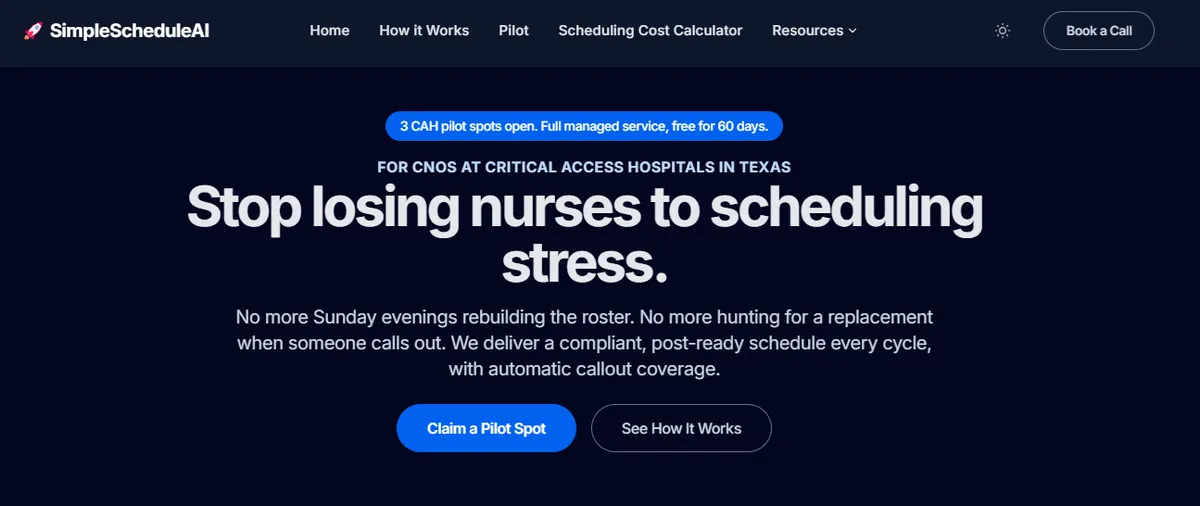
SimpleScheduleAI is an AI-native nurse scheduling service built specifically for Critical Access Hospitals. There is no platform to configure or maintain. The nurse manager uploads a staff roster in Excel format, the AI builds the first schedule, our team checks it, and it is delivered inside two weeks, after 3 to 5 business days of onboarding. FLSA overtime threshold tracking, CMS §485.635 documentation, and charge nurse designation enforcement are built-in defaults, not configuration options.
The nurse manager reviews and approves schedules and handles callout coverage using the automated ranked replacement list. Weekly scheduling time drops to 1-2 hours. No IT involvement. No implementation project. For a CAH coming off UKG, a managed service is typically the fastest path to operational simplicity.
Best for: Critical Access Hospitals leaving UKG because the platform demands IT resources and implementation capacity the facility does not have, and where the nurse manager cannot sustain a weekly platform operation alongside clinical duties.
Key advantages:
- First schedule inside two weeks from Excel roster upload, after 3 to 5 business days of onboarding; no IT involvement or implementation project
- CMS §485.635 documentation is automatic, eliminating manual survey prep
- Callout replacement list is ranked by overtime risk and filtered by unit competency before it reaches the manager
- FLSA overtime threshold tracking and CMS CAH requirements are built-in defaults
- Service maintains scheduling rules as staff and policies change; no ongoing configuration burden
Key limitations:
- Managed service model means the nurse manager receives draft schedules rather than building them directly; less real-time control than a self-serve platform
- No staff-facing mobile app; if nurse self-service shift pickup is a priority, a hybrid approach is worth evaluating
- Not designed for the enterprise-scale workforce analytics that UKG provides
Verdict: The most direct path from UKG to operational simplicity for a 25-bed CAH. Where UKG requires IT infrastructure and HRIS staff to function correctly, SimpleScheduleAI requires only a current roster file and manager review time. Watch the AI build a compliant schedule and rank a callout shortlist live in the interactive simulator, or see how it works.
Cost: Flat monthly price by roster size: $1,000/month for up to 20 nurses, $1,500/month for 21 to 40 nurses. No per-nurse or setup fees.
2. Aladtec by TCP Software
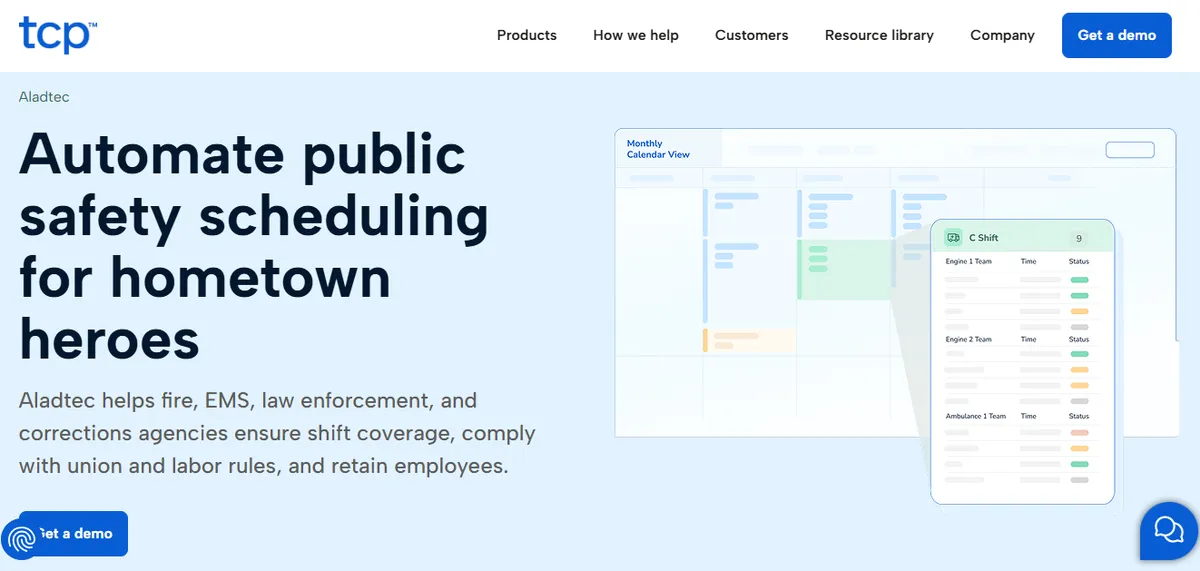
Aladtec (the platform; TCP is the parent company after the 2021 acquisition) is a scheduling platform that, as of September 2026, its own product pages market to fire, EMS, law enforcement and corrections agencies, with no healthcare claim. Some hospitals use it, based on its Capterra reviews. Unlike UKG, it requires minimal IT involvement and can be operational in 2-4 weeks. For a CAH leaving UKG because of implementation complexity, Aladtec is a meaningful reduction in setup overhead.
The trade-off is clear: Aladtec replaces UKG’s complexity with a different kind of self-serve overhead. The nurse manager still configures credential tracking, FLSA overtime thresholds, and shift rules manually. CMS documentation requires the manager to structure and export records; the system does not generate them automatically.
“When editing the schedule there are a lot of clicks involved.”
Amanda F., Nurse Manager, Hospital & Health Care, October 13, 2020, Capterra
“It was a bit complicated to figure out from the administrator side.”
Jeanne C., Administrative Coordinator, May 7, 2019, Capterra
Since TCP acquired Aladtec in 2021, CAH administrators should request current named support contacts and documented response-time SLAs directly from the vendor before committing.
If you are leaving UKG because it demands too much from one person, Aladtec is simpler to implement but does not remove the ongoing administrative burden.
Best for: CAHs with a designated administrator or scheduling coordinator who has 4-6 hours per week available for scheduling administration and can manage a self-serve platform configuration.
Key advantages:
- Built for 24/7 shift-work environments, with credential expiration tracking and minimum-staffing violation flags documented on its product pages
- Minimal IT involvement for setup and operation
- 2-4 week implementation timeline
Key limitations:
Nurse manager configures and operates all scheduling rules manually
No automatic CMS §485.635 audit trail generation; documentation requires manual export
Click-Heavy Workflow. Routine schedule edits require multiple steps.
“When editing the schedule there are a lot of clicks involved.”
Amanda F., Nurse Manager, Hospital & Health Care, October 13, 2020, Capterra
Setup Complexity. Initial configuration takes longer than expected for some administrators.
“It was a bit complicated to figure out from the administrator side.”
Jeanne C., Administrative Coordinator, May 7, 2019, Capterra
Since TCP acquired Aladtec in 2021, request current named support contacts and response-time SLAs before committing
Mobile app has limited functionality compared to desktop interface
Verdict: The right fit for a CAH that wants to reduce UKG complexity without outsourcing scheduling decisions. Not the right fit if the core problem is that one person cannot sustain the weekly scheduling workload alongside clinical duties. See our deeper Aladtec alternatives guide for Critical Access Hospitals.
Cost: Pricing not listed publicly. Contact for quote. Typically positions below SmartLinx and well below UKG in per-facility cost.
3. SmartLinx
SmartLinx is a workforce management platform built for mid-size healthcare organizations, primarily skilled nursing facilities and hospitals in the 50-200 bed range. It has stronger built-in credential enforcement and compliance logic than Aladtec, with pre-configured rules for common healthcare regulatory requirements.
For a critical access hospital leaving UKG, SmartLinx trades one form of enterprise overhead for another. Implementation runs 3-4 months with IT involvement required for initial configuration. SmartLinx assumes the facility has a dedicated scheduling administrator and an available IT resource during setup, which most 25-bed CAHs do not. Before committing to an implementation timeline, request a reference from a SmartLinx customer at comparable scale (50-bed hospital or smaller) to verify configuration burden and setup reality at that size.
SmartLinx is most cited by skilled nursing and long-term care facilities, not acute care CAHs. The compliance frameworks it handles well (state staffing ratios for SNFs, PBJ reporting) overlap partially with CAH needs but are not the same regulatory environment.
Best for: Hospitals and skilled nursing facilities in the 50-200 bed range with an IT team, a dedicated scheduling administrator, and 3-4 months for a structured implementation project.
Key advantages:
Stronger built-in credential enforcement than Aladtec
Pre-configured compliance logic for common healthcare regulatory requirements
Handles multi-unit and multi-department scheduling across larger facilities
Implementation includes project management and user training.
“Implementation was a breeze with resources helping and project management and user training are all included. Customer Support is very responsive and always delivers resolution quickly.”
Carol G., Director of IT Services, Hospital & Health Care, March 22, 2021, Capterra
Key limitations:
Implementation Complexity. Experience varies; some customers describe initial configuration as more involved than expected.
“Implementation was much more complex that expected and end result still was full of errors on first payroll. Some changes can only be made on the back end.”
Daniel C., CFO, Hospital & Health Care, March 16, 2021, Capterra
3-4 month implementation with IT involvement required
Designed for 50-200 bed facilities; configuration and pricing reflect that scale
Requires a dedicated scheduling administrator to operate effectively post-implementation
Verify setup complexity and configuration burden with a current SmartLinx reference at CAH or small hospital scale before deciding
Primary compliance coverage targets SNF/LTC regulatory requirements, not CAH-specific CMS §485.635
Verdict: SmartLinx is a capable platform for the facility size it was built for. A 25-bed CAH without a dedicated IT resource and scheduling coordinator will not get the value the platform is priced for. If UKG felt over-engineered, SmartLinx is a smaller step down, not a different operating model. See our deeper SmartLinx alternatives guide for Critical Access Hospitals.
Cost: No pricing page as of September 22, 2026 (smartlinx.com/pricing returned a missing page). Contact SmartLinx for a quote.
When to Stay with UKG?
UKG is worth keeping only when the hospital is not actually carrying the implementation burden itself. If a regional health system manages the UKG configuration at the system level, or a dedicated HRIS analyst owns the platform for your facility, staying on UKG is often the right call. The switching cost, contract exit terms, and retraining burden can exceed the operational improvement unless the CAH is genuinely operating UKG below its capabilities and absorbing the difference in manual administrative work.
UKG is worth keeping in a small number of situations:
- Your facility is affiliated with a regional health system that manages the UKG implementation at the system level, covering IT support, configuration, and ongoing maintenance. In that model, the CAH is not carrying the implementation burden.
- Your organization genuinely uses UKG’s workforce analytics, EHR integration, and payroll reconciliation features, and has the IT infrastructure to operate them correctly.
- You are mid-implementation with a contract that carries significant exit penalties. In that case, the switching cost analysis needs to factor in exit costs, not just operational improvement.
- A dedicated HRIS analyst or scheduling coordinator is managing UKG for your facility without burdening the nurse manager. At that staffing model, UKG’s features may justify the cost.
If none of these conditions apply, a 25-bed CAH cannot run UKG correctly, and the longer the facility stays on it, the more compliance risk and manual workaround cost accumulates.
How SimpleScheduleAI Compares to UKG?
| Feature | UKG | SimpleScheduleAI |
|---|---|---|
| Implementation timeline | Months, dedicated IT required | Inside two weeks, Excel upload |
| IT infrastructure required | Yes, significant | None |
| CMS §485.635 documentation | Yes, if configured correctly | Yes, automatic default |
| FLSA overtime threshold tracking | Yes, if configured correctly | Yes, built-in default |
| Ongoing configuration burden | High, requires HRIS/IT staff | None, service manages |
| Weekly scheduling time | 6-12 hours (manager + IT) | 1-2 hours (review + approval) |
| Enterprise workforce analytics | Yes, comprehensive | Reporting via service |
| Best fit facility size | 200+ beds, large health systems | Up to 25 beds (CAHs) |
Our Take
UKG is excellent software for the organizations it was designed for. Small hospitals are not those organizations. The implementation timeline (6-18 months at hospital scale), the dedicated IT and HRIS requirements, and the enterprise pricing structure are not features the vendor could remove for a CAH - they are the operational assumptions the platform is built on. The right UKG alternative for a 25-bed hospital is a tool sized for the operational reality of a single Critical Access Hospital.
What to Do This Week
Confirm your UKG contract terms. UKG contracts typically run multi-year. Know your renewal date and notice requirements before starting any evaluation; the contract clock matters more than the technology evaluation timeline.
Export your roster data. Get your current staff list, certifications, and scheduling rules in a usable format (ideally Excel) before any platform transition. This is also a useful audit of whether your current UKG configuration is accurate. Our guide to UKG migration at a small hospital covers how to sequence that export, a parallel run, and the cutover with minimal risk.
Identify the specific UKG problem driving the switch. Is it implementation cost, ongoing IT dependency, support complexity, or the self-serve model itself? A platform swap solves cost and interface issues. A managed service solves the labor and configuration burden.
Do not replicate UKG’s complexity in the replacement. A common mistake when leaving UKG is trying to configure the same level of rules and integrations in the replacement platform. Start with the minimum required for compliance and safe coverage. Add complexity only if it surfaces as a real operational problem.
Request a demo of SimpleScheduleAI framed as a UKG transition. Describe your current UKG configuration, what you use it for, and what is not working at your scale. Ask how SimpleScheduleAI handles the same requirements. Contact via simplescheduleai.com.
Replace UKG with Something That Actually Fits a 25-Bed Hospital
SimpleScheduleAI onboards in 3 to 5 business days and delivers your first schedule inside two weeks, with zero IT involvement. FLSA overtime tracking and CMS documentation are included by default. Schedule a free assessment to see how the transition works for your facility.
See pricing →For a full breakdown of nurse scheduling software options at the 25-bed CAH scale, and the specific compliance requirements that define critical access hospital scheduling, see our dedicated guides before finalizing your evaluation. For the broader treatment of how AI-built nurse schedules work, see AI nurse scheduling.
Sources
[1] UKG (formerly Kronos) workforce management product page. ukg.com. Verified 2026-04-30. UKG ratings on Capterra do not map to a small-hospital tier; product analysis is based on vendor pages.
[2] ShiftWizard ratings: 4.3/5 on G2, 4.4/5 on Capterra (723 reviews). Vendor: HealthStream. Verified 2026-04-30.
[3] Aladtec by TCP ratings: 4.5/5 on G2 (94 reviews), 4.6/5 on Capterra (17 reviews; small sample). Vendor page: tcpsoftware.com. Verified 2026-07-15.
[4] NurseGrid Manager: 4.2/5 on Capterra (13 reviews; small sample). Vendor page: nursegrid.com. Verified 2026-04-30.
[5] CMS Conditions of Participation §485.635 for Critical Access Hospitals. eCFR.
[6] FLSA healthcare overtime guidance. U.S. Department of Labor, Fact Sheet #54.
Methodology note: Reviewer quotes were cross-checked against AllNurses.com and Reddit (r/nursing) on the verification date. Vendor offerings, ratings, and product capabilities change over time; CAHs evaluating any specific platform should verify current capabilities directly with the vendor before deciding.
Frequently Asked Questions
Is UKG overkill for a 25-bed Critical Access Hospital?
Yes, almost always. UKG’s value proposition is workforce intelligence across large, multi-facility health systems with complex payroll integrations and dedicated HR infrastructure. A 25-bed CAH with one nurse manager and limited IT gets a fraction of that value while carrying the full implementation and operational burden.
What does it cost to switch from UKG to a simpler tool?
The primary cost is transition labor: exporting data, configuring the new system, and running parallel for one scheduling cycle. For a managed service, the vendor handles most of this. For Aladtec, the nurse manager or a scheduling coordinator handles it. Financially, Aladtec typically costs significantly less than UKG enterprise licensing for a small facility. See our scheduling ROI breakdown for CAHs for a worked example, or contact SimpleScheduleAI and Aladtec for current pricing.
Can a CAH run scheduling without any specialized software?
Many do via spreadsheets. But without proactive overtime tracking, credential-unit matching, and automated CMS documentation, the nurse manager is doing compliance work manually that software should handle. The result is 4-6 hours per week of administrative burden for scheduling tasks alone.
Does SimpleScheduleAI integrate with UKG during a transition?
No. SimpleScheduleAI operates independently. During transition, you export your roster from UKG as an Excel file and upload it to SimpleScheduleAI. The two systems do not connect, which is also why there is no IT integration burden during the switch.
What about ShiftWizard, is it a good UKG alternative for a small hospital?
ShiftWizard is a hospital-specific scheduling platform used by more than 500 hospital facilities, owned by HealthStream. It holds 4.3/5 on G2 and 4.4/5 on Capterra (723 reviews) and was named a G2 Spring 2026 Leader. It is simpler than UKG and designed for nursing workflows, and it is a reasonable option for a hospital that specifically wants a self-serve nursing scheduling tool. As with any self-serve platform, evaluate it on setup time at CAH scale, weekly burden after go-live, mobile feature parity, and 8-and-80 overtime rule support before deciding.
Pradeep Pandey is the co-founder of SimpleScheduleAI, an AI-native nurse scheduling service for Critical Access Hospitals in Texas. He writes about scheduling operations, CAH compliance, and workforce management for small hospitals.