By Pradeep Pandey · Co-Founder · 30 min read · Updated
Best OnShift Alternatives for Critical Access Hospitals (2026)
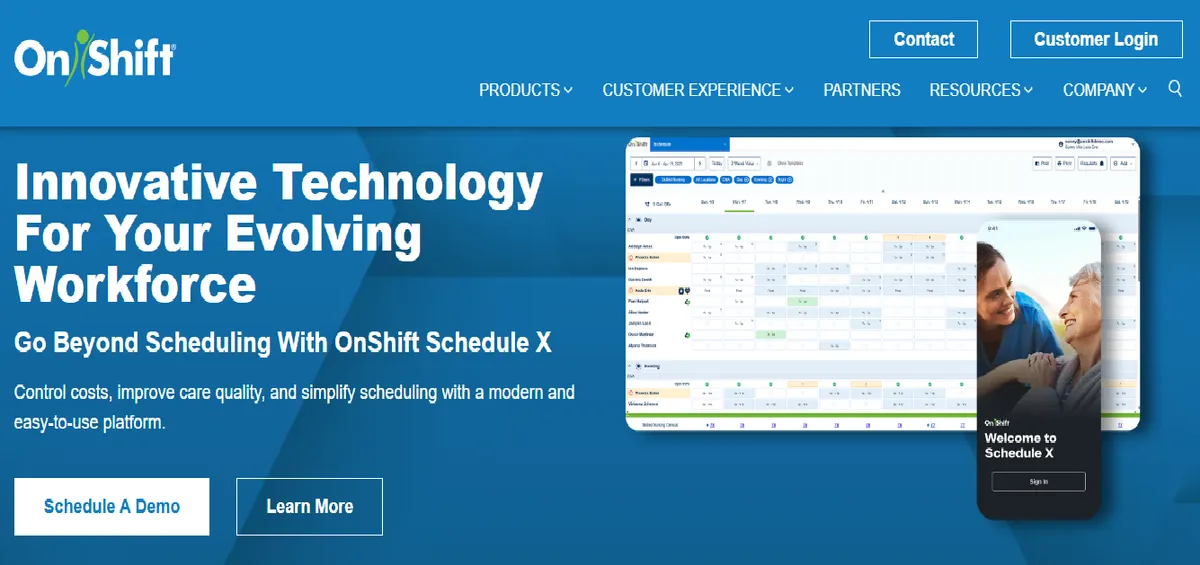
OnShift was built for long-term care and assisted living, not acute care hospital nursing. Critical Access Hospitals evaluating it find the open-shift model and LTC-oriented design a poor match for callout speed, credential enforcement, and CMS §485.635 documentation. This guide compares the six best OnShift alternatives across fit, setup, and CAH compliance, with honest limitations for each.

OnShift does not claim to serve you, and that is the whole story. Its own site describes it as “the only workforce management software made exclusively for long-term, post-acute and senior care” and says the company is “100% dedicated to the long-term post-acute care and senior living industry.” A 25-bed acute Critical Access Hospital is none of those things. The fit gap is not a criticism of the product, it is the product’s own stated scope, and it is worth checking against what a sales conversation may have implied.
This guide compares 6 OnShift alternatives for a CAH that runs acute inpatient nursing, not skilled-nursing-facility scheduling.
Key Takeaways
- OnShift, a ShiftKey brand, was designed for long-term care and senior living workforce scheduling, and says so in its own words: “100% dedicated to the long-term post-acute care and senior living industry.” Its caregiver engagement and shift-pickup model fits stable long-term care census patterns, which is a different operational model than acute care hospital nursing.
- The questions a Critical Access Hospital should probe before keeping OnShift are operational: how fast a confirmed credentialed replacement can be secured during a callout, whether the platform produces CMS §485.635 survey documentation without manual assembly, and whether acute care unit constraints are enforced rather than advisory.
- SimpleScheduleAI is the strongest alternative for a Critical Access Hospital that wants the scheduling handled rather than a better tool to do it itself. It delivers ranked, competency-filtered callout replacement lists, automatic CMS §485.635 documentation, and FLSA overtime threshold tracking as defaults.
- For hospitals that want self-serve software, Aladtec offers direct-outreach callout management, but it is worth evaluating only if TCP confirms it would sell and support Aladtec for hospital nursing. SmartLinx is the path for 50-100 bed facilities that need stronger compliance automation than OnShift and have IT capacity for a longer implementation.
- QGenda is the right choice when the actual problem is consolidating physician and nursing scheduling onto one platform. UKG is the enterprise-tier option only when a parent health system mandates it and supplies the implementation resources.
- General workforce tools such as Deputy and nurse-facing apps such as NurseGrid Manager solve narrower problems; CAHs with active CMS or HIPAA obligations should verify clinical compliance capabilities directly with each vendor before relying on either as a primary scheduling system.
Table of Contents
- Why Hospitals Switch Away from OnShift?
- Is OnShift’s Open-Shift Model Fast Enough for Acute Care Callouts?
- Does OnShift Enforce Credentials at the Point of Shift Pickup?
- Does OnShift Produce Survey-Ready CMS §485.635 Documentation?
- Quick Comparison: OnShift vs. The Alternatives
- What Are the 6 Best OnShift Alternatives for Critical Access Hospitals?
- 1. SimpleScheduleAI
- 2. Aladtec
- 3. SmartLinx
- 4. QGenda
- 5. NurseGrid Manager
- 6. UKG
- When to Stay with OnShift?
- How SimpleScheduleAI Compares to OnShift?
- What to Do This Week
- Frequently Asked Questions About OnShift Alternatives
For a 25-bed Critical Access Hospital, the best OnShift alternatives are tools built around acute care callout dynamics and CMS compliance rather than long-term care caregiver engagement. SimpleScheduleAI is the managed-service option when the goal is removing the scheduling work entirely. Aladtec is the smaller-roster self-serve option with direct-outreach callouts, if TCP confirms it supports hospital nursing. SmartLinx is the upgrade path for hospitals growing past 50 beds.
OnShift built its scheduling product around the operational reality of long-term care: relatively stable patient census, predictable caregiver availability patterns, and a workforce that responds well to engagement-first tools. Under ShiftKey, development has centered on that same long-term care market and on connecting facilities to the ShiftKey marketplace for open shifts.
For hospitals, particularly small acute care hospitals and Critical Access Hospitals, the questions that matter are operational fit, not a feature checklist. If your priority is critical access hospital scheduling with CMS documentation, FLSA overtime, and credential-filtered callouts, review what those requirements actually demand before choosing a platform. Our nurse scheduling software for critical access hospitals guide covers the specific features a 25-bed hospital needs that LTC-oriented tools were not designed to provide.
Here is how the alternatives compare before we go deeper:
Why Hospitals Switch Away from OnShift?
Hospitals switch away from OnShift because the platform was designed for long-term care scheduling rather than acute care hospital nursing. The open-shift posting model assumes coverage gaps are known in advance and that any available caregiver can fill them. Acute care callouts require a confirmed, correctly credentialed replacement within minutes, and Critical Access Hospitals carry CMS §485.635 documentation obligations that LTC-oriented platforms were not built around.
OnShift does not publish a public G2 or Capterra rating that maps cleanly to a Critical Access Hospital nursing context, and no verified small-hospital nursing reviewer quote is available. The points below are framed as evaluation questions a CAH should probe in any OnShift demo, not as confirmed product gaps. The themes cluster into three areas worth testing.
Is OnShift’s Open-Shift Model Fast Enough for Acute Care Callouts?
OnShift’s documented model posts open shifts and waits for caregivers to accept them. In long-term care, where census is stable and coverage gaps are often known days in advance, a post-and-wait model is workable. In acute care, an emergency callout needs a confirmed replacement within minutes, not a posted shift waiting on a response cycle.
The question a CAH should ask in the demo is concrete: when a night-shift nurse calls out at 5am, what is the documented path from callout to a confirmed, correctly credentialed replacement, and is that path measured in minutes or hours? Ask the vendor to walk through a real acute care callout scenario rather than a planned open-shift example, and request a current hospital-acute reference customer who runs callouts this way.
Does OnShift Enforce Credentials at the Point of Shift Pickup?
When an open shift is posted, the operational question is whether the platform enforces the credential requirement for that specific shift before an acceptance is confirmed, or whether credential checking is a manual step the manager performs after the fact. In acute care, an ED or ICU shift may require ACLS, TNCC, or CCRN certification, and a replacement who lacks it is not a valid replacement.
Verify this directly with OnShift sales rather than assuming either way: ask whether unit-level credential constraints are enforced at the point of acceptance, whether expired credentials block pickup automatically, and whether the audit record shows who was eligible versus who accepted. If credential verification is manual, most of the time savings the broadcast model promises is consumed by the manual check, and that is a quantifiable reason to evaluate alternatives.
Does OnShift Produce Survey-Ready CMS §485.635 Documentation?
CMS Conditions of Participation for Critical Access Hospitals under 42 CFR §485.635 require maintained nursing service and staffing records that a surveyor can review. The operational question is not whether OnShift stores schedule data, it does, but whether it produces survey-ready §485.635 documentation without the nurse manager assembling it manually before each survey.
Ask the vendor to show the exact report or export a surveyor would receive, and how long it takes to produce. If survey preparation under the current OnShift setup requires more than two hours of manual record assembly per cycle, that recurring time cost is a direct, measurable reason to evaluate a platform that maintains §485.635 documentation automatically. Document the answer with a date, because vendor capabilities change between contract renewals.
Quick Comparison: OnShift vs. The Alternatives
The table below covers customer focus, public ratings, and setup time across the six alternatives. Ratings are from G2 and Capterra at the time of writing (May 2026). For platforms without dedicated public listings that map to small hospital nursing, verify current ratings directly with the vendor.
| Platform | Best For | Public Ratings | Setup Time |
|---|---|---|---|
| OnShift (current) | Long-term care, senior living, ShiftKey marketplace users | No CAH-mapped public listing; verify with vendor | Confirm with vendor |
| SimpleScheduleAI | Critical Access Hospitals, Texas | New service; no public reviews yet | 3 to 5 business days |
| Aladtec by [TCP](/blog/best-tcp-alternative-for-cah) | Public safety agencies (fire, EMS, law enforcement) | G2: 4.5/5 (94 reviews) Capterra: 4.6/5 (17 reviews; small sample) | 2-4 weeks |
| SmartLinx | LTC, post-acute, behavioral health, 50-100 beds | Capterra: 4.5/5 (6 reviews; small sample) | 3-4 months |
| QGenda | Combined physician and nurse scheduling | G2: 4.6/5 (164 reviews) Capterra: 4.2/5 (68 reviews) | Months; confirm with vendor |
| NurseGrid Manager | Nurse-facing schedule visibility and trades | Capterra: 4.2/5 (13 reviews; small sample) | Days to weeks |
| UKG | Large multi-facility health systems, 200+ beds | No small-hospital public listing; verify with vendor | Months |
What Are the 6 Best OnShift Alternatives for Critical Access Hospitals?
The six strongest OnShift alternatives for a Critical Access Hospital are SimpleScheduleAI, Aladtec, SmartLinx, QGenda, NurseGrid Manager, and UKG. The right choice depends on whether your primary need is removing the scheduling work entirely, faster callout outreach, stronger compliance automation, or unified physician and nurse scheduling. The comparison table above covers ratings and setup time; the profiles below cover fit by scenario, with honest limitations for each.
1. SimpleScheduleAI
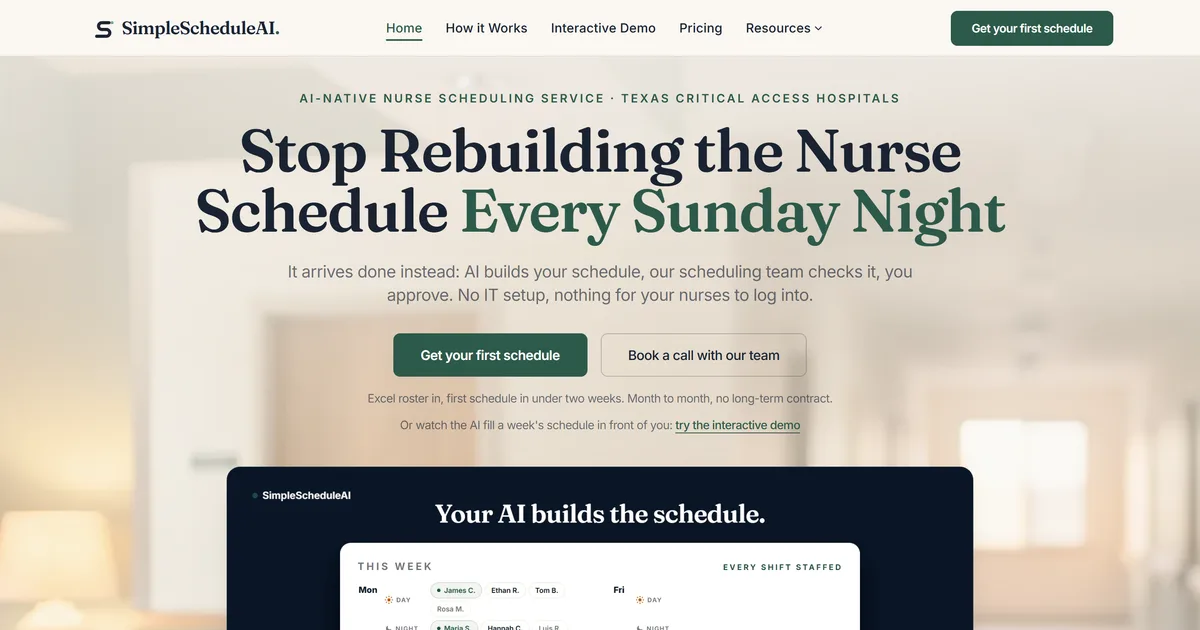
SimpleScheduleAI is a new service, without public G2 or Capterra reviews yet. It is a managed nurse scheduling service built specifically for Critical Access Hospitals in Texas. Unlike OnShift’s self-serve LTC platform, SimpleScheduleAI requires no configuration work from the nurse manager: the AI builds draft schedules each cycle, while a scheduling specialist handles setup from an Excel roster upload, checks each draft, and maintains the system as the roster and policies change.
The replacement list is ranked by overtime risk and filtered by unit competency requirements before it reaches the manager. A replacement for an ICU shift only shows ICU-cleared nurses, and a replacement for a charge nurse shift only shows charge-designated nurses. CMS §485.635 staffing documentation is logged automatically throughout each scheduling cycle, so survey preparation is not a manual assembly task.
This is a different operating model than OnShift, which is a self-serve platform the manager configures and runs herself. SimpleScheduleAI moves the construction and maintenance work to the service and leaves the nurse manager with review and approval decisions. See how the managed service works for the full workflow, and the AI nurse scheduling approach behind the draft generation. See the AI build a schedule and the compliance checks run live in the interactive simulator.
Best for: Critical Access Hospitals evaluating OnShift alternatives because acute care callout speed, competency enforcement during coverage, and CMS documentation prep time are the primary unmet needs.
Key advantages:
- Callout shortlist generated in under two minutes, ranked by overtime risk and filtered by unit competency requirements
- CMS §485.635 staffing documentation maintained automatically, eliminating manual survey prep
- Charge-nurse and unit competency requirements keep nurses who are not cleared for the unit off the callout list
- Managed service model means no implementation burden and no ongoing IT dependency
- FLSA overtime threshold tracking and CMS CAH requirements are defaults, not configuration options
Key limitations:
- Managed service model means less direct manager control than OnShift’s self-serve platform; schedule changes route through the service rather than being edited in real time by the manager
- No staff-facing mobile app; nurses do not view schedules or submit shift trades directly through SimpleScheduleAI. If nurse-facing self-scheduling is a priority, evaluate a self-serve platform or pair SimpleScheduleAI with a separate staff communication tool
- Not designed for hospitals with a large long-term care component that need the caregiver engagement features OnShift was built around
Verdict: The strongest OnShift alternative for a CAH where callout skill-mix enforcement and CMS documentation are the primary unmet needs. The managed service model eliminates the configuration overhead that makes self-serve alternatives harder to maintain at 25-bed scale. See how it works.
Ratings: New service; no public G2 or Capterra listing yet.
Cost: Flat monthly price by roster size: $1,000/month for up to 20 nurses, $1,500/month for 21 to 40 nurses. No per-nurse or setup fees.
2. Aladtec
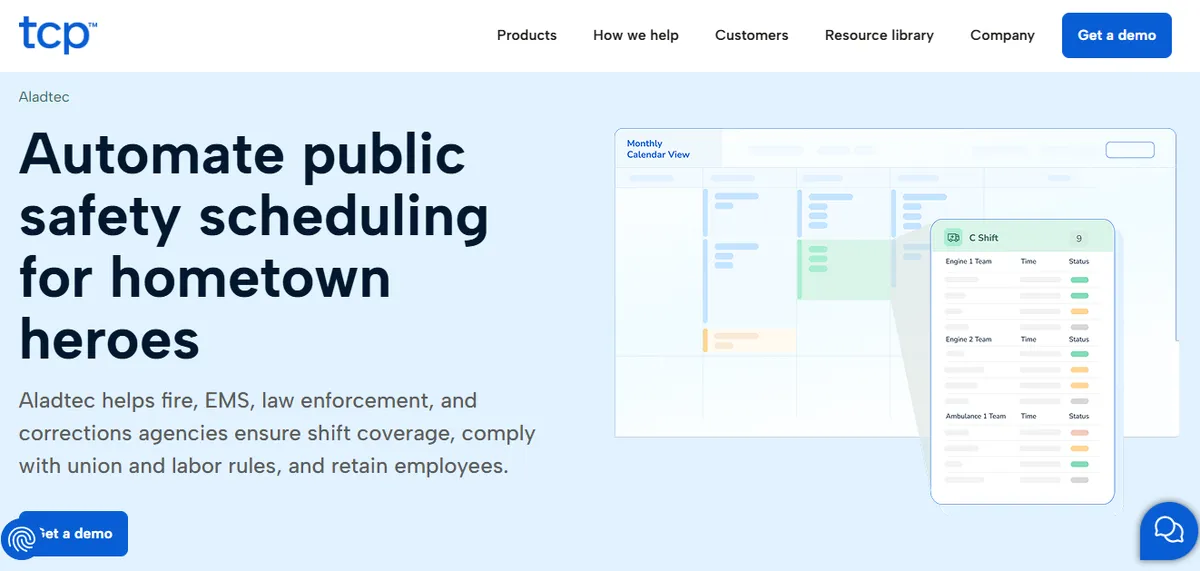
Aladtec by TCP holds 4.5/5 on G2 (94 reviews) and 4.6/5 on Capterra (17 reviews). TCP Software markets Aladtec to fire, EMS, law enforcement and corrections agencies, and markets a different product, Humanity Schedule, to healthcare. The callout model is direct-outreach oriented rather than post-and-wait, which is closer to how an acute care coverage gap actually gets filled than OnShift’s open-shift posting model.
Aladtec covers shift management, time and attendance, overtime tracking, certification tracking, and reporting. For a small hospital leaving OnShift primarily because the open-shift model is too slow for acute care callouts, Aladtec’s direct-outreach approach is a meaningful change in operating model rather than a feature swap.
Best for: Hospital-run EMS services, or hospitals TCP confirms it will support, that are leaving OnShift because open-shift posting is too slow for acute care coverage gaps.
Key advantages:
- Direct-outreach callout model better suited to acute care urgency than OnShift’s open-shift posting
- Configurable certification tracking by employee profile allows filtering for unit-specific requirements
- Faster implementation than UKG or SmartLinx
Key limitations:
Click-Heavy Workflow. Some reviewers describe high click counts for routine schedule edits.
“When editing the schedule there are a lot of clicks involved.”
Amanda F., Nurse Manager, Hospital & Health Care, October 13, 2020, Capterra
Setup Complexity. Some administrators describe the initial configuration as harder than expected.
“It was a bit complicated to figure out from the administrator side.”
Jeanne C., Administrative Coordinator, May 7, 2019, Capterra
The most recent hospital-context Capterra reviews are several years old and the recent reviewer base skews toward fire, EMS, and law enforcement. CAHs should request a current hospital-nursing reference customer at CAH scale and ask whether credential filtering during callout replacement is enforced or a manual step.
Verdict: Worth evaluating only if TCP confirms it would sell and support Aladtec for hospital nursing. If it does, it is a reasonable self-serve alternative for hospitals leaving OnShift because of callout speed, where the nurse manager has capacity for configuration maintenance. CMS documentation and overtime ranking still require manual effort. See our deeper Aladtec alternatives guide for Critical Access Hospitals.
Ratings: G2: 4.5/5 (94 reviews); Capterra: 4.6/5 (17 reviews; small sample).
Cost: Pricing not listed on website. Contact TCP Software for a quote.
3. SmartLinx
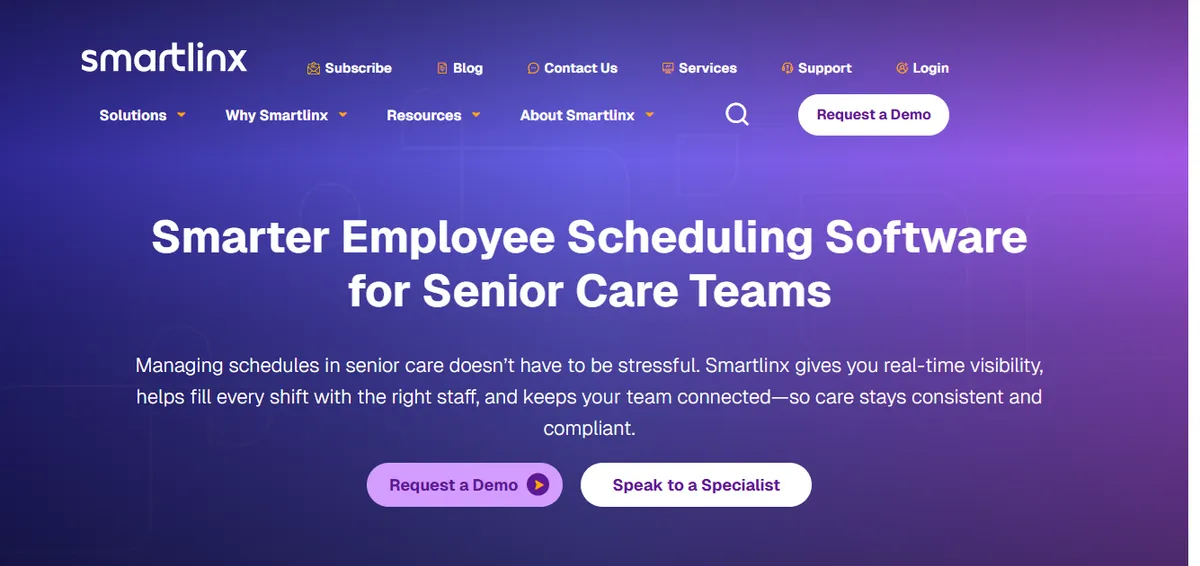
SmartLinx holds 4.5/5 on Capterra (6 reviews; small sample). The vendor describes the platform as purpose-built for the long-term care, post-acute care, senior care, and behavioral health industries (smartlinx.com). It serves a similar market tier to OnShift but with stronger compliance automation and integrated time and attendance, which makes it the natural upgrade path for hospitals outgrowing OnShift within the same market segment.
Hospitals that leave OnShift because of compliance and payroll reconciliation gaps and then adopt SmartLinx often find the initial implementation longer than OnShift’s onboarding. The tradeoff is that ongoing maintenance is lower once configured because more of the compliance logic is automated.
Best for: Hospitals in the 50-100 bed range outgrowing OnShift that need integrated time and attendance, stronger compliance automation, and labor analytics, and that have an IT resource for a 3-4 month implementation.
Key advantages:
Vendor-documented industry focus on long-term care, post-acute, senior care, and behavioral health
Integrated time and attendance reduces the payroll reconciliation gap that OnShift users often manage manually
Implementation includes dedicated project management and user training.
“Implementation was a breeze with resources helping and project management and user training are all included. Customer Support is very responsive and always delivers resolution quickly.”
Carol G., Director of IT Services, Hospital & Health Care, March 22, 2021, Capterra
Key limitations:
Implementation Complexity. Experience varies; some customers describe initial setup as more involved than expected.
“Implementation was much more complex that [sic] expected and end result still was full of errors on first payroll. Some changes can only be made on the back end.”
Daniel C., CFO, Hospital & Health Care, March 16, 2021, Capterra
CMS Reporting. Some users report issues with PBJ reporting for CMS compliance.
“Not the best at calculating PBJ for CMS - had some issues that cost money and star ratings.”
Rebecca K., HR, Hospital & Health Care, September 27, 2019, Capterra
The vendor’s primary compliance coverage targets SNF and LTC regulatory requirements rather than CAH-specific §485.635. The Capterra sample is small (6 reviews); ratings on a single source are less reliable than larger samples. Request hospital-acute reference customers specifically.
Verdict: The right upgrade from OnShift for hospitals that need compliance automation and labor analytics and can absorb a 3-4 month implementation. It is a more capable platform, not a simpler one. CAHs at 25-bed scale should weigh whether the implementation effort fits their administrative bandwidth. See our deeper SmartLinx alternatives guide for Critical Access Hospitals.
Ratings: Capterra: 4.5/5 (6 reviews; small sample). No mapped G2 small-hospital listing.
Cost: Pricing not listed on website. Contact for a quote.
4. QGenda
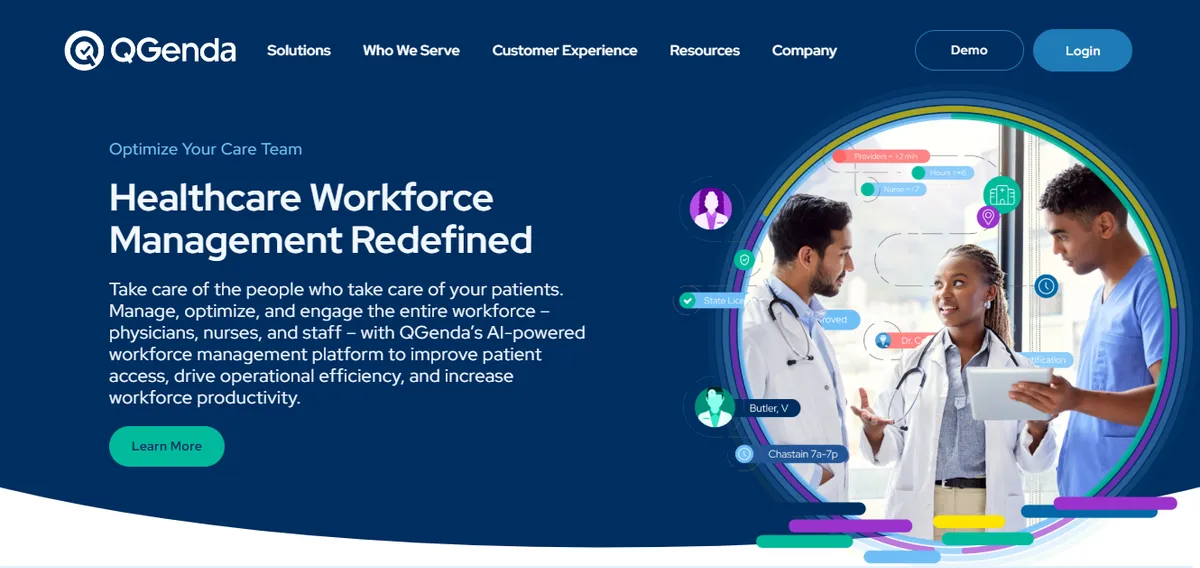
QGenda holds 4.6/5 on G2 (164 reviews) and 4.2/5 on Capterra (68 reviews). It is a provider scheduling platform covering physician scheduling, on-call management, credentialing, time tracking, and analytics, with a customer base that skews toward physician group practices and larger health systems. OnShift does not handle provider scheduling, so QGenda is the right alternative when the actual problem is scheduling fragmentation between nursing and providers rather than nursing callout speed.
For a hospital running OnShift for nursing and a separate system for physicians, QGenda consolidates both onto one platform. For a nursing-only hospital, QGenda is more expensive and not better matched to the acute care callout problem than a nursing-focused tool.
Best for: Hospitals on OnShift for nursing and a separate tool for physician scheduling, where the coordination gap between the two systems is creating operational problems.
Key advantages:
Unified physician and nursing scheduling eliminates the coordination gap OnShift creates by covering only caregiver scheduling
Configurable credential rules for both provider types and nursing certifications
Strong analytics for scheduling patterns across disciplines
“Qgenda is easy to use and does a great job at automating.”
Ari W., Administrator, Hospital & Health Care, May 7, 2024, Capterra
Key limitations:
Initial Setup. Some coordinators describe new-provider configuration as involved.
“Doing the initial set up of new providers is a little complicated.”
Brandi D., Scheduling Coordinator, Hospital & Health Care, December 13, 2023, Capterra
Automation Configuration. Some users report friction tuning the automated scheduling rules.
“automated scheduling and rules set up seem to have hiccups…I just stopped using the automation.”
Courtney D., Manager of Employee and Physician Relations, May 10, 2024, Capterra
QGenda’s pricing reflects a physician scheduling platform; a nursing-only hospital pays for capabilities it does not use. It does not target the LTC caregiver engagement use case OnShift was built around. CAHs should confirm a current §485.635 documentation export and a small-hospital reference customer with the vendor.
Verdict: QGenda solves the scheduling fragmentation problem that OnShift creates for hospitals with both nursing and provider scheduling needs. For nursing-only CAHs, it is more expensive and not better matched to the acute care callout problem than a nursing-focused alternative. See our deeper QGenda alternatives guide for Critical Access Hospitals.
Ratings: G2: 4.6/5 (164 reviews); Capterra: 4.2/5 (68 reviews).
Cost: Pricing not listed on website. Contact for a quote.
5. NurseGrid Manager
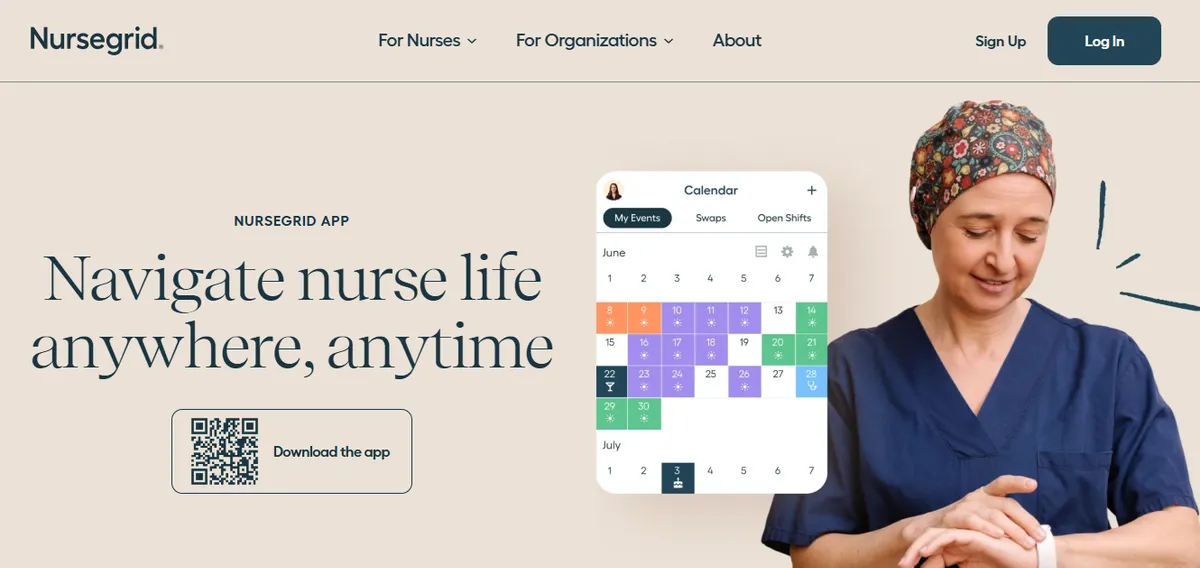
NurseGrid Manager holds 4.2/5 on Capterra (13 reviews; small sample). It is a nurse-facing scheduling app with a manager tier, owned by HealthStream. Its strength is mobile schedule visibility, availability, and shift trades from the nurse’s perspective, which is a narrower problem than OnShift’s full LTC workforce model. It is best understood as a nurse-facing layer rather than a primary scheduling system for a hospital with active CMS obligations.
For a CAH leaving OnShift because of acute care callout speed and CMS documentation, NurseGrid Manager addresses the visibility problem but not the compliance or credential-enforcement problem. Some reviewers describe the manager-facing mobile app being removed, with desktop login required for schedule edits.
Best for: Hospitals that primarily want nurse-facing schedule visibility and shift-trade workflows, and that handle CMS documentation and credential enforcement through separate processes.
Key advantages:
Nurse-facing schedule visibility and shift-trade workflow that staff adopt readily
“Ease of loading schedules and posting open shifts.”
Inpatient Director, Hospital & Health Care, June 17, 2024, Capterra
Manager tier extends to unit-level oversight
Lower cost than enterprise workforce platforms
Key limitations:
Manager App Removed. Reviewers report the manager-facing phone app was removed, requiring desktop login.
“It no longer has the manager app so I have to login to desktop.”
Chief Nursing Officer, Hospital & Health Care, June 13, 2024, Capterra
Cost for Small Facilities. A small-facility administrator flagged cost.
“cost is too expensive for small centers.”
Administrator, Hospital & Health Care, June 17, 2024, Capterra
The Capterra sample is small (13 reviews). NurseGrid Manager is not positioned as a primary CMS-compliance scheduling system; CAHs with active §485.635 obligations should verify FLSA tracking, audit trail, and credential enforcement directly with HealthStream before relying on it.
Verdict: A reasonable nurse-facing visibility layer, not a direct replacement for a hospital that leaves OnShift specifically because it needs compliance automation and credential-enforced callouts. CAHs should confirm primary-system fit with the vendor. See our deeper NurseGrid alternatives guide for Critical Access Hospitals.
Ratings: Capterra: 4.2/5 (13 reviews; small sample). No mapped G2 listing.
Cost: Pricing not listed on website. Contact HealthStream for a quote.
6. UKG
UKG, formerly Kronos, is the dominant enterprise workforce management suite in large health systems, used by thousands of US hospitals. It is reviewed here because hospitals affiliated with regional health systems frequently encounter UKG as the system-wide workforce management mandate when the parent organization is consolidating away from point tools like OnShift.
As a direct OnShift replacement at CAH scale, UKG is categorically wrong-sized. Its implementation runs for months and requires dedicated IT and HRIS staff. The credential tracking, overtime rules, and staffing compliance logic it provides are more configurable than OnShift, but the operational overhead required to run them correctly exceeds what a standalone 25-bed hospital can sustain without system-level support.
Best for: Hospitals affiliated with a health system consolidating all workforce management onto a single enterprise platform, where the UKG implementation is handled at the system level rather than the individual CAH level.
Key advantages:
- Enterprise-scale compliance automation: credential tracking, overtime rules, and staffing documentation are all configurable
- Full EHR and payroll integration for large, multi-facility health systems
- Labor analytics across thousands of employees provide visibility unavailable in OnShift
Key limitations:
- Implementation runs for months and requires dedicated IT and HRIS resources that are not available at most CAHs
- The deployment cost and configuration burden do not produce a positive return for a standalone 25-bed hospital
- Ongoing configuration maintenance is higher than any other tool in this list, including SmartLinx
- No verified small-hospital reviewer quotes are available; UKG does not maintain a public listing that maps to CAH-scale nursing. Verify scope and total cost directly with the vendor.
Verdict: The right choice only when a health system mandate drives the UKG implementation and the CAH’s scheduling is supported by the system’s IT and HRIS infrastructure. As an independent decision for a standalone CAH, UKG is an order of magnitude too complex. See our deeper UKG alternatives guide for small hospitals.
Ratings: No public listing that maps to small-hospital nursing; verify with vendor.
Cost: Enterprise pricing. Contact UKG for a quote.
When to Stay with OnShift?
Switching platforms has a real cost in time, training, and configuration rebuild. OnShift is the right choice to keep when long-term care is the majority of your scheduling volume, when the existing implementation is working for your specific environment, or when you also use ShiftKey to fill open shifts.
| Stay with OnShift if | Consider an alternative if |
|---|---|
| Long-term care is the majority of your scheduling volume | Acute care nursing is your primary scheduling challenge |
| No active CMS §485.635 survey documentation pressure | CMS survey prep takes more than 2 hours of manual work per cycle |
| The current implementation is working for your environment | Open-shift posting is too slow for your callout events |
| You already use ShiftKey to fill open shifts | You need credential-enforced callout replacement |
OnShift is worth keeping if:
- Long-term care is the majority of your scheduling volume. OnShift’s caregiver engagement and stable-roster scheduling features are genuinely strong for LTC, and that alignment is real value when LTC is your primary use case.
- The current implementation is functioning adequately for your specific nursing environment, and the switching and retraining cost would exceed the operational gain.
- You already use ShiftKey to fill open shifts. OnShift is a ShiftKey brand, and the two products are integrated as a joint offering called SAMI, which routes open shifts out to the ShiftKey marketplace by role and lead time. OnShift’s own statement is that “the integration comes at no additional cost for facilities using the ShiftKey and/or OnShift platforms.” If that marketplace is already part of how you cover shifts, leaving OnShift means unpicking it.
If all three conditions apply, the switch cost and learning curve of an alternative are unlikely to deliver a positive return.
How SimpleScheduleAI Compares to OnShift?
The core difference is target environment and operating model. OnShift is a self-serve platform designed for long-term care, where caregiver engagement and predictable shift pickup are the primary model. SimpleScheduleAI is an AI-native nurse scheduling service designed for Critical Access Hospitals, where acute care callout dynamics, CMS compliance, and skill-mix enforcement are the primary requirements. The table below maps that difference across what a 25-bed CAH actually cares about.
| Feature | OnShift | SimpleScheduleAI |
|---|---|---|
| Target environment | Long-term care, assisted living, SNF | Critical Access Hospitals, acute care nursing |
| Operating model | Self-serve platform, manager runs it | Managed service, specialist runs it |
| Callout model | Confirm with vendor; documented as open-shift posting | Ranked shortlist delivered in under 2 min |
| Competency enforcement in callout | Confirm with vendor | Filtered by unit competency before list reaches manager |
| CMS §485.635 documentation | Confirm survey-ready export with vendor | Maintained automatically, always current |
| Overtime ranking in callout | Confirm with vendor | Built into the shortlist by default |
| LTC caregiver engagement | Documented core feature | Not applicable; not an LTC product |
| Implementation time | Confirm with vendor | Excel upload, days to first draft |
| Manager control | Full, direct control | High-level, via draft selection |
The core tradeoff between OnShift and SimpleScheduleAI is the design target. OnShift was built for long-term care settings where caregiver engagement and predictable shift pickup are the operational reality. SimpleScheduleAI was built for Critical Access Hospitals where acute care callout dynamics, CMS compliance, and skill-mix enforcement are the operational reality.
For a hospital that is primarily a CAH or acute care facility, that difference is the reason to evaluate alternatives, not a marginal feature gap but a fundamental difference in what each product was designed to do. For an organization that is primarily LTC, the same difference is the reason OnShift may still be the right tool.
Our Take
OnShift was built for post-acute and long-term care, and that focus shows in the product. For a Critical Access Hospital running acute inpatient nursing, the documented feature fit is narrower than vendor positioning suggests. The right OnShift alternative depends on the gap: if the issue is that open-shift marketplace filling does not suit a small acute roster, a standalone tool wins. If the issue is the LTC-shaped product fit, an acute-focused tool wins. Conflating the two leads to choosing wrong.
What to Do This Week
Audit your last 10 OnShift callout events. For each, record how long it took from callout to confirmed replacement, whether any replacement lacked the correct credentials for the shift, and whether overtime was incurred that the manager did not know about before confirming. The answers tell you whether the callout model is working for your environment.
Confirm OnShift’s documented callout and credential behavior with the vendor. Ask OnShift sales to walk through a real acute care callout scenario, confirm whether unit-level credential constraints are enforced at the point of acceptance, and request the §485.635 survey export a CMS surveyor would receive. Document the answers with a date.
Calculate your CMS survey prep time under the current OnShift setup. If your last CMS survey required manual assembly of staffing records, that recurring time cost is a direct, quantifiable cost of continuing with the current configuration.
Request a demo of SimpleScheduleAI with an acute care callout scenario. Describe a recent callout event, unit, shift, credential requirements, and ask how the ranked shortlist would have handled it differently. See how it works or contact us directly.
If long-term care is most of your volume, evaluate SmartLinx as an upgrade rather than an outright replacement. SmartLinx improves on OnShift’s compliance automation while staying in a similar market tier. SimpleScheduleAI is the right switch only if acute care nursing is your primary scheduling challenge.
Built for what OnShift wasn't designed for
SimpleScheduleAI delivers ranked callout replacements with competency filtering, automatic CMS §485.635 documentation, and FLSA overtime threshold tracking. Designed for Critical Access Hospitals where acute care callout dynamics, not long-term care engagement features, are the scheduling priority.
For a full breakdown of nurse scheduling software options at the 25-bed CAH scale, how AI nurse scheduling works as a managed service, and the specific compliance requirements that define critical access hospital scheduling, see our dedicated guides before finalizing your evaluation.
Sources
[1] OnShift product page. onshift.com. Verified 2026-04-30. No usable hospital-nursing reviewer quote available on G2 or Capterra within the verification window; OnShift limitations are framed as vendor-verification questions rather than asserted product gaps.
[2] ShiftWizard ratings: 4.3/5 on G2, 4.4/5 on Capterra (723 reviews). Vendor: HealthStream. Verified 2026-04-30; selected quotes re-verified 2026-05-15.
[3] Aladtec by TCP ratings: 4.5/5 on G2 (94 reviews), 4.6/5 on Capterra (17 reviews; small sample). Vendor page: tcpsoftware.com. Verified 2026-07-15. Recent reviewer base skews toward public safety; most recent hospital-context reviews date to 2020.
[4] NurseGrid Manager: 4.2/5 on Capterra (13 reviews; small sample). Vendor page: nursegrid.com. Verified 2026-04-30; selected quotes re-verified 2026-05-15.
[5] CMS Conditions of Participation §485.635 for Critical Access Hospitals. eCFR.
Methodology note: Documented product capabilities reference each vendor’s own product page as of the verification dates. Vendor offerings, ratings, and capabilities change over time; CAHs evaluating any platform should verify current capabilities directly with the vendor before deciding.
Frequently Asked Questions About OnShift Alternatives
Is SimpleScheduleAI better than OnShift for a Critical Access Hospital?
For a CAH specifically, SimpleScheduleAI is built around the requirements that matter most: ranked callout replacement with competency filtering, automatic CMS §485.635 documentation, and FLSA overtime threshold tracking as defaults. OnShift was designed for long-term care, where caregiver engagement is the primary model. For a hospital where acute care nursing is the main scheduling challenge, that design-target difference is the deciding factor.
Does OnShift work for ED nurse scheduling?
OnShift’s documented model is open-shift posting, which suits planned long-term care coverage gaps. ED callouts need a confirmed replacement with correct credentials within minutes. Before relying on OnShift for ED scheduling, ask the vendor to demonstrate a real ED callout scenario and confirm whether credential constraints are enforced at acceptance. Tools with direct-outreach callouts and enforced credential filtering reduce that risk.
Who owns OnShift?
OnShift is a ShiftKey brand. ShiftKey announced its full integration of OnShift in July 2023, and OnShift’s own site describes the company that way today. The product still ships under the OnShift name, and the joint ShiftKey and OnShift offering, which routes open shifts out to the ShiftKey marketplace, is called SAMI. Some older comparison articles still name a different parent company. Those are out of date, and worth correcting in any internal comparison you are working from.
What does OnShift cost compared to alternatives?
OnShift does not publish pricing publicly, so confirm current pricing directly with the vendor. Among the alternatives, Aladtec, SmartLinx, QGenda, NurseGrid Manager, and UKG also require quotes rather than listing public pricing for a hospital nursing roster. SimpleScheduleAI, by contrast, uses flat monthly pricing: $1,000 for up to 20 nurses and $1,500 for 21 to 40 nurses, with no per-nurse or setup fees. Compare on total operating model, not list price alone, because managed service and self-serve software costs are not directly comparable.
Is OnShift HIPAA compliant?
Healthcare scheduling platforms are generally designed to be HIPAA compliant for the scheduling and workforce data they process, and a business associate agreement is a standard part of any healthcare contract. Confirm OnShift’s current BAA scope and data-handling terms directly with the vendor. HIPAA posture is a baseline requirement across these platforms, not a differentiating factor in this comparison.
Pradeep Pandey is the co-founder of SimpleScheduleAI, an AI-native nurse scheduling service built for Critical Access Hospitals in Texas. He serves as Deputy General Manager of Operations at Apollo Hospitals and holds an MBA from IIM Trichy (Operations and Marketing). His work focuses on workforce optimization and scheduling operations for small and rural hospitals. LinkedIn →