By Pradeep Pandey · Co-Founder · 26 min read · Updated
Aladtec vs. Managed Service for Critical Access Hospitals (2026)
Aladtec gives a nurse manager a scheduling tool to use. A managed scheduling service delivers pre-built schedules for the nurse manager to review and approve. For a Critical Access Hospital where the nurse manager is also covering clinical shifts, those two things are not interchangeable. This guide compares Aladtec and SimpleScheduleAI across implementation speed, weekly time burden, callout handling, CMS documentation, and total cost of ownership.

The vendor demo shows you a scheduling platform with 12 features. Your nurse manager asks one question: “How many hours a week will I still spend on scheduling after this is installed?” Aladtec answers that question one way. A managed scheduling service answers it differently.
This guide compares the two models on the operational dimensions that decide the answer: implementation speed, weekly time burden, callout handling, CMS documentation, configuration maintenance, and total cost of ownership at a 25-bed CAH.
Key Takeaways
- Aladtec is a scheduling software platform. The nurse manager still builds every schedule, checks every callout for overtime risk, and maintains all configuration as staff changes. The software makes those tasks faster, but the tasks do not go away.
- A managed scheduling service is a different product category. The vendor builds the schedule, manages callout ranking, and maintains compliance documentation. The nurse manager reviews and approves rather than builds.
- For a Critical Access Hospital (CAH) nurse manager covering 2-3 clinical shifts per week, spending 4-6 hours per week on scheduling versus 1-2 hours is a real operational gap. Those 3-4 recovered hours go directly to patient care.
- Aladtec wins for organizations that want direct control over the scheduling process and have an administrator with bandwidth to manage it. SimpleScheduleAI wins for CAH nurse managers who need the scheduling overhead eliminated, not reduced.
- The comparison is not about which software is better. It is about which model fits the operational reality of a 25-bed hospital.
Table of Contents
- What Is the Core Difference Between the Two Models?
- What Is Aladtec?
- What Is a Managed Scheduling Service?
- How Long Does Each Model Take to Implement?
- What Weekly Time Does Each Model Cost the Nurse Manager?
- How Does Each Model Handle After-Hours Callouts?
- How Does Each Model Produce CMS §485.635 Documentation?
- What Configuration Maintenance Does Each Model Require?
- How Do the Cost Structures of the Two Models Compare?
- When Is Aladtec the Right Choice?
- When Is a Managed Service the Right Choice?
- What Decision Framework Should You Use?
- What to Do This Week
- Frequently Asked Questions
Both Aladtec and SimpleScheduleAI serve critical access hospital scheduling. For the broader treatment of how AI-built nurse schedules work, see AI nurse scheduling. But they answer fundamentally different questions. Aladtec answers: “How do I build better schedules?” SimpleScheduleAI answers: “How do I stop spending 5 hours a week on scheduling?” If you are a nurse manager at a CAH who is simultaneously covering clinical shifts, those two questions lead to very different buying decisions. For context on the full range of nurse scheduling software options at the CAH scale, see our dedicated guide.
| Dimension | Aladtec | SimpleScheduleAI (AI-native service) |
|---|---|---|
| Product category | Scheduling software | Managed scheduling service |
| Who builds the schedule | Nurse manager | AI builds, SimpleScheduleAI team checks |
| Implementation time | 4-6 weeks (configuration + training) | Inside two weeks from Excel staff roster upload (3 to 5 business days of onboarding) |
| Callout OT ranking | Manual check required | Automated ranking by OT risk and credentials |
| CMS §485.635 documentation | Verify with Aladtec | Automated, maintained continuously |
| FLSA overtime thresholds (Texas) | Manual configuration required | Built-in default ([FLSA](https://www.dol.gov/agencies/whd/fact-sheets/54-healthcare-overtime) overtime thresholds) |
| Config maintenance as staff changes | Nurse manager or IT team | Included in service |
| Weekly NM scheduling time | 4-6 hours/week | 1-2 hours/week (review and approval only) |
| Ideal for | Organizations with scheduling admin bandwidth | CAH nurse managers with clinical workload |
| Pricing | Contact for pricing | Contact for pricing |
| Ratings (May 2026) | G2: 4.5/5 (94 reviews) Capterra: 4.6/5 (17 reviews; small sample) | New service; no public reviews yet |
What Is the Core Difference Between the Two Models?
The distinction between scheduling software and a managed scheduling service comes down to the labor model. Scheduling software gives you a tool to use. A managed service delivers the output. For a 25-bed Critical Access Hospital, that distinction determines whether scheduling stays the nurse manager’s responsibility or becomes the vendor’s.
When you buy scheduling software, you are buying a tool. You (or a scheduler you designate) use that tool to build schedules, check overtime, handle callouts, update credentials, and maintain configuration. The software makes those tasks faster and more accurate than a spreadsheet. But you are still doing those tasks.
When you buy a managed scheduling service, you are buying the output. The vendor builds the schedule based on your requirements, sends it for your approval, and handles the maintenance work in the background. Your role shrinks to: review, approve, and handle edge cases that require clinical or interpersonal judgment that only you can provide.
For a 400-bed hospital with a dedicated scheduling department, the distinction may not matter. For a 25-bed CAH where the nurse manager is also scheduled for 24-36 clinical hours per week, the distinction is the difference between a tool that helps and an overhead that disappears.
What Is Aladtec?
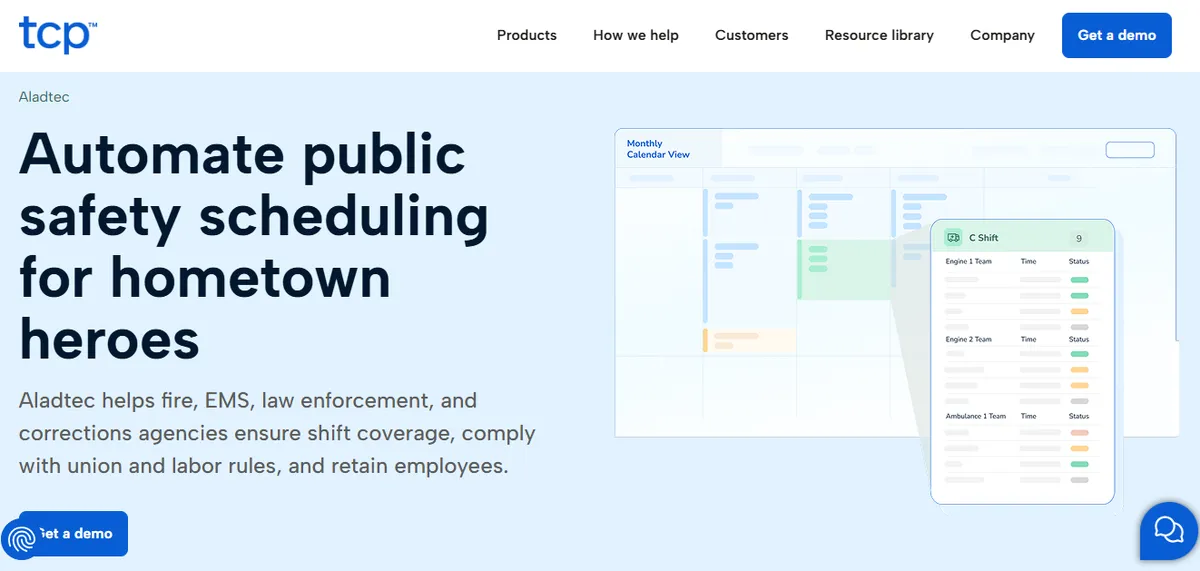
Aladtec is a web-based scheduling platform originally built for emergency services and expanded to healthcare. It handles shift scheduling, availability tracking, time-off requests, and basic overtime monitoring. Owned by TCP Software since a 2021 acquisition, Aladtec is a self-serve tool: the nurse manager or a designated scheduler configures the system, builds each schedule, and maintains the configuration as staff and policy changes occur. If you are running TCP’s flagship product instead, our comparison of TCP scheduling software versus a managed service makes the same self-serve-versus-done-for-you call. For what a scheduling-vendor acquisition typically changes for a hospital, see what changes for a hospital after its scheduling vendor is acquired.
What Aladtec does well:
- Shift scheduling across multiple departments and rotation types
- Employee availability and time-off request management
- Email and text notifications for open shifts
- Overtime tracking with configurable thresholds
- Reporting for worked hours and shift coverage
What Aladtec does not include by default:
- CMS Conditions of Participation documentation templates (§485.635 for CAH certification): not documented on the Aladtec product page
- Credential-based callout ranking (ACLS, BLS, charge nurse, specific unit qualifications): Aladtec supports credential profiles, but automated callout ranking filtered by credential is not documented
- FLSA 8-and-80 rule for healthcare employers: Aladtec uses overtime thresholds configurable by the administrator; whether the 8-and-80 healthcare rule is a selectable option is not documented
- Pre-built hospital-specific configuration defaults: the extent of pre-built vs. required setup configuration is not specified on the product page
Verify all of the above directly with Aladtec before making a purchasing decision.
These considerations are not unique to Aladtec. Most general-purpose scheduling platforms that were not built specifically for acute hospital care share them. The question is whether the configuration work required to fill those gaps fits the bandwidth of the CAH implementing the system.
What Is a Managed Scheduling Service?
A managed scheduling service is not scheduling software with extra support. It is a different delivery model where the vendor’s team handles scheduling operations as an ongoing function. The hospital’s nurse manager reviews and approves schedules rather than building them, reducing scheduling time from 4-6 hours per week to 1-2 hours.
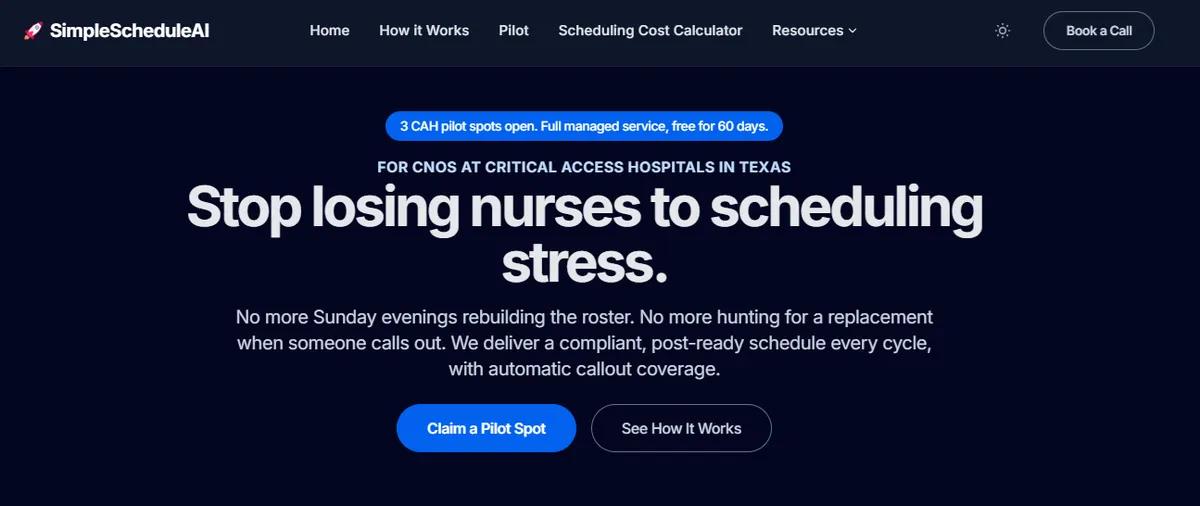
With SimpleScheduleAI, the process works like this:
- The nurse manager shares the staff roster with SimpleScheduleAI: names, credentials, availability, and any scheduling constraints. A standard Excel file is all that is needed to start.
- The AI builds the first schedule inside two weeks, applying CMS documentation requirements, FLSA overtime thresholds, and competency-based shift assignments; the SimpleScheduleAI team checks it before it reaches the nurse manager.
- The nurse manager reviews the proposed schedule, approves it or requests adjustments, and it goes to staff.
- When callouts happen, the nurse manager receives a ranked replacement list showing who can cover the shift without triggering overtime or creating a skill-mix gap. They call from the top of the list.
- As staff join or leave, credentials change, or availability patterns shift, the nurse manager sends the update and the SimpleScheduleAI team handles the rest. The nurse manager does not administer a system. They manage a roster.
The weekly time commitment for the nurse manager drops from 4-6 hours (typical for software users actively managing scheduling) to 1-2 hours (review and approval only). That difference, across a 25-nurse staff on a rolling 4-week schedule, is 100-200 hours per year returned to clinical work. To see the build-and-rank step for yourself, watch the AI assemble a compliant schedule and rank a callout shortlist live in the interactive simulator.
The six most operationally significant differences between Aladtec and a managed scheduling service are implementation speed, weekly time burden, callout coverage workflow, CMS documentation, ongoing configuration maintenance, and total cost of ownership. Each one affects a different dimension of the nurse manager’s weekly workload at a Critical Access Hospital.
How Long Does Each Model Take to Implement?
Getting Aladtec operational for a hospital requires configuring the system for the specific environment: shift patterns, unit structures, credential categories, overtime thresholds, and minimum staffing rules. For most CAHs, this configuration is done by the nurse manager, possibly with vendor support. The typical timeline is 4-6 weeks from contract signature to first live schedule.
That timeline includes: initial setup calls, data entry of staff profiles, configuration of scheduling rules, parallel running with the existing system (usually Excel), and training for staff who need to submit availability or request time off through the new system.
SimpleScheduleAI starts with a roster handoff. Because the SimpleScheduleAI team handles all configuration, the nurse manager does not need to learn a system before it becomes useful. The first schedule arrives inside two weeks.
For a CAH that has been managing on spreadsheets for years, the difference between “first schedule inside two weeks” and “go live in 6 weeks” is meaningful. Every week of parallel running with the old system is a week the nurse manager is managing two processes at once.
What Weekly Time Does Each Model Cost the Nurse Manager?
The ongoing weekly time difference is the most operationally significant comparison point for a Critical Access Hospital nurse manager who is also covering clinical shifts. Aladtec users typically spend 4-6 hours per week on scheduling tasks. SimpleScheduleAI users spend 1-2 hours per week on review and approval only. The 3-4 hour gap equals approximately 150-200 hours per year.
A nurse manager using Aladtec to schedule a 20-25 nurse department through a 4-week rotation cycle will typically spend:
- 2-3 hours building and adjusting the draft schedule
- 30-60 minutes processing time-off requests and availability conflicts
- 30-45 minutes handling callout coverage each week (checking OT risk, contacting staff)
- 30-45 minutes on system maintenance (updating credentials, adjusting configuration as roster changes)
Total: 4-6 hours per week.
A nurse manager using SimpleScheduleAI spends:
- 30-45 minutes reviewing and approving the proposed schedule
- 15-30 minutes handling callout coverage (reviewing ranked list, confirming fills)
- 15 minutes on exceptions and edge cases
Total: 1-2 hours per week.
The 3-4 hour weekly difference adds up to approximately 150-200 hours per year. At a nurse manager’s hourly rate, 150-200 hours is the equivalent of 12-16 twelve-hour shifts per year.
Weekly Nurse Manager Time Spent on Scheduling
Aladtec (self-serve software)
~4.5 hours/week
SimpleScheduleAI (managed service)
~1.5 hours/week
Illustrative time-savings estimate based on the SimpleScheduleAI workflow, not audited client data. 3+ hours/week saved is approximately 150 clinical hours/year returned to patient care.
How Does Each Model Handle After-Hours Callouts?
Callout handling is the most time-sensitive scheduling task. When a nurse calls out at 10 PM for a 7 AM shift, the nurse manager needs to find a qualified replacement without creating an overtime liability or a credential gap.
With Aladtec, the nurse manager reviews the staff roster, identifies who is available and who has the right credentials, mentally calculates who is at risk of hitting overtime, and starts calling. Aladtec provides the scheduling calendar as a reference, but the OT calculation and credential check are the nurse manager’s responsibility.
With SimpleScheduleAI, the nurse manager opens the callout dashboard and sees a ranked list. The top candidates are sorted by: skill match, hours worked this pay period (to avoid triggering the FLSA overtime threshold), and historical response rate. The nurse manager calls from the top of the list.
The difference is about 20-30 minutes per callout event. For a CAH that averages 2-3 callouts per week, that is an hour per week, 50 hours per year.
How Does Each Model Produce CMS §485.635 Documentation?
Critical Access Hospitals are required to maintain staffing documentation that demonstrates compliance with CMS Conditions of Participation (§485.635). This includes records of qualified staff on duty at all times, credential verification, and minimum staffing coverage for each unit.
CMS CAH documentation templates are not documented as a built-in Aladtec feature. Schedules can be exported, but creating the specific documentation format CMS surveyors expect requires additional configuration or a parallel documentation system. Most CAHs using Aladtec maintain CMS documentation separately, either in a binder system or a spreadsheet parallel to the scheduling system. Verify current documentation capabilities with Aladtec before evaluating for survey readiness.
SimpleScheduleAI generates CMS-formatted staffing documentation automatically from each published schedule. When a CMS surveyor requests staffing records, the nurse manager can pull the report directly rather than manually assembling it from scheduling exports.
For a CAH that has had a CMS survey or that operates under a corrective action plan related to staffing documentation, this difference is significant.
What Configuration Maintenance Does Each Model Require?
Scheduling software is not a one-time setup. As staff join and leave, credentials expire and renew, availability patterns change, and unit structures evolve, the system configuration must stay current. With Aladtec, that maintenance is the nurse manager’s responsibility. With SimpleScheduleAI, it is included in the service.
For Aladtec, this ongoing maintenance is the nurse manager’s (or a designated scheduler’s) responsibility. When a nurse renews their ACLS certification, someone updates the credential record. When a new hire joins, someone builds their profile with the correct shift eligibility and credentials. When the hospital changes its minimum staffing ratio policy, someone updates the scheduling rules.
For a large hospital with a dedicated scheduling coordinator, this is manageable. For a CAH nurse manager who is also covering clinical shifts, each configuration task is a context switch from clinical work to system administration.
SimpleScheduleAI handles configuration maintenance as part of the service. The nurse manager sends an update (new hire, credential renewal, availability change) and it is processed by the SimpleScheduleAI team. The nurse manager never logs into a backend configuration screen. For a full walkthrough of how SimpleScheduleAI delivers nurse scheduling as a service, see how it works.
How Do the Cost Structures of the Two Models Compare?
Aladtec’s pricing is not publicly listed, so contact them for a quote; SimpleScheduleAI uses flat monthly pricing, $1,000 for up to 20 nurses and $1,500 for 21 to 40 nurses, with no per-nurse or setup fees. The more useful comparison for a Critical Access Hospital is total cost of ownership: license fee plus implementation labor plus ongoing scheduling and maintenance labor, calculated at the nurse manager’s hourly rate over twelve months.
The cost comparison for a CAH should account for more than the monthly subscription. Total cost of ownership includes:
- License or service fee (monthly, per user, or flat)
- Implementation labor (configuration time at nurse manager hourly rate)
- Ongoing maintenance labor (monthly configuration updates at nurse manager hourly rate)
- Ongoing scheduling labor (weekly hours spent building schedules at nurse manager hourly rate)
- Error costs (overtime errors, compliance gaps, scheduling conflicts that require rework)
When the full labor cost is included, self-serve scheduling software is often more expensive than the license fee alone suggests, because the hours to configure and use it are paid nurse manager hours, not free.
Three Dimensions That Determine the Right Model
1. Time Burden
Aladtec
4-6 hrs/week. You build every schedule.
SimpleScheduleAI
1-2 hrs/week. You review and approve.
Best for dual-role CAH nurse manager: managed service
2. Callout Coverage
Aladtec
Manual OT check. You calculate risk per nurse.
SimpleScheduleAI
Automated ranked list sorted by OT risk and credentials.
CAH averages 2-3 callouts/week. 20-30 min each = 50 hrs/year.
3. CMS Documentation
Aladtec
CMS §485.635 documentation maintained separately. Verify current capabilities with Aladtec.
SimpleScheduleAI
Auto-generated, CMS §485.635 ready.
Critical for hospitals with active surveys or corrective action plans.
When Is Aladtec the Right Choice?
Aladtec is the right choice when the organization has someone whose primary job is scheduling administration. That person does not have to be a full-time scheduler. But they need to have 4-6 hours per week of protected time for scheduling work, the ability to configure and maintain the system as staff changes, and enough comfort with software to troubleshoot configuration issues when they arise.
Specifically, Aladtec fits well when:
- The organization has a scheduling coordinator or administrative assistant who handles scheduling as their primary role.
- The nurse manager is primarily administrative (not covering regular clinical shifts) and has bandwidth for scheduling operations.
- The organization serves multiple departments with different scheduling rules and wants centralized control over how those rules are configured.
- The organization has an IT department or IT support relationship that can assist with system configuration and maintenance.
- The organization has already used scheduling software and wants to stay in a self-serve model.
Aladtec is also a reasonable choice for organizations that tried a managed service and found that they preferred direct control over the schedule. Some nurse managers want to see every cell of the schedule before it goes to staff. A managed service model, where the vendor builds the draft and the nurse manager reviews, does not fit every management style.
When Is a Managed Service the Right Choice?
A managed scheduling service is the right choice when the scheduling burden falls on someone who cannot afford the time it requires. For most Critical Access Hospitals, that person is the nurse manager: a clinician responsible for direct patient care, staff supervision, quality reporting, budget management, and hiring in addition to scheduling.
The typical CAH nurse manager at a 25-bed Texas hospital is responsible for: direct patient care (2-3 shifts per week), staff supervision, quality reporting, CMS survey readiness, budget tracking, hiring, and employee relations. Scheduling is one item on a long list, and it is not the highest-value item on that list.
When a nurse manager is spending 5 hours per week on scheduling and 3 of those hours are on tasks that do not require clinical judgment (building a schedule draft, checking who is close to overtime, formatting a CMS documentation binder), those 3 hours are a recoverable cost.
Specifically, a managed service fits when:
- The nurse manager is also on the clinical schedule and cannot protect 4-6 hours per week for administrative scheduling work.
- The hospital has had a CMS survey finding related to staffing documentation and needs automatic documentation generation.
- The hospital has a recurring overtime problem that manual OT tracking has not resolved.
- The hospital is coming off spreadsheets and does not want to spend 6 weeks implementing software before it becomes useful.
- The hospital has tried scheduling software before and found the ongoing configuration burden unsustainable after implementation.
What Decision Framework Should You Use?
Two variables drive the decision: how much unprotected time the nurse manager currently spends on scheduling each week, and whether that time is drawn from clinical work. If scheduling consumes more than 3 hours per week of time that would otherwise go to patient care, the managed service model almost always delivers a better return.
Decision Framework: Which Model Fits Your Critical Access Hospital?
| Your Situation | Recommended Model |
|---|---|
| Nurse manager is dual-role (covers clinical shifts + handles scheduling) with no protected admin time | Managed Service |
| Nurse manager is administrative only AND has a dedicated scheduler or IT support on staff | Aladtec may work |
| Hospital has a recent CMS survey finding on staffing documentation compliance | Managed Service only (automated CMS docs required) |
| Hospital is moving off spreadsheets and needs to go live in under one week | Managed Service |
| Hospital manages multiple departments and wants centralized scheduling control | Aladtec |
| Hospital has tried scheduling software before and found the ongoing configuration burden unsustainable after implementation | Managed Service |
The strongest predictor: how many unprotected hours per week does the nurse manager spend on scheduling tasks that do not require clinical judgment?
The decision table above covers the two main decision factors. In practice, the strongest predictor of which model is right is: how much unprotected time is the nurse manager spending on scheduling tasks that do not require their clinical or managerial judgment? If the answer is more than 3 hours per week, and those 3 hours are being taken from clinical work, a managed service almost always has a better return on investment than software, regardless of price.
One honest limitation: a managed scheduling service is not the right fit for hospitals that have a dedicated scheduling administrator, want direct cell-by-cell control over every assignment, or specifically prefer self-serve software for governance or audit reasons.
Our Take
Aladtec is a competent self-serve scheduler. The question is not whether it is good software. The question is whether a Critical Access Hospital nurse manager, who is also covering 2-3 clinical shifts a week, has the four to six hours per week the platform requires to be used well. For most CAHs we have spoken to, the honest answer is no - which is why scheduling software adoption at this scale routinely drifts back to spreadsheets within twelve months. The managed service model exists because the constraint at a 25-bed hospital is staff time to operate software, not access to software.
What to Do This Week
The decision between self-serve scheduling software and a managed service becomes clear once you have two data points: your actual weekly scheduling time and a total cost estimate. The five steps below produce both within one week.
Time-track your scheduling hours this week. Keep a running note of every scheduling task and how long it takes. Most nurse managers underestimate their total scheduling time, because callout handling and configuration updates are not mentally logged as “scheduling time.” The actual number, once tracked, usually makes the decision obvious.
Ask SimpleScheduleAI for a CAH scheduling audit. The audit covers your current OT patterns, CMS documentation gaps, and callout coverage process. It is free and takes 45 minutes. Visit SimpleScheduleAI.com or see how it works.
Calculate your estimated labor cost for scheduling. Multiply your hourly rate (or the hourly rate of whoever manages scheduling) by the weekly hours spent. Multiply by 50 weeks. Compare that number against the annual cost of a managed service. For most CAH nurse managers, the break-even is well inside year one. Use the SimpleScheduleAI ROI calculator to model the comparison automatically.
Request a pricing comparison from Aladtec and SimpleScheduleAI. Neither publishes pricing publicly. Get quotes from both and compare total cost (license fee plus estimated labor), not just subscription price.
If you currently use Aladtec, assess two things: How current is your system configuration? When did you last update credential records for staff changes? And: How much time did you spend on callout coverage last month? If configuration is drifting and callout handling is consuming unplanned hours, that is the case for evaluating a managed service.
See What a Managed Service Costs for Your Critical Access Hospital
SimpleScheduleAI builds your first schedule inside two weeks of your staff roster upload, with onboarding taking 3 to 5 business days. No configuration. No training. No IT. Just a schedule that arrives ready to approve.
See pricing →Frequently Asked Questions
Can Aladtec be configured to meet CMS CAH documentation requirements?
Aladtec can be configured to produce exports that are useful for CMS documentation. CMS §485.635 Conditions of Participation documentation templates are not documented as a built-in Aladtec feature; verify current capabilities with Aladtec directly. Creating compliant documentation typically requires building custom report templates or maintaining a parallel documentation system. For a Critical Access Hospital where the nurse manager would need to build and maintain that configuration, it adds to the implementation burden.
How does SimpleScheduleAI handle overtime for hospital employers?
SimpleScheduleAI applies FLSA overtime thresholds by default and tracks each nurse’s running hours so a draft schedule does not silently cross an overtime line before the manager reviews it. If your facility has adopted the FLSA Section 7(j) 8-and-80 method (overtime after 8 hours in a day or 80 in a 14-day period rather than the standard 40-hour week), confirm the specific calculation basis with us during onboarding. Based on Aladtec’s documented configuration options, overtime thresholds are admin-configurable; whether the FLSA Section 7(j) 8-and-80 healthcare rule is a pre-configured option should be confirmed with Aladtec directly before deploying at a Texas CAH.
Is it possible to switch from Aladtec to a managed service mid-contract?
Switching depends on your Aladtec contract terms. Most Aladtec contracts are annual. If you are mid-contract, you would typically need to wait until renewal to avoid an early termination fee. SimpleScheduleAI can start onboarding at any point without needing your Aladtec data. The only input required for initial setup is a staff roster in Excel format, which you can export from any system.
What happens when the managed service vendor changes their pricing or exits the market?
This is a valid risk to evaluate for any vendor. The mitigation for managed service clients is straightforward: your schedule data and staff information are yours. If you needed to transition to self-serve software, you would bring the same roster and constraints you used when you started. The transition would be similar to moving from any scheduling system to another. SimpleScheduleAI provides data export at any time and does not lock you into a proprietary format.
How does Aladtec compare to SimpleScheduleAI for a CAH that schedules both nurses and physicians?
Aladtec handles multi-department scheduling and can be configured for both nursing and physician schedules in separate views. SimpleScheduleAI is focused specifically on nursing staff scheduling for CAHs and does not currently include physician scheduling. If your primary need is physician scheduling or combined physician/nurse scheduling in one system, QGenda is the more appropriate option. If your primary need is nurse scheduling overhead reduction, SimpleScheduleAI is the more direct solution.
Pradeep Pandey is the co-founder of SimpleScheduleAI, an AI-native nurse scheduling service built for Critical Access Hospitals in Texas. He serves as Deputy General Manager of Operations at Apollo Hospitals and holds an MBA from IIM Trichy. LinkedIn →