By Pradeep Pandey · Co-Founder · 26 min read · Updated
Hospital Staff Scheduling Software for Small Hospitals (2026)
Most hospital staff scheduling software is built for large systems, so it creates more overhead than it removes at a small hospital running on 15 to 25 nurses and one working nurse manager. This guide compares five platforms on fit for small and 25-bed hospitals, where every scheduling hour costs clinical capacity.

Your software-vendor demo shows a scheduling platform built for a 200-bed system, compressed down for your facility. Your nurse manager, who also covers 2-3 clinical shifts a week, sees a tool she needs four to six weeks to configure before it returns any value. A 25-bed Critical Access Hospital is not a smaller version of a community hospital, and the right hospital staff scheduling software is not a smaller version of an enterprise platform. The same logic shapes how you choose nurse scheduling software for a small hospital, where lean staffing and a dual-role manager set the requirements.
This guide compares 5 scheduling platforms specifically on fit for the 25-bed roster, the dual-role nurse manager, and the CMS §485.635 compliance obligations that a CAH carries on top of the scheduling work itself. Maintaining that roster and producing each weekly schedule are two distinct jobs, a split our explainer on nurse rostering versus scheduling software breaks down before you compare tools.
Key Takeaways
- A 25-bed hospital typically employs 15-25 nurses across all units. Most enterprise scheduling software is engineered for rosters of 100-plus, which means the configuration burden does not scale down proportionally. How vendors signal those size floors is covered in nurse scheduling software employee minimums.
- The nurse manager at a 25-bed hospital almost always takes clinical shifts in addition to managing schedules. A tool that demands 8 to 12 hours per week of administrative scheduling time is not viable. That range is our own estimate from more than 30 nurse manager interviews.
- Callout coverage is the highest-stakes daily task. With a pool of 15-25 nurses, a single callout can drop coverage below CMS §485.635 minimums. A ranked shortlist generated in under two minutes is not a luxury.
- SimpleScheduleAI is purpose-built for 25-bed Critical Access Hospitals (CAHs). It handles three-option draft scheduling, instant replacement lists, and CMS audit documentation as default behavior, not optional add-ons.
- For hospitals that prefer self-serve software, NurseGrid Manager is a self-serve scheduler for small teams, and its own pages name critical access hospitals. Aladtec is worth evaluating only if TCP confirms it would sell and support Aladtec for hospital nursing. When I Work and Homebase are lower-cost options for non-CAH facilities where clinical compliance documentation is less critical.
Table of Contents
- Quick Comparison: 5 Platforms for 25-Bed Hospitals
- How to Evaluate Scheduling Software for a 25-Bed Hospital?
- The 5 Best Options, Reviewed for 25-Bed Hospitals
- What Makes 25-Bed Hospital Scheduling Uniquely Hard?
- Which Software Fits Your 25-Bed Hospital?
- How Does SimpleScheduleAI Fit the 25-Bed Model?
- What to Do This Week
- Frequently Asked Questions
At 25 beds, a hospital is typically a Critical Access Hospital (CAH). That designation brings federal CMS requirements around nurse-to-patient ratios, staffing documentation, and annual compliance reporting. It also brings a roster size that most scheduling vendors do not actually plan for. The math at 25 beds is unforgiving: one nurse calling out can trigger a compliance gap. One nurse manager spending 10 hours per week on scheduling instead of 2 loses 400 clinical hours per year. For the broader category of nurse scheduling software options at CAH scale, see our dedicated guide. For the broader treatment of how AI-built nurse schedules work, see AI nurse scheduling.
Here is how the five platforms most commonly evaluated at 25-bed scale compare before we go deeper:
Quick Comparison: 5 Platforms for 25-Bed Hospitals
| Platform | 25-Bed Fit | Critical Access Hospital Ready | Callout Coverage | Cost/Month |
|---|---|---|---|---|
| SimpleScheduleAI | Built for 25-bed CAHs | Yes, built in | Ranked shortlist in 2 min | Not listed |
| Aladtec | Unclear; marketed to public safety agencies | Adequate | Manual with alerts | Quote only (not published) |
| NurseGrid Manager | Nurse comm add-on only | No | Broadcast only | ~$150-300 |
| When I Work | Budget option, limited compliance | No | Open-shift posting | $2.50-6/user |
| Homebase | Under 20 staff only | No | Basic notifications | Free-$100 |
How to Evaluate Scheduling Software for a 25-Bed Hospital?
The criteria for a 25-bed hospital are not a compressed version of what a 200-bed system evaluates. The problems are structurally different. Our healthcare staffing software guide for small hospitals covers those small-hospital priorities in depth.
Evaluation Criteria for 25-Bed Hospital Scheduling Software
Weight each criterion by its impact at small-roster scale
Manager time savings: A nurse manager at a 25-bed CAH who reclaims 8 hours per week from scheduling recovers 416 clinical hours per year. At a loaded rate of $55-70 per hour, that is $23,000-29,000 in recovered labor capacity annually. The scheduling tool needs to do this, not just assist with it.
Callout response speed: At 25 beds, a single unexpected callout typically cannot be absorbed by floating staff. There is no float pool. The manager needs a ranked shortlist of available replacements within two minutes, accounting for who is already at risk for overtime before they even pick up the phone.
CMS audit documentation: CMS Conditions of Participation §485.635 requires CAHs to maintain staffing records and proof of appropriate coverage. Manually assembling this from spreadsheets before a survey is a half-day task. Software that logs automatically eliminates it.
Implementation burden: A 25-bed CAH typically has one IT person shared across the hospital, or none at all. Any software requiring dedicated IT for setup or ongoing maintenance is disqualifying in practice.
Shift fairness: With a roster of 15-25 nurses, perceived unfairness in weekend or overnight assignment distribution accelerates turnover. The 2026 NSI National Health Care Retention Report puts registered nurse turnover at 17.6% nationally. At 25 beds, losing two nurses is losing 10% of the roster.
The 5 Best Options, Reviewed for 25-Bed Hospitals
1. SimpleScheduleAI
SimpleScheduleAI is an AI-native nurse scheduling service designed from the start for 25-bed Critical Access Hospitals. The managed service model means a nurse manager uploads the roster via Excel and defines preferences and constraints; the AI builds three complete schedule drafts, our team checks them, and they arrive inside two weeks. She selects one, approves it, and the schedule is published. The entire administrative cycle takes under two hours per month.
Best for: Critical Access Hospitals at or below 25 beds with a nurse manager who also takes clinical shifts and cannot afford 8+ hours per week on scheduling overhead.
Key advantages:
- Three-option draft delivery (balanced, fair-rotation, overtime-minimized) so the manager can choose based on the week’s priorities rather than building from scratch
- Instant replacement list: when a nurse calls out, the system generates a ranked replacement list in under two minutes, sorted by overtime risk, availability, and competency match
- CMS §485.635 audit documentation is maintained automatically, reducing survey prep time from a half-day to under 30 minutes
- The 40-hour weekly FLSA overtime threshold is built in as a default setting, not a configuration option
- Excel-based roster upload means zero IT involvement at onboarding
Key limitations:
- Managed service model means the nurse manager receives draft schedules rather than building them directly; less real-time cell-by-cell control than self-serve software
- Not designed for hospitals with complex multi-department or physician scheduling beyond nursing (our guide to physician and medical-staff scheduling covers the provider half)
- No staff-facing mobile app: nurses do not view schedules or submit shift trades directly through SimpleScheduleAI. Pair with a separate communication tool if nurse-facing self-service is a priority
Verdict: For a 25-bed CAH where the nurse manager takes shifts and scheduling is eating clinical hours, SimpleScheduleAI is the only tool on this list purpose-built for that exact constraint. Every other tool in this list is general-purpose software applied to a specialized problem. See how it works or the managed service vs scheduling software comparison for the operating-model breakdown.
Ratings: New service; no public G2 or Capterra reviews yet.
Cost: Flat monthly price by roster size: $1,000/month for up to 20 nurses, $1,500/month for 21 to 40 nurses. No per-nurse or setup fees.
2. Aladtec
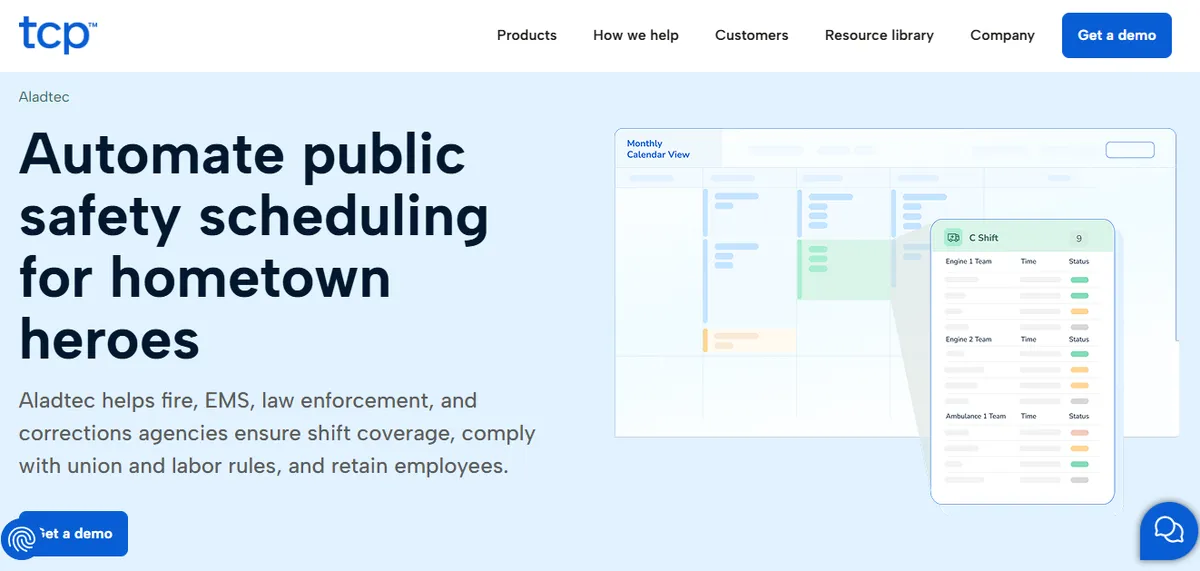
Aladtec, now sold by TCP Software, is marketed to fire, EMS, law enforcement and corrections agencies. TCP markets a different product, Humanity Schedule, to healthcare. Public safety work shares some traits with a small hospital floor: 24/7 coverage, small rosters, mandatory staffing minimums, and a heavy callout burden. Its self-service model is genuinely accessible for managers without technical backgrounds.
Best for: Hospital-run EMS services, or hospitals TCP confirms it will support.
Key advantages:
- Built for 24/7 staffing with mandatory minimum coverage rules, which resembles hospital floors
- Self-schedule and shift swap features reduce the manager’s direct scheduling burden once rules are configured
- Mobile app reviewers cite ease of use for floor nurses (verify current ratings on Capterra)
- Compliance reporting exports are available for audit prep
Key limitations:
Click-Heavy Workflow. Some reviewers describe high click counts for routine schedule edits at hospital scale.
“When editing the schedule there are a lot of clicks involved.”
Amanda F., Nurse Manager, Hospital & Health Care, October 13, 2020, Capterra
Setup Complexity. Initial configuration for a hospital environment is described as harder than expected by some administrators; charge nurse minimums and other healthcare-specific defaults are not shipped out of the box.
“It was a bit complicated to figure out from the administrator side.”
Jeanne C., Administrative Coordinator, May 7, 2019, Capterra
CMS §485.635 documentation templates are not documented on the Aladtec product page. Hospitals with active CMS survey obligations should confirm current capabilities directly with the vendor before deciding.
Verdict: Worth evaluating only if TCP confirms it would sell and support Aladtec for hospital nursing. If it would, expect a 4-6 week ramp before the tool is working efficiently for your specific constraints. See the deeper Aladtec alternatives for Critical Access Hospitals guide for a fuller competitor analysis or the Aladtec vs managed service comparison if the operating model is the decision point.
Ratings (July 2026): G2: 4.5/5 (94 reviews). Capterra: 4.6/5 (17 reviews; small sample, reviewer base skews toward public safety; most recent hospital-context review is October 2020).[1]
Cost: Not published. TCP quotes on request.
3. NurseGrid Manager
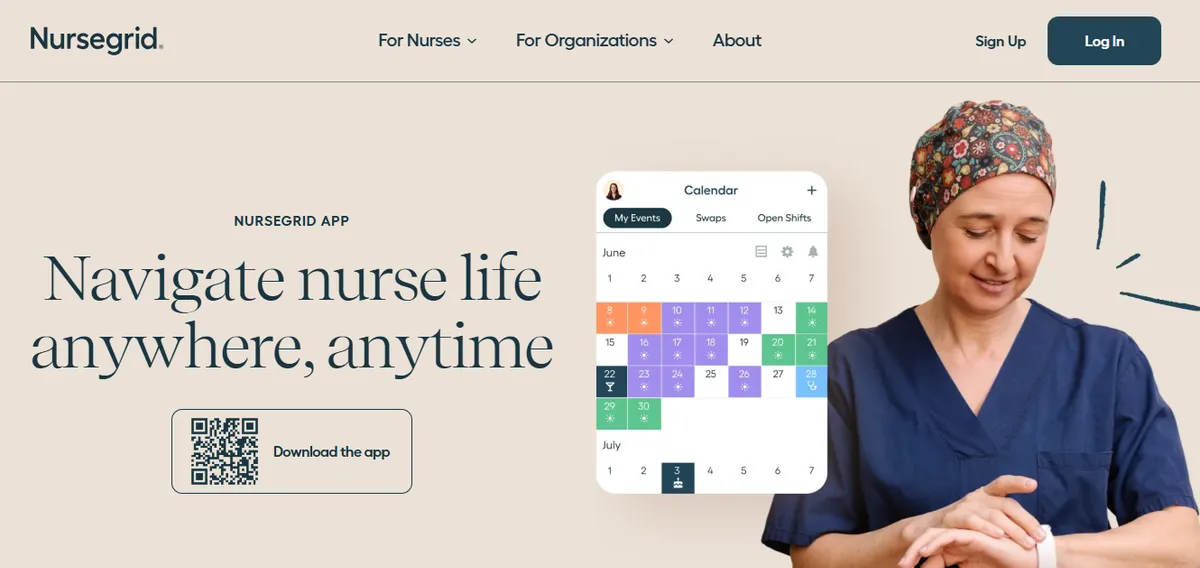
NurseGrid Manager is a nurse communication and schedule visibility tool rather than a full scheduling platform. The core product is a mobile app nurses use to view shifts, request time off, and swap shifts. The manager layer publishes schedules and sends broadcast open-shift notifications. It works well as a communication layer on top of an existing schedule built in Excel or another system.
Best for: 25-bed hospitals that already have a workable scheduling process and want to eliminate the phone-tag portion of callout coverage and shift swap management.
Key advantages:
- Nurse-facing mobile app has strong adoption rates because it is simple and requires no training
- Open-shift broadcast to the entire roster reduces the manager’s time on individual callout calls
- Low cost relative to full scheduling platforms
Key limitations:
Manager App Removed. Multiple Capterra reviewers describe losing the manager-side mobile app in 2024, requiring desktop login for schedule edits. Verify current manager-app capability directly with the vendor.
“It no longer has the manager app so I have to login to desktop.”
Chief Nursing Officer, Hospital & Health Care, June 13, 2024, Capterra
“they took away the Manager App for your phone.”
Staffing Coordinator, Medical Practice, June 11, 2024, Capterra
Cost for Small Facilities. Some small-facility reviewers describe pricing as a barrier at CAH scale.
“cost is too expensive for small centers.”
Administrator, Hospital & Health Care, June 17, 2024, Capterra
FLSA overtime tracking, CMS §485.635 audit trail, and credential-based callout filtering are not documented as core features for the manager tier. Hospitals with active CMS obligations should confirm current tier coverage directly with NurseGrid.
Verdict: A useful communication layer, not a scheduling replacement. If the underlying scheduling problem is that the manager spends too many hours building schedules and calculating compliance, NurseGrid Manager does not solve it. See the deeper NurseGrid alternatives for Critical Access Hospitals guide for the fuller competitor analysis.
Ratings (May 2026): Capterra: 4.2/5 (13 reviews; small sample). Verify current ratings directly with the vendor.[2]
Cost: Approximately $150-300 per month for the manager tier. Exact pricing requires contact.
4. When I Work
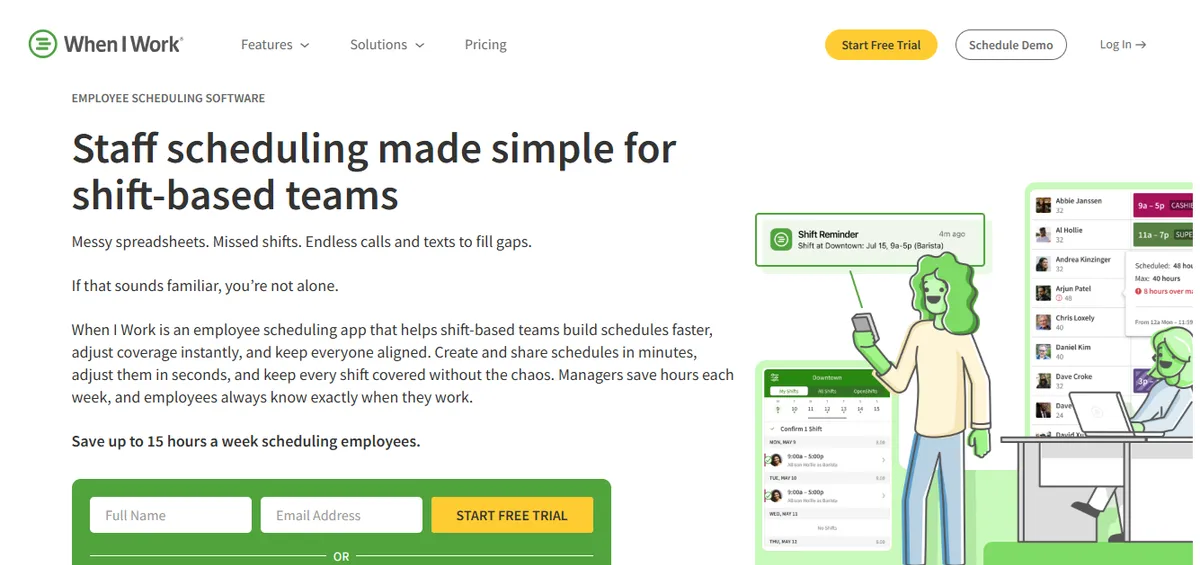
When I Work is a workforce scheduling platform used by small businesses across healthcare, retail, and hospitality. For a 25-bed hospital considering a low-cost digital step up from Excel, When I Work is the most functional budget option. It handles shift scheduling, time tracking, and staff communication in a clean mobile-first interface.
The limitation at a CAH is compliance. When I Work does not have credential tracking or CMS §485.635 documentation built in. For a standalone non-CAH clinic this may be manageable, but for a facility under CMS Conditions of Participation, the documentation gap is a real survey risk.
Best for: Small non-CAH hospitals or outpatient facilities where CMS survey documentation is handled through separate systems and the primary need is a budget digital step up from spreadsheets.
Key advantages:
- Fast setup, intuitive interface, good mobile adoption among floor staff
- Affordable per-user pricing that scales with team size
- Shift swap and open-shift posting features reduce direct manager involvement in coverage calls
Key limitations:
Audit Capability. A hospital IT reviewer flagged the absence of audit logging for schedule changes.
“No Auditing capability to see if unauthorized changes were made, and does not work for complex workflows.”
Jonathan R., IT Admin, Hospital & Health Care, February 25, 2026, Capterra
Time-off Visibility. A clinical operations manager noted a workflow limitation around time-off coordination.
“I don’t like that when providers have time off requests, they cannot view shifts.”
Mallory S., Clinical Operations Manager, Hospital & Health Care, February 12, 2026, Capterra
When I Work’s product page does not specifically document HIPAA, BAA, CMS §485.635 audit-trail support, FLSA 8-and-80 tracking, or credential-based constraint enforcement. Hospitals with active CMS or HIPAA obligations should confirm directly with When I Work sales which capabilities are covered in their tier and contract.
Verdict: A reasonable budget option for non-CAH facilities. Not appropriate for a CMS-designated Critical Access Hospital where survey documentation is a compliance requirement. See the deeper Aladtec alternatives guide for the broader When I Work / Homebase / Deputy comparison context.
Ratings (May 2026): Capterra: 4.5/5 (1,289 reviews).[3]
Cost: Approximately $2.50-$6 per user per month. At a 20-nurse roster, approximately $50-$120/month.
5. Homebase
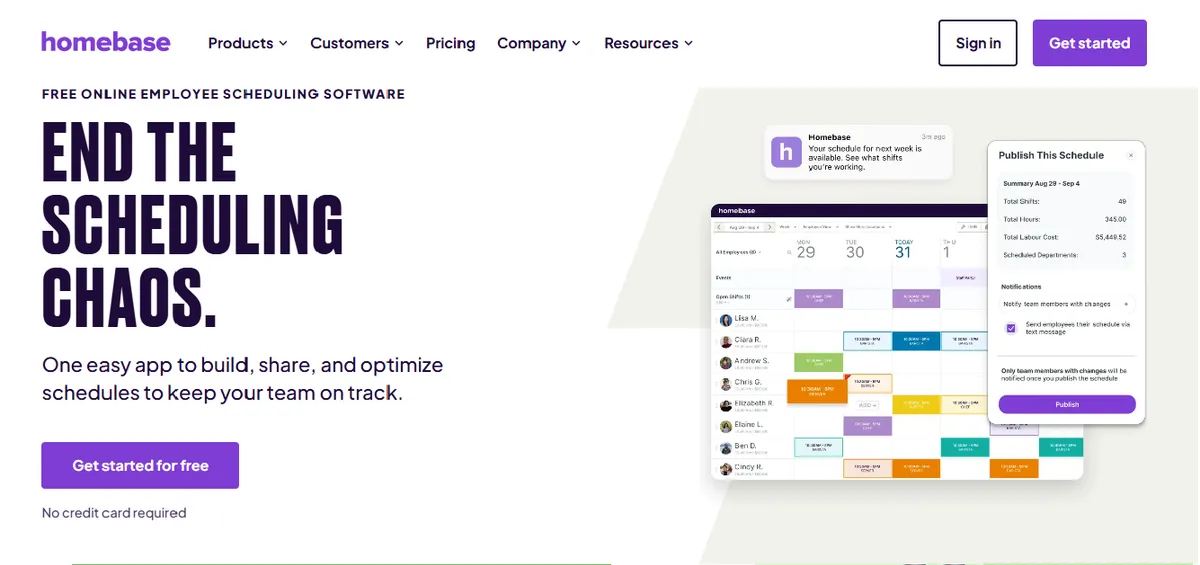
Homebase is a scheduling and time tracking tool built for very small businesses, primarily under 20 staff. It has a free tier that covers basic scheduling and shift communication. For a 25-bed hospital, Homebase is below the complexity threshold the tool was designed for: most hospitals will have more than 20 nursing staff, and the free tier limits will push the facility onto a paid plan that costs more than the compliance benefit justifies.
Best for: Very small non-clinical operations (maintenance, housekeeping, food service) attached to a hospital that need simple scheduling without clinical compliance requirements.
Key advantages:
- Free tier available for locations under 20 staff
- Near-zero setup time, no training required
- Clean mobile interface for shift viewing and swaps
Key limitations:
Mobile Scheduling. A hospital reviewer flagged a limitation around scheduling actions on the mobile app.
“I did not like that I could not do scheduling on the app”
Amber B., Executive Director, Hospital & Health Care, March 26, 2025, Capterra
Multi-Location Tracking. A multi-site reviewer noted constraints around cross-location hour tracking and shift limits.
“Homebase did not allow us to track hours across multiple locations unless we paid extra for it. It was not able to limit number of people on a shift, to our knowledge.”
Angela P., Director, Mental Health Care, September 10, 2025, Capterra
Homebase’s product page does not specifically document HIPAA, BAA, CMS §485.635 audit-trail support, FLSA 8-and-80 tracking, or credential constraints. Free tier staff limits are documented as 20 staff per location. Hospitals with active CMS or HIPAA obligations should confirm directly with Homebase sales which capabilities are covered in their tier.
Verdict: Below the functional requirements for a hospital nursing unit. Consider it for non-clinical support staff scheduling at the same facility, not for nursing operations. See the deeper Aladtec alternatives guide for broader Homebase / When I Work / Deputy positioning context.
Ratings (May 2026): G2: 4.4/5 (271 reviews). Capterra: 4.6/5 (1,147 reviews).[4]
Cost: Free tier for one location with up to 20 staff. Paid plans from $24-$100/month per location.
What Makes 25-Bed Hospital Scheduling Uniquely Hard?
Three Scheduling Challenges Unique to 25-Bed Hospitals
Thin Callout Pool
With 15-25 nurses total, each shift has 4-6 people on it. One callout is a 17-25% coverage gap, not a minor variance.
The replacement pool is the same 15-25 nurses who are also at risk for overtime if called in on a day off. Every callout requires overtime-aware triage, not just availability lookup.
Dual-Role Nurse Manager
At a 25-bed CAH, the nurse manager almost always takes clinical shifts alongside admin duties. Scheduling eats 8-12 hours per week that would otherwise be spent at the bedside.
Any tool that demands significant configuration or daily management is trading one time sink for another.
CMS Documentation
CMS Conditions of Participation (§485.635) require CAHs to maintain staffing documentation proving adequate nurse coverage at all times.
Hospitals using Excel typically spend 4-8 hours assembling docs before each survey. Automated logging reduces this to under 30 minutes.
The three challenges above interact. A callout triggers a manual overtime calculation that the dual-role manager has to run while managing a patient floor, producing documentation that also needs to be CMS-compliant. At scale, that chain of manual work is sustainable with a dedicated scheduling coordinator. At 25 beds, there is no scheduling coordinator. The nurse manager holds every link in that chain, which is why healthcare workforce management at a CAH lands as one person’s problem rather than a department’s.
Which Software Fits Your 25-Bed Hospital?
The decision comes down to two operational questions: does the nurse manager also cover clinical shifts, and what is the primary constraint (compliance, cost, or control)? The decision table below maps the four common scenarios to the right tool.
| Your Situation | Primary Constraint | Recommended Tool |
|---|---|---|
| Nurse manager also covers clinical shifts | Managed service is acceptable | SimpleScheduleAI - best fit |
| Nurse manager also covers clinical shifts | Self-serve software required | Aladtec - self-serve, if TCP supports hospitals |
| Manager is administrative only | Lowest per-user price, no CMS survey exposure | When I Work |
| Manager is administrative only | Comm layer plus existing scheduler | NurseGrid plus Aladtec, if TCP supports hospitals |
How Does SimpleScheduleAI Fit the 25-Bed Model?
Most scheduling software solves for roster size. SimpleScheduleAI solves for the specific operating reality of a 25-bed Critical Access Hospital (CAH): a dual-role nurse manager, a thin callout pool, and a federal compliance requirement that does not scale down with the hospital’s size. The full delivery workflow is documented on how it works.
The managed service model is the structural differentiator. Rather than configuring software and maintaining it, the nurse manager at a 25-bed CAH submits a roster and preferences; the AI builds three draft schedules and our team checks them, then she selects one and publishes it. The time cost per scheduling cycle drops from 8-12 hours to under two hours.
The callout module generates a replacement shortlist in under two minutes, factoring in current-week hours, FLSA overtime threshold proximity, and shift competency requirements. A nurse manager can identify, call, and confirm a replacement before she leaves the nurses station. You can watch the AI build a compliant schedule and rank a callout shortlist live in the interactive simulator.
CMS §485.635 staffing documentation is logged automatically throughout each schedule cycle. Pre-survey prep that previously required assembling records from spreadsheets now takes under 30 minutes.
For Texas CAHs specifically, the 40-hour weekly FLSA overtime threshold and Texas Payday Law shift premium documentation are both applied as default settings. No configuration is required.
One honest limitation: SimpleScheduleAI is not the right fit for hospitals over 50 beds, facilities with dedicated scheduling coordinators, or organizations that specifically want to operate self-serve software under their own control rather than approve managed-service drafts.
Our Take
At 25 beds, the binding constraint is not which tool has the best feature list. It is which tool the nurse manager can actually sustain while also covering clinical shifts. Aladtec is competent self-serve software, but it is worth evaluating only if TCP confirms it would sell and support Aladtec for hospital nursing. NurseGrid Manager is a self-serve scheduler the manager still has to run, and When I Work and Homebase are general workforce tools, not clinical scheduling systems. For a Critical Access Hospital where the manager has zero protected admin time, a managed service is the only model that removes scheduling work entirely. The platform with the most features is rarely the platform that survives at this scale.
What to Do This Week
Audit your current scheduling time cost. Track how many hours your nurse manager spent on scheduling, callout management, and compliance documentation over the last full week. If the answer is more than three hours, that is the baseline you need to beat.
Identify your highest-cost scheduling problem. Is it schedule construction time, callout coverage gaps, CMS documentation overhead, or overtime accumulation? The answer determines which tool solves the right problem.
See how SimpleScheduleAI works for your facility. Describe your current scheduling workflow and ask specifically how the three-draft model, replacement list, and CMS documentation features work for a roster your size. The managed service lets you compare actual time burden against your week-one baseline. Use the ROI calculator to model the dollar value first. Start at how it works.
If you want to self-evaluate Aladtec, request a trial. First ask TCP whether it would sell and support Aladtec for hospital nursing. Aladtec offers a trial period. Configure one week of your actual roster and measure how long initial setup takes. That time cost is the real onboarding cost, not the vendor’s stated implementation timeline.
Document your CMS survey prep time from your last survey. If it took more than two hours to assemble staffing documentation, that number justifies the cost of any tool that automates it. Attach a dollar figure to it before your next budget conversation.
Built specifically for 25-bed Critical Access Hospitals
SimpleScheduleAI reduces nurse scheduling from 8-12 hours per week to under 2 hours. Three draft options delivered inside two weeks. Callout shortlists in under 2 minutes. CMS documentation maintained automatically.
Sources
[1] Aladtec by TCP ratings: 4.5/5 on G2 (94 reviews), 4.6/5 on Capterra (17 reviews; small sample). Vendor page: tcpsoftware.com. Verified per inline dates. Hospital-context Capterra quotes (Amanda F., October 13, 2020; Jeanne C., May 7, 2019) are several years old; recent reviewers skew toward fire, EMS, and law enforcement.
[2] NurseGrid Manager: 4.2/5 on Capterra (13 reviews; small sample). Vendor page: nursegrid.com. Quotes dated June 2024.
[3] When I Work ratings: 4.5/5 on Capterra (1,289 reviews). Vendor page: wheniwork.com. Quotes dated February 2026.
[4] Homebase ratings: 4.6/5 on Capterra (5,150 reviews). Vendor page: joinhomebase.com. Quotes dated March 2025 and September 2025.
[5] ShiftWizard ratings: 4.3/5 on G2, 4.4/5 on Capterra (723 reviews). Vendor: HealthStream.
[6] CMS Conditions of Participation §485.635 for Critical Access Hospitals. eCFR.
[7] FLSA healthcare overtime guidance. U.S. Department of Labor, Fact Sheet #54.
Methodology note: Documented product capabilities reference each vendor’s own product page, with the verification date noted in the vendor caveats. Vendor offerings, ratings, and product capabilities change over time; hospitals evaluating any specific platform should verify current capabilities directly with the vendor before deciding.
Frequently Asked Questions
Is Aladtec or SimpleScheduleAI better for a 25-bed hospital?
It depends on how much direct control the nurse manager wants over the scheduling process. Aladtec is a self-serve tool that gives the manager full control once it is configured, but the initial setup takes 4-6 weeks and ongoing use requires 4-6 hours per week. It is worth evaluating only if TCP confirms it would sell and support Aladtec for hospital nursing. SimpleScheduleAI is an AI-native nurse scheduling service: the manager submits preferences and receives finished draft schedules, reducing the weekly time investment to under two hours with no configuration burden. For a dual-role nurse manager who also takes clinical shifts, the managed service model typically produces a better time ROI.
Does When I Work work for nurse scheduling at a 25-bed hospital?
When I Work handles basic shift scheduling but has no healthcare compliance features. It does not provide CMS documentation, does not apply FLSA overtime rules by default for healthcare, and has no callout ranking logic. For a 25-bed CAH, it solves the schedule visibility problem but leaves compliance and callout gaps. For a non-CAH outpatient clinic with fewer compliance requirements, it is a reasonable budget option.
Is Homebase suitable for a 25-bed hospital nursing unit?
Homebase is below the functional requirements for a hospital nursing unit. The free tier’s 20-staff limit is often below hospital roster size, and the tool has no clinical compliance features, credential tracking, or CMS documentation. It may be useful for non-clinical departments (housekeeping, food service) at the same facility, but not for nursing operations.
What is the cheapest scheduling software for a 25-bed hospital?
Homebase has a free tier for up to 20 staff per location. Among the paid per-user plans here, When I Work at $2.50-$6 per user per month is the lowest, totaling approximately $50-$120/month for a 20-nurse roster. NurseGrid Manager runs approximately $150-$300/month and adds communication features. Aladtec requires a quote, so compare it once TCP gives you one. None of these include CAH-specific compliance documentation as defaults. For hospitals where the compliance burden is significant, the total cost including nurse manager documentation time often makes a higher-cost automated tool less expensive overall.
What is the difference between scheduling software and a managed scheduling service for a 25-bed hospital?
Scheduling software gives the nurse manager tools to build and manage schedules. A managed scheduling service builds the schedules for the nurse manager. At a 25-bed hospital where the manager takes clinical shifts, the distinction matters: software cuts only part of that time because the manager still builds every schedule, while a managed service removes the build entirely. SimpleScheduleAI is an AI-native nurse scheduling service. Aladtec, NurseGrid, When I Work, and Homebase are all self-serve software platforms.
Related: if budget is the constraint, our free nurse schedule template is the honest starting point before any software purchase, and our guide to free nurse scheduling software covers what the free tiers do and do not do.
Pradeep Pandey is the co-founder of SimpleScheduleAI, an AI-native nurse scheduling service built for Critical Access Hospitals in Texas. He serves as Deputy General Manager of Operations at Apollo Hospitals and holds an MBA from IIM Trichy. LinkedIn →