By Pradeep Pandey · Co-Founder · 20 min read · Updated
TCP TimeClock+ vs. Managed Scheduling for Small Hospitals (2026)
TCP TimeClock+ is a time and attendance platform that also handles scheduling. A managed scheduling service focuses on scheduling only. For a Critical Access Hospital where the nurse manager is also responsible for clinical work, the distinction matters.

TCP TimeClock+ promises unified time tracking and scheduling on one platform. A managed scheduling service promises that your nurse manager stops being the scheduling administrator. Both are real products. They answer different questions, and at a 25-bed Critical Access Hospital where the nurse manager also covers clinical shifts, the second question usually decides the purchase.
This guide compares the two on the operational dimensions that matter at CAH scale: who operates the platform, what the weekly time burden looks like, and how each model handles CMS §485.635 documentation and callout coverage.
Key Takeaways
- TCP TimeClock+ is a time and attendance platform with scheduling features built in. A managed scheduling service focuses on scheduling only. These are different operating models, not just different tools.
- TCP TimeClock+ has a staff-facing mobile app for clocking in and out, viewing schedules, and requesting time off. SimpleScheduleAI does not have a nurse-facing app. This is the primary reason to choose TCP over a managed service.
- TCP TimeClock+ is rated 4.4/5 on Capterra across 271 reviews. Its scheduling features are described by some healthcare users as basic compared to dedicated scheduling tools.
- TCP Software owns three separate products: TimeClock+ (time and attendance), Humanity Scheduling (advanced scheduling), and Aladtec (healthcare and public safety scheduling). Each is a distinct product. This post covers TimeClock+ only.
- The right choice depends on whether your nurse manager needs unified time tracking and scheduling in one platform, or needs a scheduling-focused service that handles the weekly scheduling work for her.
Table of Contents
- What Is TCP TimeClock+?
- What Does a Managed Scheduling Service Do Differently?
- How Long Does Each Model Take to Implement?
- What Weekly Time Does Each Model Cost the Nurse Manager?
- How Does Each Model Handle After-Hours Callouts?
- How Does Each Model Produce CMS §485.635 Documentation?
- Where Does TCP TimeClock+ Win?
- Where Does a Managed Service Win?
- How Does Time to Value Compare?
- Which Fits Your Critical Access Hospital?
- What to Do This Week
- Frequently Asked Questions
TCP TimeClock+ is a time and attendance platform made by TCP Software. It combines time clock management, leave tracking, payroll integration, and basic employee scheduling in one system. For critical access hospital scheduling, TCP TimeClock+ is often chosen by hospitals that want one platform handling both time tracking and scheduling rather than managing two separate tools. For the broader treatment of how AI-built nurse schedules work, see AI nurse scheduling. The question for a CAH nurse manager is whether a system built primarily around time tracking meets her scheduling needs, or whether a scheduling-focused service handles more of the weekly work for her. For the full range of nurse scheduling software options at the CAH scale, see our dedicated guide. If you are specifically comparing TCP TimeClock+ against other scheduling platforms, see our best TCP alternatives for Critical Access Hospitals guide.
| Dimension | TCP TimeClock+ | Managed Service (SimpleScheduleAI) |
|---|---|---|
| Product category | Time and attendance + scheduling | Managed scheduling service |
| Primary strength | Time tracking, payroll integration, leave management | Nurse schedule building, callout coverage, CAH compliance workflows |
| Scheduling focus | Secondary feature; some users describe it as basic | Core function; AI builds the schedule each cycle, our scheduling team checks it |
| Staff-facing app | Yes; nurses clock in/out, view schedules, request time off | Not available; schedule delivered via approval workflow |
| Overtime tracking | Configurable thresholds; nurse manager checks before publishing | Proactive; flagged before draft is presented |
| CMS §485.635 audit trail | Event logs available; CAH-specific documentation not confirmed. Verify with TCP. | Automatic; every change logged for compliance documentation |
| Callout coverage | Nurse manager checks platform and calls manually; advanced backfill requires Humanity Scheduling add-on | Pre-ranked shortlist with credentials and overtime status applied |
| IT involvement | Minimal | None |
| Ratings (May 2026) | Capterra: 4.4/5 (271 reviews) | New service; no public reviews yet |
What Is TCP TimeClock+?
TCP TimeClock+ is a time and attendance platform made by TCP Software that includes employee scheduling as a secondary feature. Its core functions are time clock management, payroll integration, leave tracking, and overtime monitoring. Scheduling capabilities exist but are not the platform’s primary design focus, and some healthcare users describe them as basic compared to dedicated scheduling tools. TCP Software also owns Aladtec and Humanity Scheduling as separate products; CAHs should confirm which product is being sold.
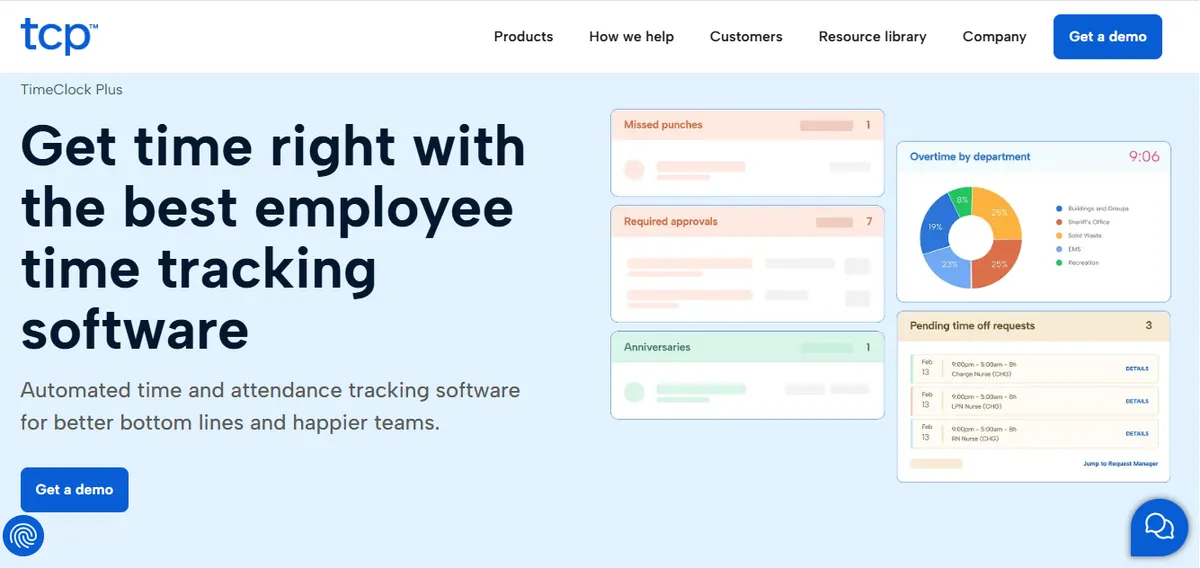
TCP TimeClock+ is a time and attendance platform made by TCP Software that includes employee scheduling as a secondary feature. Its core strengths are time clock management, payroll integration, leave and absence tracking, and overtime monitoring. Scheduling is part of the platform but is not its primary design focus. Some healthcare users on Capterra note the scheduling aspect is more basic than dedicated scheduling tools. The platform carries a 4.4/5 rating from 271 reviews on Capterra as of May 2026.
TCP Software is the parent company. It owns three separate workforce management products: TimeClock+ for time and attendance, Humanity Scheduling for advanced employee scheduling, and Aladtec for healthcare and public safety scheduling, acquired in 2021. These are distinct products with different feature sets. A Critical Access Hospital evaluating TCP should clarify which product addresses their scheduling needs before purchasing. For a broader look at what changes for a hospital after a scheduling vendor is acquired, the Aladtec deal is one example.
What TCP TimeClock+ does well:
- Time clock management with mobile app, web, and on-site hardware options
- Payroll integration and automated payroll processing
- Leave and absence tracking with accrual management and approval workflows
- Overtime threshold monitoring with configurable rules
- Staff-facing mobile app: nurses clock in and out, view schedules, and submit time-off requests
- Event logs and audit trails for time and attendance records
What TCP TimeClock+ does not include by default:
- CMS Conditions of Participation documentation for CAH certification (§485.635): not documented as a product feature; verify with TCP before purchasing
- Automated callout replacement ranking: nurses can view availability, but the nurse manager applies constraint logic manually; advanced backfill is in TCP Humanity Scheduling, a separate product
- CAH-specific configuration templates: setup requires configuring shift rules, credential requirements, and compliance thresholds from scratch
Verify current capabilities directly with TCP before making a purchasing decision.
What Does a Managed Scheduling Service Do Differently?
A managed scheduling service removes the scheduling function from the nurse manager’s plate entirely. The hospital provides a staff roster and scheduling constraints; a specialist builds the schedule each cycle, monitors FLSA overtime thresholds, pre-ranks callout replacements, and logs every change for CMS documentation. The nurse manager reviews and approves. Her weekly scheduling time drops to 1-2 hours, and she never touches the configuration or the call list.
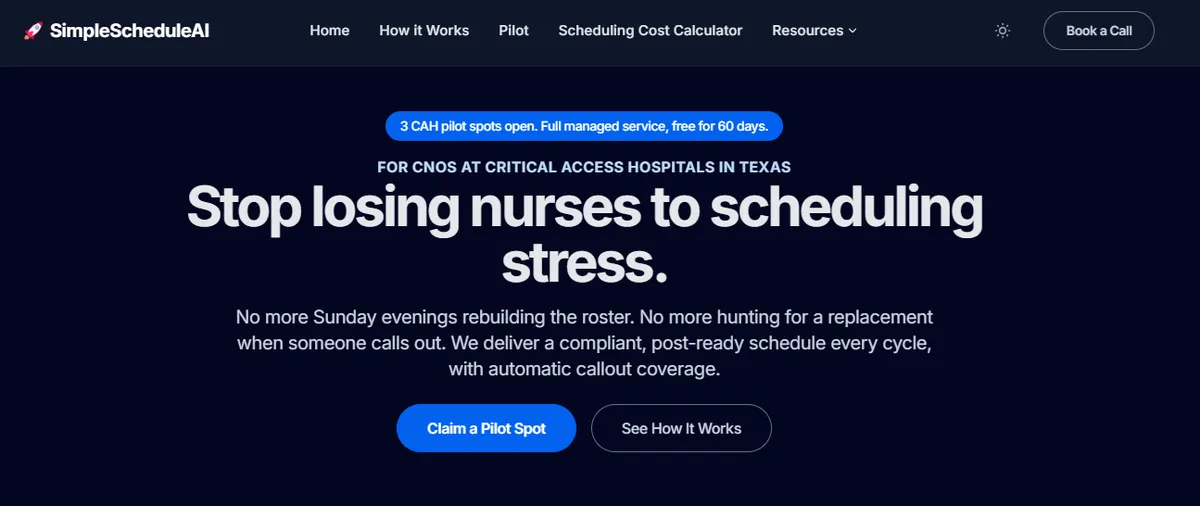
A managed scheduling service removes the scheduling function from the nurse manager’s plate entirely. Instead of a platform she configures and operates, it is a service a specialist runs on her behalf. The nurse manager receives a draft schedule built around her constraints, reviews it, and approves. Weekly scheduling work, overtime monitoring, callout ranking, and roster maintenance happen outside her workload.
With SimpleScheduleAI:
- A scheduling specialist completes initial setup from your staff roster within 3 to 5 business days
- The AI builds draft schedules each cycle; a specialist checks overtime thresholds and credential requirements before presenting drafts
- The nurse manager reviews the proposed schedule, approves it or requests adjustments, and it goes to staff
- Callout coverage shortlists come pre-ranked by certification, overtime status, and availability
- Every schedule change is automatically logged for CMS §485.635 compliance documentation
- The specialist maintains the roster as staff join, leave, or change credentials
The nurse manager’s role shifts from operator to approver. She retains final authority over every scheduling decision; the upstream work is handled for her. For a full walkthrough of how SimpleScheduleAI delivers scheduling as a service, see how it works. Try building a schedule in the interactive simulator.
TCP TimeClock+ and a managed scheduling service are not direct substitutes. TCP TimeClock+ is a self-serve platform that unifies time tracking, payroll, and scheduling in one system the nurse manager operates. A managed service offloads the scheduling work to a specialist, leaving time tracking and payroll to a separate system. The right fit depends on whether the hospital’s primary problem is consolidating systems or reducing the nurse manager’s weekly scheduling burden. The four operational dimensions where the two diverge most sharply are implementation speed, weekly time burden, callout coverage, and CMS documentation.
How Long Does Each Model Take to Implement?
TCP TimeClock+ implementation timelines vary by configuration complexity and are not published. Contact TCP directly for a current estimate. Time-to-first-schedule includes setup calls, entering staff and payroll configurations, credential rules, and training on both the scheduling and time-tracking sides. A managed scheduling service takes 3 to 5 business days because the specialist handles all configuration from the nurse manager’s staff roster.
What Weekly Time Does Each Model Cost the Nurse Manager?
With TCP TimeClock+, the nurse manager uses the platform for both time tracking approvals and schedule building. The scheduling component alone requires reviewing drafts, processing time-off requests, managing callout coverage, and maintaining configuration. A managed service reduces the scheduling portion to 1-2 hours of review and approval per week. The time tracking and payroll functions, if handled through TCP TimeClock+, remain separate from what a managed scheduling service covers.
How Does Each Model Handle After-Hours Callouts?
With TCP TimeClock+, the nurse manager reviews availability in the platform and makes replacement calls manually. The platform surfaces who is available; she applies the constraint logic for overtime and credentials. For hospitals that need automated callout backfill, TCP’s advanced feature for this is in Humanity Scheduling, not TimeClock+. With a managed service, the replacement list is pre-ranked by skill match, overtime exposure, and historical availability before the nurse manager sees it.
How Does Each Model Produce CMS §485.635 Documentation?
CMS §485.635 requires Critical Access Hospitals to document qualified staffing on duty at all times. TCP TimeClock+ maintains event logs and audit trails for time and attendance records. Whether these logs produce CMS-formatted staffing documentation for CAH certification surveys is not documented as a product feature. Verify this specifically with TCP before relying on TimeClock+ for CMS compliance reporting. SimpleScheduleAI generates CMS-formatted documentation automatically from each published schedule.
Where Does TCP TimeClock+ Win?
TCP TimeClock+ is the stronger choice when a hospital needs time and attendance, payroll integration, and scheduling consolidated in one platform with a staff-facing mobile app. If nurses need to clock in and out, view schedules, and request time off through a single app, TCP TimeClock+ provides that. A managed scheduling service covers scheduling only and has no nurse-facing interface. Any hospital where staff self-service time tracking is a priority should choose TCP TimeClock+ over a managed service.
TCP TimeClock+ is the stronger choice when a hospital needs time and attendance, payroll integration, and scheduling in a single platform. Consolidating these functions reduces the number of vendors and the data reconciliation work between systems.
Staff-facing mobile app. Nurses can clock in and out, view schedules, request time off, and receive messages through the TimeClock+ app. SimpleScheduleAI does not have a nurse-facing interface. If staff self-service scheduling and time clock functionality are both priorities, TCP TimeClock+ is the right fit.
Time and attendance integration. For hospitals that want scheduled hours and worked hours to flow directly to payroll without manual reconciliation, TCP TimeClock+ handles both sides of that equation. A managed scheduling service covers scheduling only; payroll and time tracking remain a separate system.
No ongoing service dependency. With TCP TimeClock+, the hospital owns the process and the data. For facilities that prefer operational self-sufficiency over service dependency, the platform model has real appeal.
Where Does a Managed Service Win?
A managed service focuses entirely on scheduling. For a nurse manager already stretched between clinical shifts and administrative responsibilities, the distinction between a time tracking platform with scheduling and a service that actually handles the scheduling work is significant.
Scheduling is the primary function. TCP TimeClock+ is designed around time and attendance; scheduling is a secondary feature. A managed service is built entirely around nurse scheduling for Critical Access Hospitals. The depth of scheduling-specific workflows, callout handling, and compliance documentation reflects that focus.
Weekly burden. The nurse manager using a managed service spends 1-2 hours per week on review and approval. A nurse manager operating any scheduling platform, including TCP TimeClock+, spends additional time on schedule building, callout coverage, and system maintenance on top of her time tracking approvals.
Setup speed for scheduling. A managed scheduling service onboards in 3 to 5 business days and delivers your first schedule inside two weeks from your staff roster. TCP TimeClock+ implementation covers both time tracking and scheduling configuration, and typical timelines are not published.
CMS documentation. SimpleScheduleAI generates CMS-formatted staffing documentation automatically from each published schedule. TCP TimeClock+‘s event logs cover time and attendance records; CAH-specific CMS documentation is not confirmed as a built-in feature.
How Does Time to Value Compare?
The time comparison between TCP TimeClock+ and a managed service depends on which functions the hospital is measuring. For pure scheduling time reduction, a managed service moves faster. For unified time and attendance plus scheduling, TCP TimeClock+ covers more operational ground.
Scheduling-Specific Time Comparison: TCP TimeClock+ vs. Managed Service
TCP TimeClock+
SimpleScheduleAI (AI-native service)
Illustrative time-savings estimate based on the SimpleScheduleAI workflow, not audited client data. TCP setup time: contact TCP directly.
The right evaluation is to separate the two functions. If the hospital needs both time and attendance and scheduling, TCP TimeClock+ covers both. If the primary problem is scheduling burden and callout coverage, a managed scheduling service addresses that more directly.
Which Fits Your Critical Access Hospital?
The decision comes down to what the hospital is trying to solve. TCP TimeClock+ makes sense when a unified time and attendance, payroll, and scheduling platform is the goal. A managed service makes sense when the nurse manager needs the scheduling work handled for her, not just better tools to do it herself.
Choose TCP TimeClock+ if:
- You need time and attendance, payroll integration, and scheduling in a single platform
- Your nurse manager wants a staff-facing app for clocking in, shift viewing, and time-off requests
- You prefer direct platform control and self-sufficiency over service dependency
- Your scheduling volume and complexity are manageable within the platform’s built-in tools
Choose a managed scheduling service if:
- Reducing the nurse manager’s weekly scheduling burden is the primary goal
- Your hospital needs CMS §485.635 compliance documentation generated automatically each cycle
- Callout coverage is a recurring problem that manual constraint checking has not solved
- You need to be operational in weeks, not months
To model the cost comparison at your facility’s actual numbers, run the SimpleScheduleAI ROI calculator. It outputs annual labor cost recovered against managed-service fee, calculated at your nurse manager’s loaded rate.
Our Take
TCP TimeClock+ and a managed scheduling service answer different questions. TimeClock+ answers "how does the hospital unify time, attendance, and scheduling on one platform?" - a real and valid question for facilities with the operational bandwidth to run unified platforms. A managed scheduling service answers "how does the nurse manager stop being the scheduling administrator?" For a 25-bed Critical Access Hospital, the second question is usually the one driving the evaluation, and the platform that solves it best is the one that removes the work entirely.
What to Do This Week
The comparison between TCP TimeClock+ and a managed scheduling service becomes clear once you have two data points: what problem you are primarily trying to solve, and what each model actually requires from the nurse manager week-over-week. The five steps below help you get there.
Clarify the primary problem. Is the hospital’s main need unified time and attendance plus scheduling in one platform, or is it specifically reducing the weekly scheduling workload on the nurse manager? These are different problems with different solutions. Mixing them up leads to choosing a tool that solves the wrong one.
Time-track your scheduling hours this week. Keep a running note of every scheduling task: building the schedule draft, processing time-off, handling callout coverage, and maintaining system configuration. Most nurse managers underestimate their total scheduling time, because callout handling is not mentally logged as scheduling work.
If you are evaluating TCP TimeClock+, ask two specific questions when you speak with their team. First: does TimeClock+ produce CMS §485.635 staffing documentation reports for CAH certification surveys, or just event logs? Second: does the callout backfill feature come with TimeClock+ or does it require adding Humanity Scheduling? Both answers change the total cost and capability picture significantly.
Request a free scheduling assessment from SimpleScheduleAI. The assessment covers your current overtime patterns, CMS documentation gaps, and callout coverage process. It is free and takes 45 minutes. Visit SimpleScheduleAI.com or see how it works.
If you currently use TCP TimeClock+ and are considering whether it is meeting your scheduling needs, review two things: are you spending more than 3-4 hours per week on scheduling tasks on top of your time tracking work, and are callout events regularly taking more than 20 minutes to resolve? If both answers are yes, the scheduling side of the platform is not keeping pace with what a dedicated service would provide.
See What a Managed Service Looks Like for Your Critical Access Hospital
SimpleScheduleAI onboards in 3 to 5 business days and delivers your first schedule inside two weeks from your staff roster. Your nurse manager reviews and approves; the scheduling work is done. Schedule a free assessment to compare it to what you have now.
See pricing →One honest limitation before the action steps: a managed scheduling service is not the right fit for hospitals that need unified time-and-attendance plus scheduling on one platform, facilities with dedicated workforce-management staff, or organizations that specifically prefer operating their own platform under direct control.
Frequently Asked Questions
The five questions below cover what Critical Access Hospital administrators most often ask when comparing TCP TimeClock+ and a managed scheduling service: what the product actually is, how it relates to Aladtec, what it costs, how it handles callouts, and when a managed service is the better fit.
Is TCP TimeClock+ the same product as Aladtec?
No. TCP Software owns three separate products: TimeClock+ (time and attendance with basic scheduling), Humanity Scheduling (advanced employee scheduling), and Aladtec (healthcare and public safety scheduling, acquired October 2021). These are distinct products with different feature sets and pricing. A hospital evaluating TCP should confirm which product is being proposed before signing a contract.
What does TCP TimeClock+ cost for a small hospital?
TCP TimeClock+ pricing is not publicly listed and varies by organization size and contract terms. Contact TCP directly for current pricing. When evaluating cost, calculate total cost: the subscription fee, any hardware costs for on-site time clocks, and whether advanced scheduling or callout backfill features require a Humanity Scheduling add-on.
Does TCP TimeClock+ handle CMS §485.635 documentation for Critical Access Hospitals?
TCP TimeClock+ maintains event logs and audit trails for time and attendance records. Whether the platform generates CMS-formatted staffing documentation specifically required for CAH certification surveys is not documented as a product feature. Verify this directly with TCP before relying on TimeClock+ for CMS compliance reporting during a survey.
What happens when a nurse calls out at 5 AM with TCP TimeClock+ vs. a managed service?
With TCP TimeClock+: the nurse manager checks the platform for availability, reviews overtime status manually, and makes replacement calls. For automated callout backfill, TCP’s feature for this is in Humanity Scheduling, not TimeClock+. Average time without the add-on: 30-60 minutes per callout. With a managed service: the replacement call list is pre-ranked with all constraints applied before the nurse manager sees it. Average time: 10-15 minutes.
What is the main reason to stay with TCP TimeClock+ instead of switching to a managed service?
Two reasons. First, the staff-facing mobile app: nurses can clock in and out, view schedules, and request time off in one place. SimpleScheduleAI does not have a nurse-facing interface. Second, unified time and attendance: if your hospital uses TimeClock+ for payroll and time tracking, keeping scheduling in the same platform reduces reconciliation work between systems. A managed scheduling service covers scheduling only; it does not replace a time and attendance system. If a hospital-specific scheduling platform with a nurse-facing app is the goal, see how ShiftWizard compares to a managed service.
Pradeep Pandey is the co-founder of SimpleScheduleAI, an AI-native nurse scheduling service built for Critical Access Hospitals in Texas. He serves as Deputy General Manager of Operations at Apollo Hospitals and holds an MBA from IIM Trichy. LinkedIn →