By Pradeep Pandey · Co-Founder · 24 min read · Updated
M7 Health vs SimpleScheduleAI: Ochsner Scale or CAH Fit? (2026)
M7 Health powers Ochsner-scale health systems; SimpleScheduleAI is an AI-native scheduling service built for 25-bed hospitals. An honest look at where each one fits, and where each one does not.

M7 Health’s reference customers are Ochsner (47 hospitals) and ScionHealth, both large health systems. SimpleScheduleAI is built for the opposite end: the single Critical Access Hospital at 25 beds or fewer. Both products use AI. They are designed for different operational realities, and the product fit at a CAH is decided by that design target, not the algorithm description.
This guide compares the two on the four questions that decide a CAH purchase: who builds the schedule, who configures the system, who produces CMS documentation, and who each vendor is actually built for.
Key Takeaways
- M7 Health describes itself as nurse scheduling and labor optimization for health systems, with enterprise reference customers including Ochsner Health (47 hospitals) and ScionHealth. M7 also publishes a CAH-specific page claiming low-lift implementation for small rural hospitals. Its integration model connects payroll, timekeeping, EHR, and ERP systems: at a CAH with limited IT, confirming what that integration actually requires is the first question to ask.
- SimpleScheduleAI is an AI-native nurse scheduling service built for the single Critical Access Hospital of 25 beds or fewer, with limited IT, no dedicated scheduler, and Texas compliance requirements.
- M7 Health claims more than 60% less administrative scheduling time at large health-system deployments. These are the vendor’s own figures, not independent results. Confirm them against a comparable facility before relying on them.
- M7 Health has a Capterra listing with no user reviews, and no G2 listing was accessible. There are no independent third-party reviews of M7 Health to evaluate.
- For a standalone 25-bed Critical Access Hospital, the deciding factor is not feature depth. It is whether the hospital has the IT and scheduling staff that software you run yourself assumes. Most do not.
Table of Contents
- What Is M7 Health?
- What Is SimpleScheduleAI?
- What Is the Core Difference Between M7 Health and SimpleScheduleAI?
- Two Different Models: Managed Service vs. Software You Run Yourself
- Who Is M7 Health Best For?
- Who Is SimpleScheduleAI Best For?
- What Does Getting Started Look Like for a 25-Bed Hospital?
- What Happens When a Nurse Calls Out at 5:30 a.m.?
- How Does SimpleScheduleAI Compare to M7 Health?
- Why Does Enterprise Scheduling Software Struggle at a Critical Access Hospital?
- How Should a Critical Access Hospital Evaluate a Scheduling Vendor?
- What to Do This Week
- Frequently Asked Questions
Most comparison posts pretend two products are interchangeable and then declare a winner. This one does not, because M7 Health and SimpleScheduleAI are not built for the same buyer.
M7 Health is nurse scheduling software the hospital runs itself, sold to large health systems. SimpleScheduleAI is an AI-native nurse scheduling service for the single Critical Access Hospital. The question is not which is better in the abstract. The question is which one matches the staffing and IT reality of your facility. If you run a 25-bed hospital, that answer is usually clear once you see how each product is actually positioned. For the regulatory and operational context behind that, see our guide to critical access hospital scheduling.
What Is M7 Health?
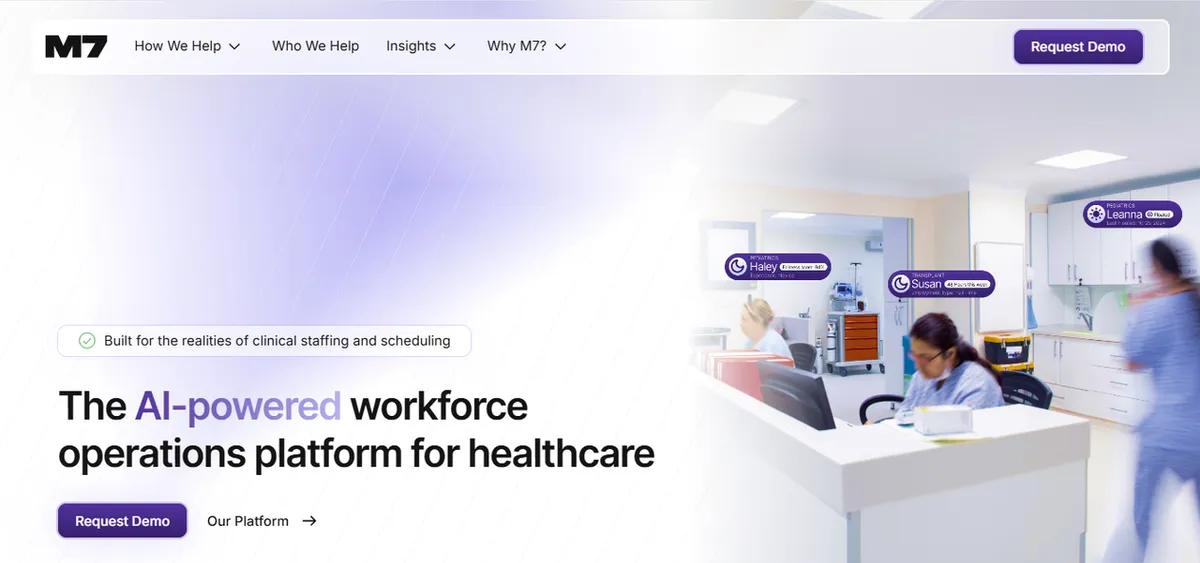
M7 Health is nurse scheduling and labor-optimization software that a health system licenses and runs with its own staff. It describes itself on its product page as nurse scheduling and labor optimization for health systems, built for large hospital organizations from local community hospitals up to major academic medical centers.
Its named reference customers are Ochsner Health, which M7 says is rolling the platform out system-wide across all 47 of its hospitals, and ScionHealth, an enterprise of community and specialty hospitals. M7 publishes figures such as 13,000 healthcare professionals across more than 60 hospitals and a reduction in administrative scheduling time of more than 60%. These are M7’s own published figures for large health-system deployments, not independently audited. Treat them as a starting point: confirm the methodology and a comparable reference customer before relying on them. M7 raised venture funding to serve that enterprise market, so the product is built and resourced for large multi-hospital organizations that operate their own workforce software.
What Is SimpleScheduleAI?
SimpleScheduleAI is an AI-native nurse scheduling service for a single Critical Access Hospital of 25 beds or fewer, in Texas, where the nurse manager also takes clinical shifts, IT is limited, and there is no dedicated scheduler. It is a service, not software the hospital runs itself.
The hospital sends a roster in Excel, and the service builds and maintains the schedule. The nurse manager receives schedule drafts for review and gets a ranked callout replacement list in under two minutes. FLSA and Texas compliance are built in rather than configured. A Critical Access Hospital is a federally designated facility capped at 25 inpatient beds under CMS Conditions of Participation, and HRSA rural health workforce data shows these hospitals run lean, with no slack staffing and no back-office layer. See exactly how the managed service works. For the broader category context, compare a managed service against scheduling software.
What Is the Core Difference Between M7 Health and SimpleScheduleAI?
M7 Health is software the hospital operates, sold with setup and support. SimpleScheduleAI is an AI-native nurse scheduling service that builds the schedule for you. M7 now markets to small rural hospitals as well as health systems, so the useful question is no longer who each company sells to. It is who does the scheduling work in week six.
That difference runs through every part of the decision. As described above, M7 Health positions itself for large health systems and names enterprise reference customers like Ochsner and ScionHealth. SimpleScheduleAI does not compete for those accounts. It serves the facility that is too small to staff that kind of rollout: one Critical Access Hospital, designated under CMS rules at 25 inpatient beds or fewer, where the nurse manager is also on the floor. The rest of this comparison works through what that gap means in practice.
Two Different Models: Managed Service vs. Software You Run Yourself
These two products use different delivery models, and the model matters more than any feature. M7 Health is software the hospital licenses and operates, with setup, training and account support from M7 to get it running. SimpleScheduleAI is an AI-native nurse scheduling service: the hospital sends a roster and the service builds and maintains the schedule.
The distinction is narrower than it sounds and it is the one that matters. Help getting started is not the same as someone doing the work each cycle. M7’s own Critical Access Hospital page is largely about adoption, staff seeing schedules on their phones, and leaders gaining visibility and control. All of that assumes the hospital is the one operating the tool.
Software you run yourself fits an organization that has people to run it. A large health system has an IT department, scheduling coordinators, and a workforce office, so a platform its own staff operate is the right choice for that organization. A standalone Critical Access Hospital usually has none of that at scale: IT, where it exists, is typically one person or a contracted service, not a department. The nurse manager is the whole back office and also takes clinical shifts. A managed service exists for exactly that situation: it removes setup, configuration, and weekly maintenance so the hospital reviews finished schedules instead of running a platform. Keep this distinction in mind through the rest of this comparison, because every row in the tables below comes back to it.
Running software yourself also means owning it over time. When a nurse leaves, someone updates the roster and reconfigures the rotation. When a CMS survey cycle approaches, someone pulls the audit documentation. When FLSA rules change, someone updates the overtime settings. At a large health system, a workforce management office and IT team own this work. At a 25-bed hospital with one nurse manager, those tasks land on the person who is already on the floor. The question is not whether the software is capable. The question is whether the hospital can staff the role the software assumes.
Who Is M7 Health Best For?
M7 Health is best for an organization that wants to own its scheduling platform and has someone to run it, whether that is a large health system with a workforce office or a smaller hospital with a nurse leader who genuinely wants the tool.
This is a fair assessment, not a dismissal. A 47-hospital system like Ochsner has problems a standalone hospital does not: standardizing scheduling rules across dozens of facilities, controlling premium labor cost at scale, and rolling a single platform out to thousands of staff. That is the scale M7 is built and funded to serve. For a company with a workforce management office and IT integration staff, software you run yourself is the correct model. If you are weighing M7 against another AI platform your organization would operate itself, our In-House Health vs. SimpleScheduleAI comparison runs the same model-against-model test. Whether that fits one 25-bed hospital depends less on M7 and more on whether your nurse manager wants to operate a platform on top of a clinical assignment.
One thing worth addressing directly: M7 has published a Critical Access Hospital page describing low-lift implementation for small rural hospitals. It says its team handles setup and trains staff, that most such hospitals are live within a few weeks with no IT burden, and that every nurse manager gets a dedicated account manager. That is a legitimate positioning signal and worth taking seriously.
Read the evidence behind it carefully, though. That page names no individual hospital. It describes onboarding “across Utah, Mississippi, and Alabama” through a named member of its activation team. M7’s named hospital references, Carolina Pines Regional Medical Center and Palestine Regional Medical Center, come through its ScionHealth partnership, which is a multi-hospital enterprise rather than a standalone rural facility.
So the honest test for a Critical Access Hospital buyer is unchanged: does your hospital have a person, by name and role, who will own platform configuration, maintain roster data, and handle exception documentation as staff turn over? Ask for a documented reference at 25 beds or fewer, independent of a parent system, that ran the setup itself. A low-lift onboarding and a low-maintenance ongoing operation are two different claims, and only the second one decides what your nurse manager does every cycle.
Who Is SimpleScheduleAI Best For?
SimpleScheduleAI is best for a single Critical Access Hospital of 25 beds or fewer, in Texas, where the nurse manager also takes clinical shifts, IT is limited, and there is no dedicated scheduler.
At that scale, the nurse manager is on the floor. She does not have eight hours a week to run scheduling software, and the hospital has limited IT staff to configure it. The managed model fits that reality because the hospital reviews finished schedules instead of operating a platform. HRSA rural health workforce data and AONL nursing leadership research both document that small rural facilities run without the administrative depth larger systems take for granted, which is exactly the gap a managed service is built to close. If your hospital has the IT and scheduling staff to operate enterprise software, SimpleScheduleAI is not the right fit, and software you run yourself may serve you better.
The financial reality reinforces the staffing reality. Critical Access Hospitals operate on cost-based Medicare reimbursement, and a June 2024 analysis by the North Carolina Rural Health Research Program found total margins for rural CAHs ranging from -20.5% to 28.0%. The Sheps Center documents 196 rural hospital closures since 2005, 108 of them complete. A scheduling product that requires ongoing staff labor to operate adds cost in the form of nurse manager time. At a CAH where the CNO handles scheduling, HR, infection control, and operations while also covering clinical shifts, that time is not available without pulling from patient care. A managed service removes the labor cost entirely, not just the software cost.
What Does Getting Started Look Like for a 25-Bed Hospital?
Getting started with enterprise scheduling software and getting started with a managed service require entirely different things from the hospital.
With a platform like M7 Health, onboarding involves connecting to existing hospital systems. M7’s platform description notes integration with payroll, timekeeping, ERP, and EMR systems. At a large health system, an IT team handles credential setup, validates data feeds, and confirms the export from payroll matches what the scheduler sees. At a CAH with limited IT, that work falls to the nurse manager or CNO. M7’s CAH page claims most small rural hospitals are live within weeks and describes a dedicated account manager. That timeline is worth confirming: ask what the hospital is responsible for during those weeks, which systems need to connect, and whether the vendor handles the integration work or guides the hospital through it. A low-lift onboarding is not the same as a zero-IT onboarding.
With SimpleScheduleAI, the hospital sends an Excel file with its staff roster. The service builds the first schedule draft from that. There is no payroll integration, no EHR connection, and no configuration the hospital owns. When the roster changes because a nurse resigns or a new hire starts, the hospital sends an updated file. The first usable schedule comes back within days.
The practical difference is this: a CAH with limited IT staff does not need to ask who will own the integration, because there is no integration. For a hospital that has already tried a software rollout that stalled when the IT point of contact left, the no-integration path is the whole point.
What Happens When a Nurse Calls Out at 5:30 a.m.?
Callout coverage is where the model difference becomes most concrete. A nurse calls in sick at 5:30 a.m. The shift starts at 7:00 a.m. Coverage must be found and documented before a surveyor-visible gap appears in the record.
With a scheduling platform the hospital operates itself, the workflow is: log in, find available qualified nurses for that shift, contact them in sequence until someone agrees, log the schedule change, and update the documentation trail. M7’s platform references shift-filling and AI-assisted gap coverage. At a large system with a central staffing office, a coordinator handles this function at any hour. At a standalone CAH with no central staffing, the nurse manager running this query at 5:30 a.m. is often also the person going on shift at 7:00 a.m.
With SimpleScheduleAI, the nurse manager contacts the service and receives a ranked replacement list with available, qualified nurses in under two minutes. Credentials are already confirmed. The documentation, including who was scheduled, who called out, and who replaced them, is handled by the service. You can watch the AI build a compliant schedule and rank that callout shortlist live in the interactive simulator.
This matters because 42 CFR §485.631 requires Critical Access Hospitals to have a registered nurse, clinical nurse specialist, or licensed practical nurse on duty whenever the CAH has one or more inpatients. Callout replacements must be documented with credentials at the time of substitution, not reconstructed after the fact. A replacement whose qualifications are not confirmed in the record is a documentation gap surveyors flag. The difference between logging it yourself in a platform at 5:30 a.m. and having it logged for you is real in those conditions.
How Does SimpleScheduleAI Compare to M7 Health?
The honest comparison is not feature by feature. It is model against model. M7 Health is software a health system runs with its own staff. SimpleScheduleAI is a service that runs scheduling on behalf of one small hospital. The table below maps the operational differences using only M7’s public positioning and its third-party listing status.
| Dimension | M7 Health | SimpleScheduleAI |
|---|---|---|
| Delivery model | Software the organization runs itself | Fully managed scheduling service |
| Stated target buyer | Large health systems and multi-hospital organizations | Single Critical Access Hospital, 25 beds or fewer |
| Named reference customers | Ochsner Health (47-hospital system), ScionHealth (multi-hospital company) | None named yet (new service) |
| IT and setup burden | Enterprise integration model; confirm scope with vendor | None; Excel roster submitted by email |
| Who does scheduling work | Hospital scheduling staff use the platform | The service builds it; nurse manager reviews and approves |
| FLSA compliance | Not documented on the product page | Built in: FLSA defaults |
| CMS [§485.635](https://www.ecfr.gov/current/title-42/chapter-IV/subchapter-G/part-485/subpart-F/section-485.635) documentation | Not documented on the product page | Maintained automatically each cycle |
| Callout replacement | Confirm workflow with vendor | Ranked replacement list in under 2 minutes |
| Independent public ratings | Capterra listing shows 0 reviews; no accessible G2 listing | New service; no public reviews yet |
| Vendor-stated outcomes | M7's own published figure: more than 60% less administrative scheduling time, measured on large health-system deployments (m7health.com); verify in a demo | Modeled time targets; not yet independently verified |
| Pricing | Not listed publicly; contact vendor | Flat monthly managed-service pricing |
Why Does Enterprise Scheduling Software Struggle at a Critical Access Hospital?
Software a hospital runs itself assumes resources a Critical Access Hospital does not have: dedicated IT staff to integrate it, a scheduling coordinator to operate it, and a workforce office to maintain its rules. A 25-bed hospital has none of these. The product is not weak. It is built for an organization that is structurally different from a single small hospital.
This is the same pattern across the category, and it is the central reason a managed model exists. M7 Health is built for systems like Ochsner, where 47 hospitals share one workforce management function. A standalone CAH has one nurse manager who also takes shifts and no equivalent back-office layer. When software designed for enterprise administrative depth lands at a hospital without it, configuration drifts, the manager stops maintaining it, and scheduling slides back to spreadsheets. The deciding factor for a CAH is not which platform has more features. It is whether the hospital can staff the model the product assumes.
Match the Model to the Facility
Based on each product's own stated positioning
M7 Health: Large Health Systems
Multi-hospital organizations with IT staff, scheduling coordinators, and a workforce management function. Reference customers: Ochsner (47 hospitals), ScionHealth.
SimpleScheduleAI: One CAH
A single Critical Access Hospital, 25 beds or fewer, limited IT, nurse manager also on clinical shifts, Texas compliance required.
How Should a Critical Access Hospital Evaluate a Scheduling Vendor?
A Critical Access Hospital should evaluate a scheduling vendor on operating model fit, not feature count: who runs the system day to day, who owns compliance documentation, and what staff the product assumes the hospital already has. The product with the longest feature list is not the right one if no one at the hospital has time to operate it.
Use the same four questions with every vendor, M7 Health, SimpleScheduleAI, or any other. They cut through demos faster than a feature matrix.
First, who builds and maintains the schedule each week, hospital staff or the vendor? This one answer separates software you run yourself from a service that runs scheduling for you, and it decides where the weekly hours land. A 25-bed hospital with one stretched nurse manager rarely has hours to give.
Second, what does the hospital have to connect or configure before go-live, and who does that work? If the answer involves payroll, timekeeping, or EHR integration and the hospital has limited IT, the realistic owner of that work is the nurse manager or CNO, on top of clinical shifts.
Third, how is CMS §485.635 documentation produced and kept current, and what happens to it when staff turn over? Ask each vendor to show a sample of the exact records a surveyor would see, not a description of them.
Fourth, can the vendor name a reference customer that matches your facility: a single Critical Access Hospital at 25 beds or fewer with no dedicated scheduler? A reference at a 47-hospital system does not predict how the product behaves at a 25-bed one. The staffing context is the variable that matters.
Write the answers down before any demo. A demo shows what the software can do. These four questions show who at your hospital has to do it, which is the part that decides whether the model actually fits.
Our Take
M7 Health was built for multi-hospital health systems with IT staff, scheduling coordinators, and a workforce-management function. SimpleScheduleAI was built for one Critical Access Hospital with none of those things. The product comparison is not about which AI engine is better. It is about which operational reality the product was designed for. A reference customer at 47 hospitals does not predict how a tool behaves at 25 beds. The staffing context is the variable.
What to Do This Week
Confirm your facility’s designation and bed count. If you are a CMS-designated Critical Access Hospital at 25 beds or fewer, software built for large health systems is a model mismatch. Write down the number before you take any vendor demo.
Audit your IT and scheduling capacity honestly. List who would integrate, configure, and maintain a scheduling platform week over week. If that list is empty or is one person who also takes clinical shifts, software you run yourself is the wrong model regardless of features.
Ask any enterprise vendor two direct questions. Request a named Critical Access Hospital or standalone rural reference customer, and ask for documented CMS §485.635 support and FLSA overtime threshold tracking. Treat any vendor outcome figure as a claim until you see independent confirmation.
Ask who does the scheduling work in week six. Setup help and ongoing operation are different promises. Get both answered before you sign: who configures it on day one, and who rebuilds the schedule every cycle after that.
Widen the shortlist before deciding. This guide is a head-to-head. For the fuller set a small hospital should weigh, see our roundup of M7 Health alternatives, which sorts four platforms by who does the work each cycle.
Track your nurse manager’s weekly scheduling hours for one week. Include schedule building, callout coverage, swap requests, and pre-survey CMS documentation. That total is the number any model has to beat to be worth the change.
See how SimpleScheduleAI works if you are a Texas CAH. The managed service lets you compare the actual time burden against your baseline before committing. Start at how it works.
Built for one Critical Access Hospital, not a 47-hospital system
SimpleScheduleAI builds your nurse schedules, maintains CMS documentation, and delivers callout replacement lists in under 2 minutes. No IT, no configuration, no enterprise rollout.
For more context, see how AI nurse scheduling works as a managed service for small hospitals.
Sources
[1] M7 Health vendor product page. m7health.com. Verified 2026-05-16.
[2] M7 Health vendor figures (13,000 healthcare professionals across 60+ hospitals; 60% reduction in administrative scheduling time). M7-stated, not independently verified.
[3] M7 Health venture funding coverage. Fierce Healthcare. Cited as evidence of enterprise deployment scale.
[4] Ochsner Health and ScionHealth M7 Health partnership PR. Cited as evidence of enterprise deployment scale, not as product reviews.
[5] CMS Conditions of Participation §485.635 for Critical Access Hospitals. eCFR.
[6] FLSA healthcare overtime guidance. U.S. Department of Labor, Fact Sheet #54.
[7] HRSA rural health workforce data. hrsa.gov/rural-health.
Methodology note: M7 has no user reviews on Capterra, G2, TrustRadius, Software Advice, GetApp, or Gartner Peer Insights as of the verification date. This post uses neutral product-page framing throughout and says “not documented on the product page” where a capability is not explicitly stated.
Frequently Asked Questions
Is M7 Health or SimpleScheduleAI better for a critical access hospital?
For a standalone Critical Access Hospital of 25 beds or fewer, SimpleScheduleAI is the closer fit because it is an AI-native nurse scheduling service that needs no IT, no scheduler, and no configuration. M7 Health positions itself for health systems and names enterprise reference customers like Ochsner and ScionHealth. Match the model to your facility’s actual staffing.
Does M7 Health work for a small or rural hospital?
M7 Health’s public positioning is nurse scheduling and labor optimization for health systems, and its named reference customers are large multi-hospital organizations. There are no documented Critical Access Hospital or standalone rural reference customers on its product page. A small hospital should ask M7 directly for a comparable reference before evaluating.
Are M7 Health’s published results independently verified?
No. Figures like more than 60% less administrative scheduling time are M7’s own published numbers for large health-system deployments, not independently audited. M7’s Capterra listing currently shows no user reviews, so there are no third-party reviews to corroborate them. Ask M7 for the methodology and a reference customer at your size before relying on these figures.
Why does SimpleScheduleAI use a managed service model instead of software?
A 25-bed Critical Access Hospital usually has limited IT and no dedicated scheduler, and the nurse manager also takes clinical shifts. Software the hospital runs itself assumes staff a CAH does not have. A managed service removes setup, configuration, and maintenance, so the hospital sends a roster and reviews finished schedules instead.
How do I compare an enterprise platform to a managed service fairly?
Compare by model, not feature list. Ask who operates the system day to day, who maintains compliance rules, and what staff the product assumes. For a deeper breakdown, see our guide on a managed service versus scheduling software. The right answer depends on whether your hospital can staff the model the product requires.
Does M7 Health have a Critical Access Hospital product?
Yes. M7 publishes a Critical Access Hospital page describing low-lift implementation for small rural hospitals, with setup handled by its team and a dedicated account manager per nurse manager. That page names no individual hospital; it describes onboarding across Utah, Mississippi and Alabama. Its named hospital references come through the ScionHealth partnership, which is a multi-hospital enterprise. So ask M7 directly for a reference at 25 beds or fewer, independent of a parent system, that ran setup without internal IT. Their platform integrates with payroll, timekeeping, EHR and ERP systems, so also resolve what the hospital is responsible for connecting.
What does CMS §485.635 require for nurse scheduling documentation?
42 CFR §485.635 requires Critical Access Hospitals to document nursing care for each inpatient and maintain staffing policies reviewed at least biennially. Surveyors examine three records: the published schedule, time and attendance records showing who actually worked, and a credential log confirming qualifications at the time of each shift. Discrepancies between the scheduled nurse and the nurse who worked are the most common finding. The 24/7 RN requirement means callout replacements must be documented with credentials, not just names, at the time of the substitution.
Pradeep Pandey is the co-founder of SimpleScheduleAI. He serves as Deputy General Manager of Operations at Apollo Hospitals and holds an MBA from IIM Trichy (Operations and Marketing). His work focuses on workforce optimization and scheduling operations for small and rural hospitals. LinkedIn →