By Pradeep Pandey · Co-Founder · 23 min read · Updated
In-House Health vs. SimpleScheduleAI for Critical Access Hospitals (2026)
In-House Health is an AI scheduling platform the hospital operates itself, positioned for larger nursing teams in bigger hospitals. SimpleScheduleAI is an AI-native nurse scheduling service built for Texas Critical Access Hospitals with limited IT.

In-House Health’s product page describes a platform for acuity-driven inpatient units and union environments. Your 25-bed CAH has no acuity-driven units, no union, and no one on staff to operate platform software that the hospital is expected to run itself. The product comparison is not about which AI is better. It is about which operational reality the product was designed for.
This guide separates the run-it-yourself platform model from the managed service model, written for a Critical Access Hospital choosing between operating an AI tool and approving a finished schedule.
Key Takeaways
- In-House Health is an AI scheduling and workforce platform the hospital operates itself. Its product page positions it for larger nursing teams in bigger hospitals: acuity-driven inpatient units and union environments.
- SimpleScheduleAI is a different category: an AI-native nurse scheduling service for Texas Critical Access Hospitals. The vendor builds the schedule, maintains the CMS audit trail, and returns callout replacement lists. The nurse manager reviews and approves rather than operates a platform.
- In-House Health publishes its own efficiency figures (over 50% fewer scheduling hours, 10% lower labor cost) for hospitals running its software with their own staff.[2] These are vendor figures, not independent results, so confirm them against your own facility before relying on them.
- No documented Critical Access Hospital or rural reference customers appear on the product page. See the note on sources for the full review and verification picture.
- In-House Health is a reasonable choice for a larger nursing organization that wants to run its own AI scheduling platform. SimpleScheduleAI fits a 25-bed hospital that needs the scheduling work removed, not a platform to operate.
Table of Contents
- What Is In-House Health?
- What Is SimpleScheduleAI?
- What Is the Core Difference Between These Two Models?
- Who Is In-House Health Best For?
- Who Is SimpleScheduleAI Best For?
- What Does Getting Started Look Like for a 25-Bed Hospital?
- What Happens When a Nurse Calls Out at 5:30 a.m.?
- How Does SimpleScheduleAI Compare to In-House Health?
- What Does This Mean for a 25-Bed Hospital Specifically?
- How Should a Critical Access Hospital Evaluate a Scheduling Vendor?
- What to Do This Week
- Frequently Asked Questions
Both products use AI to build nurse schedules, so they show up in the same searches. They are not the same kind of purchase, and the difference is simpler than any feature list. In-House Health is a run-it-yourself platform: your hospital buys the software and someone on staff operates it. SimpleScheduleAI is an AI-native nurse scheduling service: the work is done for you and you approve the result. If you run a critical access hospital scheduling operation where the nurse manager also takes clinical shifts, that managed-service-versus-run-it-yourself distinction decides the purchase. For the full range of nurse scheduling software options at the CAH scale, see our dedicated guide. Because both tools are AI-driven, it also helps to read how AI nurse scheduling behaves differently as a managed service versus a self-operated platform.
What Is In-House Health?
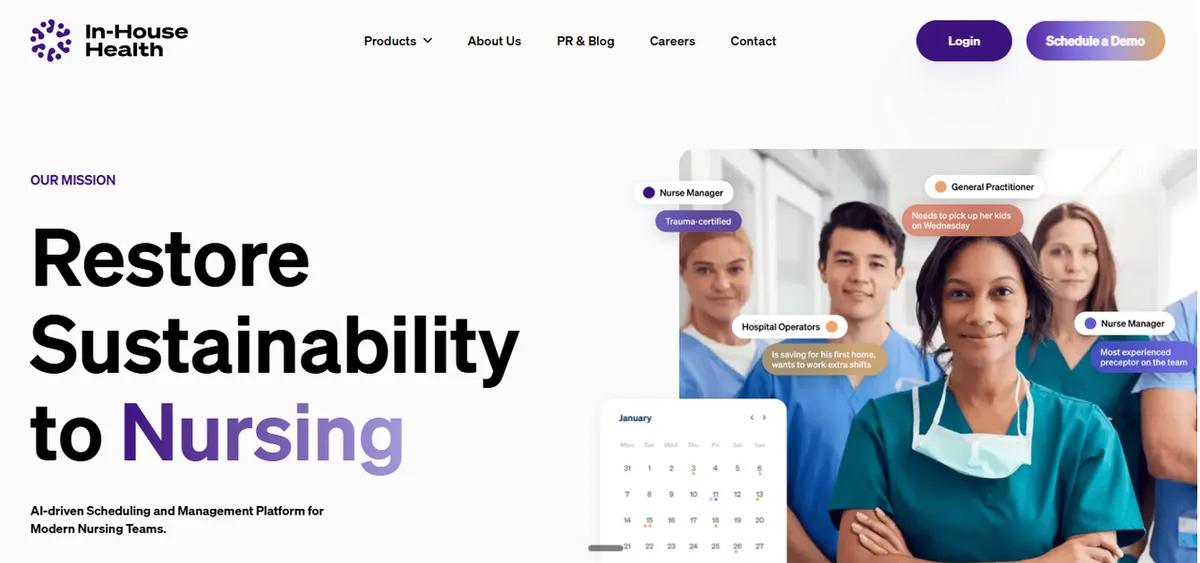
In-House Health is a venture-funded, seed-stage startup offering an AI-driven nurse scheduling and workforce platform. Its product page describes software “purpose-built for nursing teams, integrating predictive analytics, workload adjustments and preference tracking” and an AI copilot that “balances shifts weeks in advance, automatically adjusting for patient acuity, union rules and regulatory requirements.” It can layer onto an existing scheduling system or run end to end.
The positioning is aimed at larger nursing teams in bigger hospitals: acuity-driven inpatient units and union environments rather than small rural facilities. In-House Health states the platform “reduces scheduling hours by over 50%” and labor costs by 10%, and that its model helped nursing leaders “perfectly staff 87% of shifts.” These are In-House Health’s own published figures for hospitals operating the software with their own staff, not independently audited. Treat them as a starting point: ask for the methodology and a reference customer near your size before relying on them.
There is no documented Critical Access Hospital or rural reference customer on the product page, so there is no published evidence of small rural deployments to evaluate. The iOS and Android apps are nurse-facing (view and pick up shifts, set availability), which is consistent with a platform a hospital operates for its own staff. Any small-hospital or CAH fit should be confirmed directly with the vendor.
What Is SimpleScheduleAI?
SimpleScheduleAI is an AI-native nurse scheduling service for Critical Access Hospitals in Texas. The hospital uploads its staff roster as an Excel file. The SimpleScheduleAI team produces the schedule using AI, applies FLSA overtime rules, maintains the CMS §485.635 audit trail, and returns callout replacement shortlists ranked by overtime risk and credentials. The nurse manager reviews and approves. There is nothing to configure and no platform for the hospital to operate.
The design assumption is a 25-bed hospital with limited IT and a nurse manager who also covers clinical shifts. CMS regulations for Critical Access Hospitals require documented staffing policies and records, and Texas hospitals must apply federal FLSA overtime rules including the 8-and-80 option common in healthcare. SimpleScheduleAI handles that documentation as part of the service. It is honest to say what this is not: it is not a self-serve platform a hospital configures, it is currently focused on Texas CAHs, and it is a new service early-stage rather than an enterprise tool with a long reference list. For the operating model in detail, see how it works. For a broader category framing, our guide on managed service versus scheduling software covers where each model fits.
What Is the Core Difference Between These Two Models?
In-House Health is software a hospital licenses and runs itself: a nurse leader configures it, feeds it data, and operates the AI scheduling workflow. SimpleScheduleAI is an AI-native nurse scheduling service: the vendor builds the schedule and maintains compliance documentation, and the nurse manager reviews and approves the output. The first sells a platform. The second sells the finished scheduling work.
That difference decides who does the labor. With a self-operated AI platform, the AI accelerates the work, but a person inside the hospital owns configuration, data hygiene, exception handling, and audit documentation as staff turn over. That person needs time and some technical comfort. At a 25-bed Critical Access Hospital, the CMS Conditions of Participation for CAHs require a specific staffing and documentation discipline, and the nurse manager who would own a platform is often also covering clinical shifts. A managed service moves that operating burden to the vendor. The hospital approves rather than administers. Neither model is universally better. The right one depends on whether your facility has the bandwidth to run a platform. For more on how an algorithm-driven approach changes the day-to-day work, see our guide to how AI nurse scheduling works.
Who Is In-House Health Best For?
In-House Health is a reasonable choice for a larger nursing organization that wants to own and run its own AI scheduling platform. Its product page positions it for larger nursing teams in bigger hospitals: acuity-driven inpatient units and union environments. A hospital with the staff bandwidth to operate a platform and the appetite for an AI tool of its own may find it a strong fit. Another AI platform aimed at that same enterprise tier is M7 Health, and our M7 Health vs. SimpleScheduleAI comparison applies the identical operating-model test for buyers weighing it. If you are comparing several platforms rather than two, our roundup of M7 Health alternatives rates In-House Health alongside three others on who does the scheduling work each cycle.
The fit is strongest where three conditions hold. First, the organization has a person, a staffing office, a scheduling lead, or a nursing informatics resource, who can own configuration and data over time. Second, the environment matches the positioning: larger teams, acuity-driven units, or union rule complexity, which is where In-House Health’s product page focuses. Third, the buyer is comfortable adopting a seed-stage product and wants the control that comes with operating its own platform rather than handing scheduling to a vendor. As covered above, the vendor-stated efficiency figures describe larger teams running the software with their own staff, which is the context this fit assumes. If your organization wants an AI platform under its own control and has someone to run it, In-House Health belongs on the shortlist.
Who Is SimpleScheduleAI Best For?
SimpleScheduleAI is built for the opposite operational reality: a 25-bed Critical Access Hospital in Texas with limited IT and a nurse manager who also covers clinical shifts. The hospital does not want a platform to operate. It wants the schedule built, the callout list ranked, and the CMS documentation maintained, with a person available who knows CAH rules.
This fit is strongest when the hospital has no scheduling office and no informatics staff to own a tool long term. CAHs by definition operate at 25 beds or fewer under CMS Conditions of Participation, and rural facilities frequently run lean administrative teams, a pattern documented in HRSA rural health workforce data. When the nurse manager is also a clinician, the difference between operating a platform and approving a finished schedule is the difference between several recovered hours a week and none. SimpleScheduleAI applies FLSA overtime rules and maintains the CMS §485.635 audit trail as part of the service. It is the right model when the hospital wants scheduling outcomes without the work of running scheduling software. It is not the right choice for a larger system that specifically wants to operate its own AI platform; that is where a self-operated tool fits better.
The financial picture reinforces the staffing picture. A June 2024 analysis by the North Carolina Rural Health Research Program found total margins for rural CAHs ranging from -20.5% to 28.0%. The Sheps Center tracks 196 rural hospital closures since 2005, 108 of them complete. A scheduling product that requires ongoing staff labor to operate adds cost in the form of nurse manager time. At a CAH where the CNO handles scheduling, HR, infection control, and operations while also covering clinical shifts, those hours are not available without pulling from patient care. A managed service removes that labor cost, not just the software cost.
What Does Getting Started Look Like for a 25-Bed Hospital?
Getting started with a self-operated AI platform and a managed service require different things from the hospital.
In-House Health is a seed-stage startup whose product is still being shaped by early customers. Its product page notes it can layer on an existing scheduling system or run end to end, and it offers iOS and Android apps for nurses to view shifts and set availability. What the hospital is responsible for configuring, which systems need to connect, and what the onboarding timeline looks like are not documented publicly. Because In-House Health targets larger nursing teams in bigger hospitals, a CAH buyer should ask the vendor directly: what does onboarding look like for a 25-bed hospital with no scheduling software, limited IT, and no dedicated scheduler? How many hours does the hospital own during setup, and what does week-over-week maintenance require after go-live? The answers will tell you whether the operating model fits your facility.
With SimpleScheduleAI, the hospital sends an Excel file of its staff roster. The service produces the first schedule draft within days. There is no system to integrate, no configuration to own, and no platform to maintain. When a nurse joins or leaves, the hospital sends an updated file. When the CMS survey cycle approaches, the documentation is already maintained.
For a CAH with a nurse manager who is also a clinician, this difference matters more than feature comparisons. The practical test is not which product has a better demo. It is whether the nurse manager is spending more or less time on scheduling after the first 60 days.
What Happens When a Nurse Calls Out at 5:30 a.m.?
Callout coverage is where the operating model shows most clearly. A nurse calls in sick at 5:30 a.m. The shift starts at 7:00 a.m. Coverage must be found and documented before a gap appears in the record.
In-House Health’s nurse-facing apps allow staff to view available shifts and set their availability, and the AI copilot references automatic adjustment for patient acuity. When a callout happens, someone inside the hospital still needs to identify available qualified replacements, contact them, and log the change. If the hospital has a staffing lead or charge nurse with time to run this process, those features accelerate the work. If the nurse manager is the one running this query at 5:30 a.m. while also going on shift at 7:00 a.m., the question is not whether the AI is helpful. It is whether there is time to use it.
With SimpleScheduleAI, the nurse manager contacts the service and receives a ranked replacement list with available, qualified nurses in under two minutes. Credentials are already confirmed. The documentation, who was scheduled, who called out, and who replaced them, is handled by the service. You can watch the AI build a compliant schedule and rank that callout shortlist live in the interactive simulator.
42 CFR §485.635 requires Critical Access Hospitals to have an RN on duty or available on-site within 30 minutes at all times. Callout replacements must be documented with credentials at the time of the substitution, not reconstructed later. A replacement whose qualifications are not confirmed in the record is a documentation gap surveyors flag. At 5:30 a.m. with a 90-minute window, the difference between receiving a confirmed ranked list and building one yourself inside a platform is the gap that decides whether coverage gets documented correctly.
How Does SimpleScheduleAI Compare to In-House Health?
The clearest way to see the gap is across the operating model, not feature checkboxes. The table below uses neutral framing drawn from the In-House Health product page and does not assert capability absence as fact where the product page does not explicitly address an item. See the note on sources for verification details.
| Dimension | In-House Health | SimpleScheduleAI |
|---|---|---|
| Product category | AI scheduling and workforce platform the hospital operates | Managed scheduling service the vendor operates |
| Who builds the schedule | A nurse leader or scheduler inside the hospital, with AI assistance | The SimpleScheduleAI team; nurse manager reviews and approves |
| Documented audience | Larger nursing teams in bigger hospitals: acuity-driven inpatient units and union environments | Texas Critical Access Hospitals, 25 beds or fewer |
| CAH or rural reference customers | Not documented on the product page; confirm with vendor | CAH-only focus by design |
| CMS §485.635 audit trail | Not documented on the product page; confirm with vendor | Maintained continuously as part of the service |
| FLSA overtime handling | Product page references "regulatory requirements" generally; confirm FLSA specifics with vendor | FLSA overtime rules applied by default |
| Setup and operation | Hospital configures and operates the platform; can layer on an existing system | Excel roster upload; vendor handles configuration and operation |
| Vendor stat claims | In-House Health's own published scheduling-hour and labor-cost figures (detailed above); measured on self-operated deployments | No published independent metrics; new service in pilot phase |
| Third-party ratings | No G2 or Capterra listing found; see the note on sources | New service; no public reviews yet |
| Company stage | Venture-funded, seed-stage startup | Early-stage managed service; no named customers yet |
| Pricing | Not listed on the product page; contact vendor | Contact for pricing |
What Does This Mean for a 25-Bed Hospital Specifically?
For a 25-bed Critical Access Hospital, the deciding question is not which AI is smarter. It is whether anyone on staff has the time and role to run a scheduling platform week after week. If the answer is no, a self-operated platform creates a maintenance gap that grows as nurses turn over and configuration drifts.
This is a structural reality at the CAH scale, not a product flaw. Critical Access Hospitals are capped at 25 beds under CMS Conditions of Participation, and rural facilities commonly run with thin administrative teams, a constraint reflected in HRSA rural health workforce data. In-House Health’s product page positions the platform for larger teams and acuity-driven units, which is a fair description of where a self-operated AI platform performs best, where there is scale and staff to run it. A 25-bed hospital usually has neither. That is the gap a managed service is designed to close: it removes the operating role rather than accelerating it. The honest takeaway is that a larger hospital with a staffing office may prefer to run its own platform, and for that hospital In-House Health is a credible option. A 25-bed CAH with one stretched nurse manager is a different problem, and the comparison is between models, not between which AI is better.
The deciding question, by hospital profile
- Has a staffing office or informatics resource: a self-operated AI platform like In-House Health is workable; the organization can own configuration over time.
- 25-bed CAH, nurse manager also takes shifts, limited IT: a managed service removes the operating role; there is no platform for the hospital to maintain.
- Larger acuity-driven or union environment: matches In-House Health's documented positioning; confirm CAH and Texas specifics with either vendor.
Framing reflects each vendor's documented positioning and CMS bed-size definition for Critical Access Hospitals; it is not a performance ranking.
How Should a Critical Access Hospital Evaluate a Scheduling Vendor?
A Critical Access Hospital should evaluate a scheduling vendor on operating model fit, not feature count: who runs the system day to day, who owns compliance documentation, and what staff the product assumes the hospital already has. A longer feature list does not help if no one at the hospital has time to operate the tool that produces it.
Use the same four questions with every vendor, In-House Health, SimpleScheduleAI, or any other. They cut through a demo faster than a feature comparison.
First, who builds and maintains the schedule each week, hospital staff or the vendor? This single answer separates a platform you operate from a service that operates for you, and it decides where the weekly hours land. At a 25-bed hospital where the nurse manager also takes clinical shifts, those hours are scarce.
Second, what does the hospital have to configure or connect before go-live, and who does that work? For a seed-stage platform without a published small-hospital onboarding path, get this in writing. If the realistic owner is a nurse manager with limited IT support, that changes the calculus regardless of how capable the AI is.
Third, how is CMS §485.635 documentation produced and kept current, and what happens to it as staff turn over? Ask each vendor to show a sample of the exact records a surveyor would see, not a description of them.
Fourth, can the vendor name a reference customer that matches your facility: a single Critical Access Hospital at 25 beds or fewer with no dedicated scheduler? Positioning aimed at larger nursing teams does not predict behavior at a 25-bed hospital. The staffing context is the variable that decides fit.
Write the answers down before any demo. A demo shows what the software can do. These four questions show who at your hospital has to do it, which is what actually determines whether the model fits.
Our Take
In-House Health and SimpleScheduleAI both build nurse schedules with AI. The honest distinction is who operates the AI. A self-operated platform assumes the hospital has someone to own the configuration and data over time. A managed service assumes it does not. Neither is universally better. For a 25-bed CAH with limited IT and a nurse manager who covers clinical shifts, the operating model decides the purchase before the feature comparison even starts.
What to Do This Week
- Write down who at your hospital would own a scheduling platform day to day, by name and role. If that line is blank, a self-operated AI tool is the wrong starting point and a managed service is the better fit.
- Pull your current weekly scheduling hours and your nurse manager’s clinical shift count. This number, not feature lists, decides whether operating a platform is realistic at your scale.
- If you are evaluating In-House Health, ask the vendor directly for any Critical Access Hospital or rural reference customers and how it handles FLSA overtime, since neither is documented on the product page.
- If you run a 25-bed Texas CAH with limited IT, ask SimpleScheduleAI to build one real schedule against your roster so you can compare the output, not the sales pitch.
- Compare the two on the operating model: ask each vendor, in writing, who maintains configuration and CMS §485.635 documentation as your staff changes. The answer separates a platform you run from a service that runs for you.
Running a Critical Access Hospital in Texas?
Flat monthly pricing. No IT setup. Our AI builds the schedule, our scheduling team checks it, you approve it.
See how it works →Sources
[1] In-House Health vendor product page. inhouse.health. Verified 2026-05-16.
[2] In-House Health vendor stat claims (positioning, audience, company stage). In-House-stated, not independently verified.
[3] In-House Health seed funding announcement coverage, including statement by James Kerridge, Associate Chief Nurse, Chicago VA Medical Center. Fierce Healthcare. Cited as funding-announcement PR, not as a product review.
[4] CMS Conditions of Participation for Critical Access Hospitals. eCFR, Title 42, Part 485, Subpart F.
[5] CMS §485.635 specific section. eCFR.
[6] FLSA overtime guidance. U.S. Department of Labor, Wage and Hour Division.
[7] HRSA rural health workforce data. hrsa.gov/rural-health.
Methodology note: As of 2026-05-16, no third-party reviews exist for In-House Health on G2, Capterra, Software Advice, GetApp, Gartner Peer Insights, Reddit, or Product Hunt. Because there is no reviewer signal, every evaluative statement uses neutral product-page framing only. The James Kerridge statement is treated as PR, not as evaluative evidence.
Frequently Asked Questions
Is In-House Health or SimpleScheduleAI better for a small hospital?
It depends on whether the hospital can operate a platform. In-House Health is software the hospital runs itself; its product page targets larger nursing teams in bigger hospitals. SimpleScheduleAI is an AI-native nurse scheduling service built for 25-bed Texas Critical Access Hospitals with limited IT staff. For a small hospital with no one to run a platform, the managed service model usually fits better.
Does In-House Health work for Critical Access Hospitals?
In-House Health does not document a Critical Access Hospital or rural focus on its product page, and its positioning targets larger nursing teams in bigger hospitals: acuity-driven units and union environments. It may still be configurable for a small hospital, but there are no published CAH reference customers. Confirm fit, Texas FLSA handling, and small-facility support directly with the vendor.
What are In-House Health’s published results?
In-House Health’s scheduling-hour, labor-cost, and shift-coverage figures (detailed in the In-House Health section above) are the vendor’s own published numbers for hospitals running the software with their own staff, not independently audited, and no third-party reviews exist to corroborate them. Confirm the methodology and a same-size reference customer with In-House Health before relying on these figures.
Does In-House Health have G2 or Capterra reviews?
No. There is no G2 listing and no Capterra listing for In-House Health, and no usable independent reviews on Software Advice, GetApp, Gartner Peer Insights, Reddit, or Product Hunt. The only named external statement appeared in Fierce Healthcare’s coverage of the company’s seed funding, which is PR rather than a product review. See the note on sources for verification details.
What is the real difference between an AI scheduling platform and a managed scheduling service?
An AI scheduling platform is software the hospital operates: someone inside the facility configures it, feeds it data, and owns the workflow. A managed scheduling service does the work for the hospital: the vendor builds the schedule and maintains compliance documentation while the nurse manager reviews and approves. The difference decides who carries the weekly operating burden.
How long does it take to get started with In-House Health as a small hospital?
In-House Health does not publish an onboarding timeline for small or rural hospitals. As a seed-stage platform targeting larger nursing teams, the implementation details for a 25-bed CAH with limited IT are not documented publicly. Ask the vendor directly: what the hospital is responsible for configuring, whether the product connects to existing payroll or scheduling systems at your facility, how many hours setup requires from hospital staff, and whether there are documented deployments at hospitals your size. The answers determine whether the product is ready for your context.
What does CMS §485.635 require for nurse scheduling documentation?
42 CFR §485.635 requires Critical Access Hospitals to document nursing care for each inpatient and maintain staffing policies reviewed at least biennially. Surveyors examine three records: the published schedule, time and attendance records showing who actually worked, and a credential log confirming qualifications at the time of each shift. Discrepancies between the scheduled nurse and the nurse who worked are the most common finding. The 24/7 RN requirement means callout replacements must be documented with credentials, not just names, at the time of the substitution.
Pradeep Pandey is the co-founder of SimpleScheduleAI. He serves as Deputy General Manager of Operations at Apollo Hospitals and holds an MBA from IIM Trichy (Operations and Marketing). His work focuses on workforce optimization and scheduling operations for small and rural hospitals. LinkedIn →